What Does 340 ANSI Lumens Mean?
Understanding 340 ANSI lumens helps buyers set realistic expectations for home projection performance in dark environments. This spec directly dictates optimal image sizing and ambient light tolerance.
At 340 ANSI lumens, your projector is strictly engineered for pitch-black dedicated dark rooms with screen sizes capped under 100 inches diagonal to maintain adequate cinematic luminance.
Ready to compare verified models? Start with our Best Lumens For Home Projector: Top Picks & Guide.
Practical Quick-Reference Table
| Scenario / Metric | Recommended Target | Why It Matters |
|---|---|---|
| Max Image Size | 80 to 100 inches | Preserves acceptable foot-lambert output per square foot. |
| Ambient Light | Complete blackout | Avoids washing out low peak brightness levels. |
| Screen Gain | 1.1 to 1.3 gain | Maximizes on-axis reflection for modest light engines. |
| Throw Distance | 6 to 9 feet | Minimizes inverse-square law light degradation. |
| Contrast Ratio | 1000:1 native | Ensures perceptible shadow detail in dark scenes. |
| Input Lag | Under 35ms | Guarantees responsive casual gaming and UI navigation. |
Demystifying the ANSI Lumen Measurement Standard
The ANSI lumen rating is the definitive industry standard established by the American National Standards Institute. It measures the true optical light output of a projector across a standardized nine-point grid.
Unlike sketchy manufacturer marketing terms like LED lumens or source lumens, true ANSI measurements account for lens optical loss. A 340 ANSI lumen specification represents honest, verifiable photon output leaving the projection lens.
Home theater enthusiasts should demand verifiable ANSI figures rather than vague marketing claims. Reading our epson home cinema 3800 review shows how true 3,000 lumens ensure predictable performance in dedicated spaces.
Understanding the exact nine-point grid methodology used by the American National Standards Institute prevents you from falling for inflated manufacturer brightness claims on budget projectors.
- Strictly governed by standardized nine-point optical testing protocols.
- Eliminates exaggerated manufacturer marketing inflation numbers.
- Measures actual luminous flux exiting the physical glass lens.
- Essential baseline for calculating true image brightness and foot-lamberts.
Why LED and Laser Sources Vary From Bulb Specs
Modern solid-state light sources produce narrow-band wavelengths that trick human perception into seeing higher brightness. However, true ANSI luminance remains physically constrained by thermal management limits inside compact chassis designs.
Understanding this optical reality prevents disappointment when unboxing portable or micro-projectors. The 340 ANSI lumen figure guarantees you get a specific, measurable amount of light rather than illusory marketing metrics.
- Solid-state lasers and LEDs perceive brighter due to Helmholtz-Kohlrausch effect.
- Compact thermal envelopes restrict maximum continuous optical power output.
- Color separation filters reduce total white light lumen throughput.
The Physics of Meter Placement
When measuring 340 ANSI lumens, certified technicians place calibrated light meters at precise geometric intervals across the projection screen to calculate accurate foot-lambert luminance averages.
- Always verify that the testing environment maintains strict ambient darkness to eliminate stray reflections that can artificially inflate baseline sensor readings during the calibration process.
Assessing Practical Optical Output in Dark Rooms
A 340 ANSI lumen projector lacks the raw photon muscle needed for high ambient light. If you need brighter output for daytime play, check out our best 4k projector for gaming guide.
In a completely dark room, 340 lumens can easily illuminate a 100-inch screen with pleasing cinematic warmth. Attempting to watch sports with lamps turned on will instantly wash out contrast and destroy shadow detail.
Calculating foot-lamberts helps quantify this visual experience precisely for your specific setup. Keeping your image size modest ensures the projected light density remains within optimalSMPTE recommendations for dark room viewing.
True dedicated home theaters require carefully accounting for the surface reflectivity coefficients of your surrounding walls, ceiling, and flooring to maximize low-lumen optical performance.
- Requires complete ambient light control and dark interior finishes.
- Optimal performance achieved on screens sized under 100 inches diagonal.
- High susceptibility to stray light reflections from white ceilings.
- Delivers intimate cinematic atmosphere reminiscent of boutique screening rooms.
Screen Gain Dynamics for Sub-500 Lumen Projectors
Pairing a low-lumen projector with a 1.3 gain screen can noticeably boost perceived center-image brightness. However, you must account for narrower viewing cones and potential hot-spotting artifacts introduced by directional retroreflective surfaces.
Selecting a matte white surface with a neutral 1.0 gain preserves accurate color uniformity across wide seating angles. Weighing gain versus viewing cone width is crucial for multi-seat living room layouts.
- Gain surfaces reflect more light back toward seated viewers.
- Higher gain factors can introduce visible hot spots and sparkling.
- Off-axis viewing angles degrade rapidly with aggressive gain screens.
Controlling Light Scatter
Matte black paint absorbs stray photons bouncing off your screen, effectively preventing ambient light from washing out the delicate 340 ANSI lumens optical output.
Video Walkthrough: Display Size
Calculating Image Size Versus Surface Luminance
As you expand your projected image size, the fixed 340 ANSI lumens spread across a exponentially larger surface area. This physical reality follows the inverse-square law, drastically dropping surface foot-lamberts as diagonal size increases.
Throwing a massive 150-inch image with only 340 lumens results in a dull, milky picture lacking dynamic punch. Restricting your throw distance to maintain a compact image preserves necessary contrast and color saturation.
Balancing throw distance with native optical resolution guarantees sharp pixel integrity. Modern DLP and LCD imagers perform best when pixel pitch matches the optimal viewing distance of your specific seating arrangement.
Doubling your projection diagonal surface area cuts the perceived image brightness significantly due to the strict inverse square law governing light propagation physics.
- Image brightness decreases exponentially as screen diagonal dimensions expand.
- Smaller image sizes concentrate light for punchier highlights and blacks.
- Throw distance directly dictates the final luminous foot-lambert output.
- Always calculate throw ratios before mounting your projector permanently.
Throw Ratio Tolerances
Maintaining optimal throw distance ensures your optical engine focuses maximum photon density squarely onto a restricted screen diagonal without wasting valuable luminous flux.
Contrast Ratios and Black Level Performance
Brightness alone does not dictate picture quality; native contrast ratio dictates perceived depth and three-dimensionality. A 340 ANSI lumen engine relies heavily on dark room absorption to render acceptable black levels.
Without deep native contrast, dark cinematic scenes appear washed out and gray. High-performance optical coatings on internal glass elements help preserve native contrast by eliminating internal stray light scattering.
Evaluating sequential versus ANSI contrast metrics gives you a complete picture of optical performance. True contrast handling allows subtle shadow details to remain visible even during low-light movie sequences.
Native contrast matters significantly more than dynamic contrast when working with low-output engines. As detailed in our guide to 340 ansi lumens, digital dimming severely reduces peak white output levels.
- Native contrast defines the ratio between pure white and absolute black.
- Dark room environments enhance perceived contrast on low-lumen projectors.
- Stray light reflection inside the optical path reduces black depth.
- Cinematic immersion depends heavily on maintaining robust shadow separation.
ANSI Contrast Versus Full On-Off
The checkerboard ANSI contrast test measures simultaneous white and black patches, revealing how well your optical light path handles complex intra-scene light reflections.
Step-by-Step Environment Calibration for Low-Lumen Units
Calibrating a low-lumen projector requires eliminating every stray photon entering your viewing space. Start by hanging heavy blackout curtains over all windows and covering nearby reflective glass picture frames.
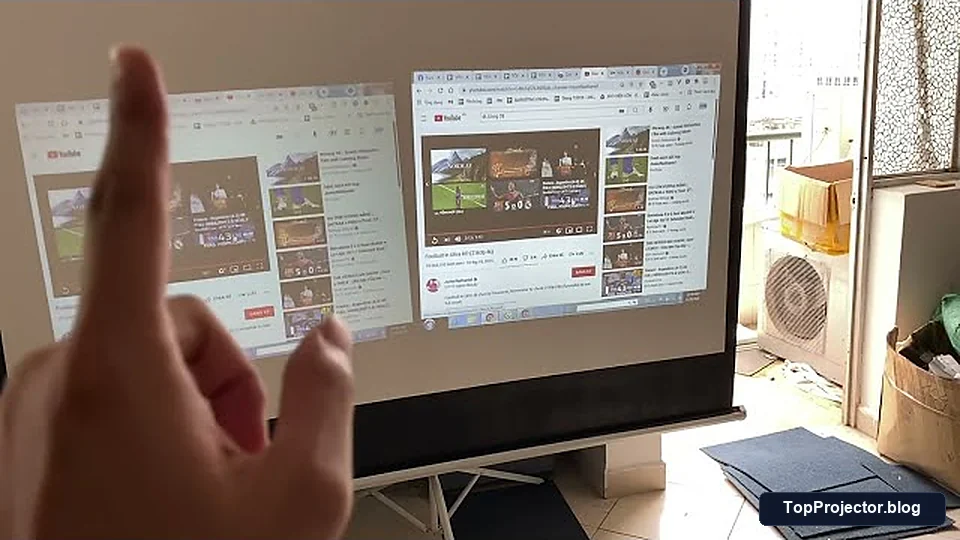
Next, dial in your projector's white balance and color gamut to match rec.709 standards. Because you cannot afford to lose light output, avoid heavy digital keystone correction which wastes native pixels and light.
Utilize physical lens shift whenever possible to align the image perfectly with your screen border. Proper physical alignment preserves maximum native resolution and prevents unwanted optical distortion across the projected frame.
Access your projector's hidden service menu using standard remote control key sequences to fine-tune gamma curves for optimal shadow detail reproduction in dark scenes.
- Block all external ambient light using professional blackout window treatments.
- Avoid aggressive digital keystone correction to preserve peak light output.
- Calibrate grayscale tracking to maximize color accuracy in dark scenes.
- Use physical lens shift for alignment rather than digital cropping.
HDMI Color Spacing
Set your source device video output to RGB limited rather than full range to prevent crushed blacks and clipped highlights on low-output optical engines.
Common Mistakes When Matching Specs to Living Spaces
A frequent beginner mistake is assuming any portable projector works in a lit living room. Buying a 340 ANSI lumen device for a bright family room results in an unwatchable, washed-out image during daytime hours.
Another major error involves ignoring our throw distance calculator before purchasing fixed frame screens. Failing to verify throw metrics often leads to mismatched image sizes exceeding modest light engine capabilities.
Purchasing cheap, uncertified projection screens can also ruin optical performance. Always match your projector's specific output capabilities with high-quality screen materials designed to optimize reflection and viewing angles.
Assuming high dynamic range metadata will magically rescue a 340 ANSI lumens projector is a frequent error leading to severely darkened, unwatchable HDR presentations.
- Expecting low-lumen projectors to perform under ambient daytime lighting.
- Failing to utilize online throw distance calculators before mounting hardware.
- Using incorrect screen gain ratings that ruin off-axis viewing angles.
- Ignoring the critical impact of white ceilings and reflective walls.
Screen Gain Misconceptions
Utilizing a high-gain retro-reflective screen can boost perceived brightness, but it introduces severe viewing angle limitations and annoying hot-spotting artifacts across seating tiers.
Frequently Asked Questions
Can a 340 ANSI lumen projector work with the lights on?
No, a 340 ANSI lumen projector requires a pitch-black dark room to produce a watchable image. Turning on room lights will instantly wash out contrast and make the picture look faded.
What is the ideal screen size for 340 ANSI lumens?
The ideal screen size ranges between 80 and 100 inches diagonal for optimal brightness. Going larger than 100 inches spreads the limited light too thin, resulting in a dim picture.
How do ANSI lumens differ from marketing lumen terms?
ANSI lumens follow a strict, standardized nine-point measurement protocol testing actual lens output. Marketing terms like LED or source lumens ignore optical losses and heavily inflate brightness claims.
Does room wall color affect low-lumen projector performance?
Yes, white walls and ceilings bounce stray projected light back onto the screen, reducing contrast. Dark, matte interior room treatments are essential for maximizing perceived black levels.
Do I need a special screen for a 340 ANSI lumen projector?
A standard 1.0 to 1.3 gain matte white screen works best for maintaining color accuracy. Avoid ambient light rejecting screens since they require much higher lumen outputs to function correctly.