How Many Lumens for Projector in Bright Room?
Selecting the correct light output prevents washed-out images in unshaded spaces. Master the precise math behind high-lumen optical projection.
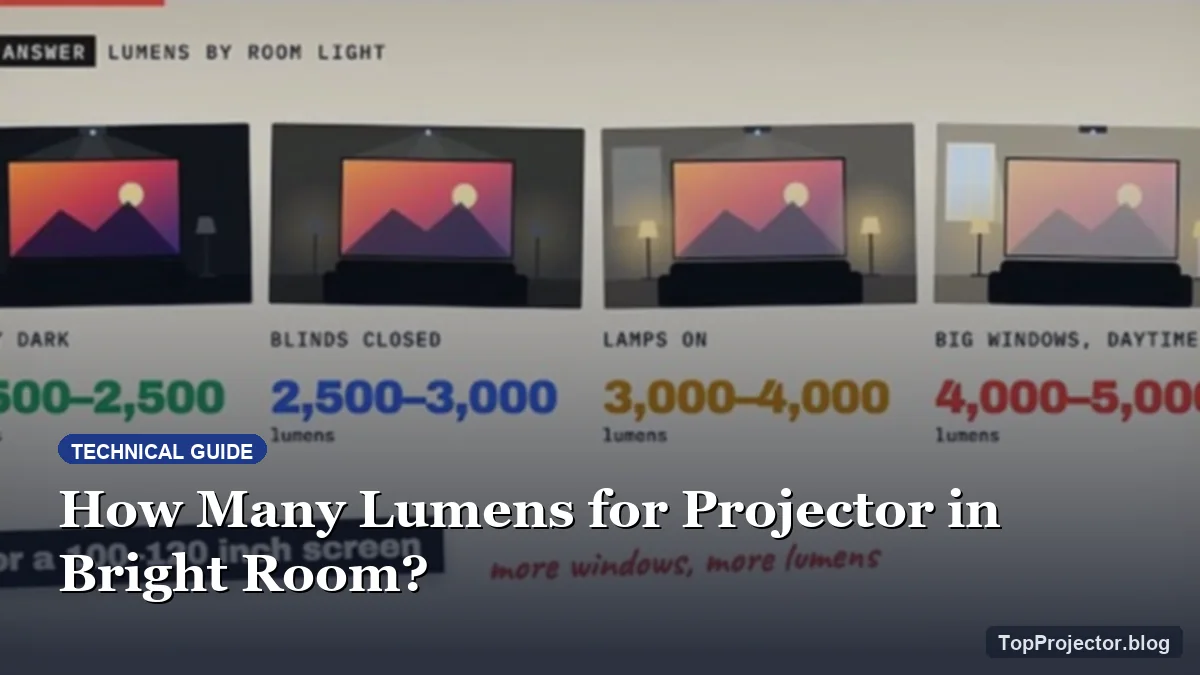
Achieving vibrant daytime projection requires at least 3000 ANSI lumens paired with specialized ambient light rejecting screen fabric to combat daylight effectively.
Ready to compare verified models? Start with our Best Bright Room Projectors: Top Daytime Picks.
Practical Quick-Reference Table
| Scenario / Metric | Recommended Target | Why It Matters |
|---|---|---|
| Dedicated Dark Theater | 1500 to 2000 ANSI Lumens | Prevents eye strain and preserves deep black floors. |
| Controlled Living Room | 2500 to 3000 ANSI Lumens | Balances daytime viewing with cinematic nighttime contrast. |
| Bright Unshaded Room | 3500 to 5000+ ANSI Lumens | Overrides ambient daylight to maintain color saturation. |
| Daytime Sports Viewing | 4000+ ANSI Lumens | Ensures high perceived contrast during daylight hours. |
| Standard 100-Inch Screen | 1.0 to 1.3 Gain | Optimizes reflection angle for moderate ambient light. |
| ALR Ceiling-Rejecting Fabric | 0.8 to 1.2 Gain | Absorbs overhead illumination while reflecting direct projection. |
Decoding ANSI Lumens Versus Marketing Metrics in Ambient Light
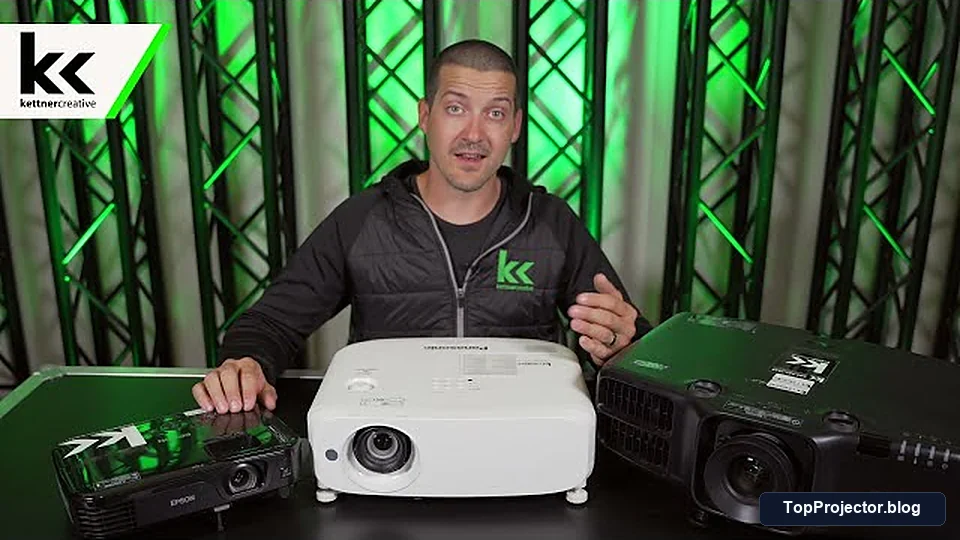
Understanding projector brightness begins with standardized measurement protocols. Before calculating power costs via our projector energy guide, note that manufacturers often quote inflated figures.
The ANSI lumen rating remains the gold standard for measuring true optical output. This standardized test averages light readings across nine distinct screen zones.
Marketing terms like LED lumens or dynamic lumens frequently exaggerate brightness by up to three hundred percent. Always verify independent laboratory tests before making hardware selections.
High ambient light destroys perceived contrast levels instantly. Without adequate true ANSI lumens, your projected image appears gray, washed out, and entirely unwatchable during daytime hours.
Manufacturers frequently inflate specifications using non-standard LED or light source ratings instead of true ANSI lumens. Always demand standardized laboratory output figures before calculating your ambient light mitigation requirements.
- Never trust unverified manufacturer brightness specifications.
- Look strictly for ANSI or ISO standardized ratings.
- Remember that white brightness differs from color brightness.
- High lumen output generates substantial internal heat and fan noise.
Evaluating LED Versus Laser Light Sources
Solid-state illumination alters how light output degrades over time. Laser phosphor engines maintain stable brightness for tens of thousands of operating hours.
Read our Nebula Capsule 3 review to see how compact LED engines perform. LED light sources offer exceptional color volume but struggle to break past the three thousand lumen threshold.
- Laser engines maintain 90 percent brightness past 20,000 hours.
- LED systems provide superior wide color gamut coverage.
Verifying Manufacturer Light Output Claims
Independent testing reveals that budget projectors often achieve only 40% of claimed brightness once calibrated to accurate D65 color temperatures. Cross-reference third-party reviews to secure reliable performance metrics.
Calculating Foot-Lambert Math and Screen Size Scaling
Brightness at the screen surface depends heavily on total throw distance and image dimensions. Use our throw distance calculator to map out your exact room geometry before buying.
The mathematical unit known as the foot-lambert measures reflected light intensity. Most cinematic standards recommend a minimum of sixteen foot-lamberts in a dark room.
Bright living spaces demand upwards of 30 to 40 foot-lamberts to overcome competing sunlight. Achieving this threshold requires careful matching of projector lumens to screen diagonal.
Doubling your screen width quadruples the surface area. Consequently, a projector that looks blindingly bright on an eighty-inch screen may appear dim at one hundred fifty inches.
Target a minimum of 30 foot-lamberts for bright living spaces when projecting onto matte white surfaces. Multiply your projector lumen output by screen gain, then divide by square footage.
- Calculate screen square footage before evaluating lumen needs.
- Larger throw distances decrease light intensity via the inverse square law.
- Use high gain screens cautiously to prevent hotspotting artifacts.
- Factor in lamp degradation when calculating long-term brightness margins.
The Inverse Square Law in Projection Optics
Light intensity drops exponentially as distance from the projector lens increases. Positioning your optical engine closer to the screen maximizes reflected surface luminance.
Short-throw and ultra-short-throw projectors concentrate light efficiently. This optical design minimizes ambient light interference between the lens and projection surface.
- Shorter throw ratios retain higher localized lumen efficiency.
- Positioning matters as much as raw chip output.
Adjusting Throw Distance and Light Falloff
Inverse-square law dictates that doubling your throw distance reduces illumination intensity by 75 percent. Factor in optical zoom loss which can sap up to 20% of peak lumens.
Video Walkthrough: How Many Lumens Does My Projector Need?
Room-by-Room Ambient Light Profiles and Target Outputs

Every living space presents unique optical challenges based on window orientation and wall reflectivity. North-facing rooms receive stable indirect light, simplifying your hardware choice.
South-facing and west-facing spaces experience intense direct sunlight throughout the afternoon. These demanding environments require robust optical engines exceeding four thousand ANSI lumens.
Wall color and ceiling reflectivity dictate stray light bounce. White drywall acts as a secondary reflector, scattering light back onto your projection screen and degrading contrast.
Controlling natural light with motorized blackout shades transforms a bright room into a manageable theater space. However, many homeowners prefer maintaining ambient daylight visibility.
North-facing rooms receive diffused natural daylight requiring roughly 2,000 ANSI lumens for acceptable contrast. Uncontrolled south-facing environments demand upwards of 3,500 lumens and specialized optical screens.
- Analyze window direction before purchasing your display hardware.
- Darker room interior finishes dramatically improve perceived black levels.
- Install layered window treatments for flexible day-to-night viewing.
- Account for seasonal sun angle shifts in glass-heavy rooms.
Assessing Open-Plan Great Rooms
Modern open-concept living spaces combine kitchens, dining areas, and living rooms. These massive spaces feature multiple light sources that cannot be easily shaded.
High-output laser projectors paired with specialized optical screens remain mandatory here. Anything below 3500 ANSI lumens results in an invisible image.
- Open-plan rooms need aggressive ambient light countermeasures.
- Ceiling lights directly overhead wash out standard matte white screens.
Managing Reflection Hotspots in Modern Interiors
Hardwood floors and white drywall reflect ambient light back onto your projection surface, destroying native contrast. Install dark acoustic panels or velvet borders to absorb stray optical scatter.
Projector Brightness Tiers and Real-World Hardware Performance
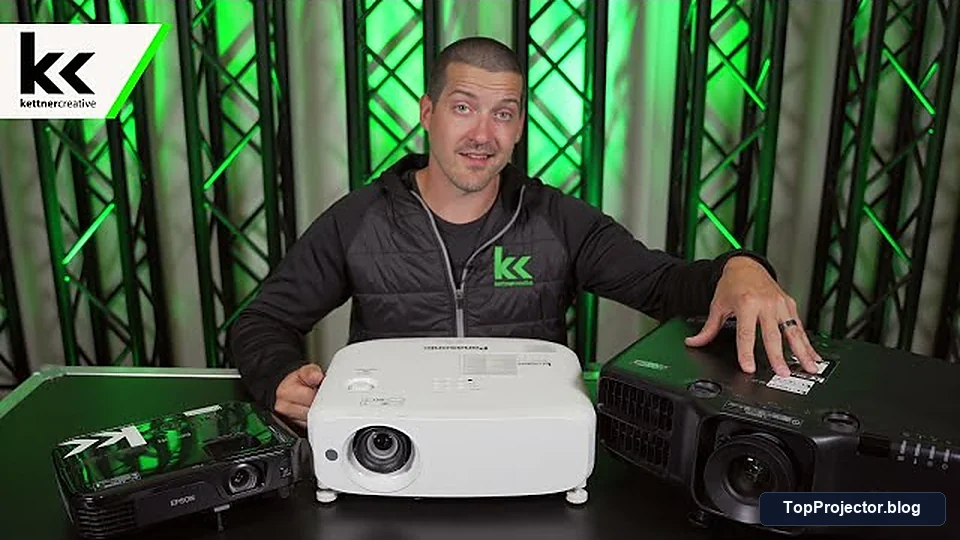
Entry-level home entertainment projectors typically output between 1500 and 2200 ANSI lumens. These models perform brilliantly in dedicated basements with zero windows.
Mid-range living room models push 2500 to 3200 ANSI lumens. They handle controlled ambient light nicely but struggle against unfiltered afternoon sun pouring through large glass doors.
High-output installation projectors deliver 4000 to 7000 ANSI lumens. These robust machines conquer bright living rooms, conference centers, and multipurpose educational environments effortlessly.
Ultra-short-throw laser televisions represent a specialized tier designed specifically for media rooms. Their built-in brightness interacts uniquely with matching floor-rising screens.
Check out our best portable projector under $100 guide for ultra-budget options. Entry-level units under 1,500 lumens fail completely in daylight unless paired with proper ambient light rejecting optics.
- Match your budget to the room ambient light reality.
- Avoid low-lumen portable projectors for permanent bright-room setups.
- Verify noise levels before installing high-output business units at home.
- High-lumen home theater models often trade black floor depth for punch.
Evaluating Popular Bright-Room Reference Models
Models like the Epson Home Cinema series offer reliable color brightness. Three-chip LCD designs prevent the rainbow artifacts common in single-chip DLP competitors.
Laser-based ultra-short-throw systems from brands like Hisense redefine living room viewing. Their high lumen output creates television-like punch in sunlit spaces.
- Three-chip LCD architecture delivers equal color and white output.
- Laser light engines eliminate costly lamp replacement cycles.
Laser Phosphor Versus Lamp Aging Curves
Traditional lamp sources lose up to 50% of their brightness within their first two thousand operating hours. Modern laser phosphor engines maintain 80% output past twenty thousand hours.
Video Walkthrough: Projector in a bright room?
The Critical Role of Ambient Light Rejecting Screen Tech
Projectors cannot project black; they rely on the absence of light. In a bright room, ambient light hits a standard screen and washes out every dark shadow.
An ambient light rejecting screen solves this physics problem completely. These specialized optical surfaces feature microscopic structural layers that absorb off-axis illumination.
Ceiling-rejecting ALR materials filter out overhead recessed lighting while reflecting projector light forward. This optical filtering preserves contrast ratios in daylight.
Choosing between white and gray ALR fabrics depends on your projector output. High-lumen projectors pair best with neutral gray gains around 0.8 to 1.0.
Angular ALR screens reject overhead ceiling lights while reflecting ultra-short-throw illumination toward seated viewers. Ensure your throw ratio matches the specified minimum 0.4:1 requirement for proper alignment.
- ALR screens are mandatory for unshaded daytime projection.
- Match ultra-short-throw projectors only with specialized UST-ALR fabrics.
- Standard matte white screens act like mirrors for ambient room light.
- Viewing angles narrow slightly with aggressive ambient light rejection.
Understanding Screen Gain and Viewing Angles
Screen gain measures how much light a surface reflects compared to a magnesium carbonate reference standard. A gain of 1.0 reflects light equally in all directions.
High-gain screens concentrate reflected light into a narrow viewing cone. This boosts perceived brightness for seated viewers directly in front of the display.
- Excessive gain causes noticeable hotspotting and color shifting.
- Wide seating arrangements require lower gain diffuse surfaces.
Micro-Layer Optical Construction Explained
Premium ALR surfaces utilize microscopic directional louvers that absorb off-axis illumination from side windows. This optical filtering boosts perceived black levels by up to seven times in daylight.
Contrast Ratio, Color Brightness, and Black Level Retention
Raw lumen output means little if the optical engine cannot maintain deep blacks. High brightness often washes out shadow detail unless native contrast is exceptional.
Color brightness matters just as much as white brightness. Many DLP projectors rely on white segments in their color wheels, boosting white specs while diluting saturation.
Dynamic iris systems help improve apparent contrast during dark movie scenes. However, static native contrast remains the true indicator of cinematic image depth.
Balancing lumen punch with color accuracy requires careful calibration. Utilize preset cinema modes rather than dynamic modes for accurate flesh tones.
High lumen output washes out native black levels unless balanced by a dynamic iris or laser dimming. Look for models boasting a true 2,000:1 native contrast ratio alongside high lumens.
- Inspect both white and color lumen specifications.
- High contrast prevents daytime images from looking milky and flat.
- Calibrate color temperature to standard D65 for film accuracy.
- Avoid overly cool color settings that artificially inflate brightness.
Managing Gamma Curves for Daylight Viewing
Gamma settings control the transition from pure black to peak white. Adjusting your gamma curve higher brightens midtones, making details visible in sunlit rooms.
Dedicated calibration software allows custom gamma adjustments for daytime profiles. Switch back to standard curves when the sun sets completely.
- Higher daytime gamma exposes shadow details in bright environments.
- Automatic picture modes switch settings based on room sensors.
Color Brightness Versus White Brightness Disparities
Single-chip DLP projectors often suffer from low color brightness relative to their white lumen rating. Verify that your chosen display delivers equal Color Light Output to prevent washed-out palettes.
Practical Guidelines for Bright Living Room Installations
Successful bright-room projection requires a holistic system design approach. Begin by measuring your exact ambient light levels using a digital lux meter.
Calculate your required lumen output based on screen size and measured foot-candles. Never guess your brightness requirements when dealing with unshaded architectural glass.
Invest in a dedicated ambient light rejecting screen before upgrading your projector. Upgrading screen fabric often yields a bigger contrast improvement than buying a brighter projector.
Mount your projector securely and utilize optical lens shift to dial in geometry. Precise alignment ensures maximum light reaches the screen without digital keystone distortion.
Calibrate your projector using the Bright Cinema preset rather than dynamic mode to maintain accurate skin tones under moderate ambient light conditions. Adjust gamma curves to 2.2 for daylight viewing.
- Measure room light levels before purchasing optical hardware.
- Prioritize ALR screen pairing for daytime living room performance.
- Avoid digital keystone correction to preserve native panel resolution.
- Plan cable runs and power infrastructure before final installation.
Troubleshooting Washed-Out Daytime Projections
If your daytime image appears washed out, check for stray light reflections. Matte room surfaces and dark curtains eliminate secondary bounce paths instantly.
Verify that your projector lamp or laser is operating at full power. Eco modes conserve bulb life but severely limit performance in bright spaces.
- Disable eco mode when viewing content in daytime sunlight.
- Eliminate reflective furniture surfaces positioned near the screen.
HDMI Cable Specifiers and Bandwidth Requirements
High-refresh 4K signals require certified Ultra High Speed HDMI cables rated for 48Gbps bandwidth. Ensure your signal chain avoids signal degradation over long living room cable runs.
Frequently Asked Questions
Is 3000 lumens enough for a living room with windows?
Yes, 3000 ANSI lumens works well in controlled living spaces with light filtering shades. However, direct afternoon sunlight requires stepping up to 4000+ lumens for vibrant images.
Do I need an ALR screen in a bright room?
An ambient light rejecting screen is strongly recommended for bright rooms. It absorbs overhead and side light while reflecting projector light, dramatically improving contrast.
Why does my projector look dim during daytime sports?
Daylight introduces massive ambient light that washes out black levels and lowers perceived contrast. Using a high-output laser engine resolves this daytime visibility issue.
How does screen size affect projector brightness requirements?
Larger screen sizes spread the available light across a wider surface area. Doubling your screen width quadruples the surface area, requiring significantly more lumens.
What is the difference between ANSI lumens and marketing lumens?
ANSI lumens follow strict international testing standards for accurate light output measurement. Marketing terms often inflate brightness figures using unverified dynamic testing methods.