How Long Do Laser Projectors Last: Ultimate Lifespan Guide
Discover the true operational lifespan of modern solid-state laser projection systems. Learn how thermal management, phosphor wheels, and maintenance dictate real-world home theater durability.
Most modern laser projectors deliver 20,000 to 30,000 hours of peak operation before dropping to half brightness. Proper ventilation and regular filter maintenance are essential to achieving maximum hardware longevity.
Ready to compare verified models? Start with our Best Laser Projector: Top Home Theater Picks.
Laser Projector Lifespan Metrics and Operating Parameters
| Engine Type | Rated Lifespan (Hours) | Typical Lumen Decay Rate | Maintenance Priority |
|---|---|---|---|
| Laser Phosphor | 20,000 to 25,000 Hours | Gradual over 5 years | Medium (Filter cleaning) |
| RGB Triple Laser | 30,000 Hours | Minimal color shift | High (Dust sealing) |
| LED Hybrid | 30,000 Hours | Slow steady decline | Low (Passive cooling) |
| Traditional Lamp | 2,000 to 5,000 Hours | Rapid dropoff | Constant replacements |
| Eco Brightness Mode | +30 percent boost | Reduced thermal stress | Recommended daily |
| Standard Operation | Baseline rating | Standard thermal load | Monitor ambient heat |
Understanding the True Lifespan of Modern Solid-State Laser Engines
Solid state illumination has completely transformed the home theater landscape. Manufacturers routinely advertise 20,000 hour operational limits for their laser diode modules, completely shifting consumer expectations away from fragile glass mercury lamps.
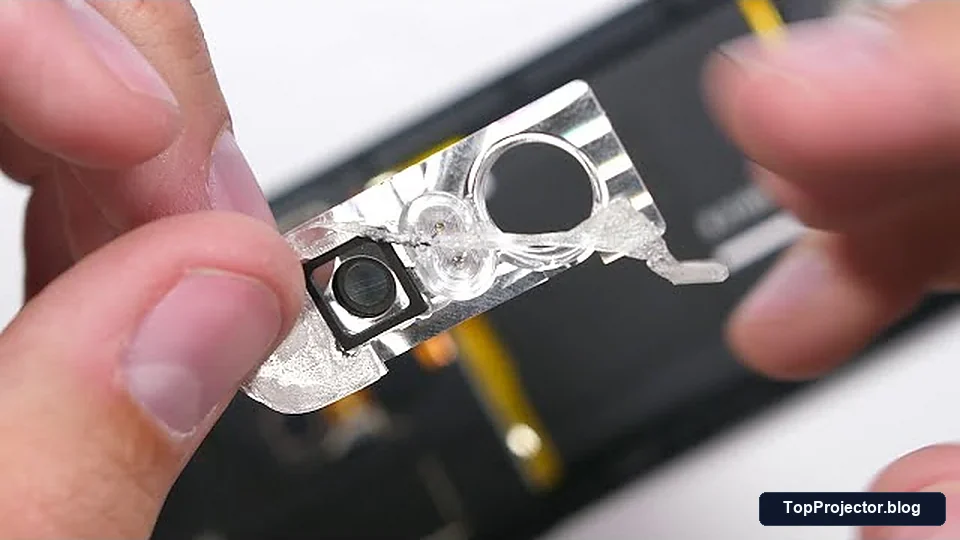
Unlike old mercury arc lamps that dim rapidly and shatter unexpectedly, laser diodes degrade gradually. This allows you to enjoy thousands of hours of high contrast projection before noticing any significant drop in output.
Evaluating real world longevity requires looking past marketing claims. True hardware lifespan depends heavily on your daily viewing habits, ambient room temperatures, and how aggressively you drive the laser light engine.
Understanding these foundational metrics helps protect your investment. Let us examine how raw engineering specifications translate to everyday movie watching and dedicated gaming sessions in your living room.
- Solid state lasers eliminate the need for frequent bulb replacements.
- Rated hours typically measure the time until brightness drops to fifty percent.
- Gradual degradation prevents sudden catastrophic failures during movie playback.
- Thermal management dictates whether a projector reaches its maximum theoretical lifespan.
The Standard Twenty Thousand Hour Rating Explained
The 20,000 hour benchmark is an industry standard metric known as half life. It represents the point where light output drops to fifty percent of its original factory calibrated ANSI lumen measurement.
Reaching this half life milestone does not mean your projector stops working entirely. If you want a cheap secondary setup instead, check out our best budget projector picks for small rooms.
- Fifty percent brightness retention defines the standard rating threshold.
- Projectors remain fully functional and viewable past the rated hour mark.
- Factory calibration gradually drifts as the laser diodes age over time.
Translating Operational Hours to Real World Home Theater Usage
Calculating your actual hardware lifespan is straightforward math. If you watch three hours of content daily, a 20,000 hour laser engine will technically provide nearly twenty years of reliable service.
Heavy enthusiasts logging six hours every single day will still experience close to a decade of prime performance. This extraordinary durability makes modern laser units a truly permanent theater fixture.
- Three daily hours yields roughly eighteen years of projection life.
- Six daily hours still delivers nearly a decade of peak operation.
- Actual lifespan varies based on power saving modes and room temperature.
Laser Phosphor Versus RGB Tri-Laser Architectural Aging
Not all solid state light engines age identically. Laser phosphor architectures rely on blue laser diodes striking a spinning phosphor wheel to create white light, introducing unique wear patterns across components.
RGB triple laser systems use individual red, green, and blue diodes directly. This architecture bypasses phosphor wheels entirely, delivering superior color volume but introducing distinct thermal management challenges for each diode.
Understanding these distinct internal architectures helps you anticipate specific maintenance needs. Both technologies offer immense longevity compared to legacy lamps, but their aging characteristics differ noticeably.
Let us break down how phosphor degradation and pure diode drift affect your image quality over thousands of hours of dedicated home cinema operation.
- Laser phosphor systems convert blue laser light using a spinning wheel.
- RGB tri-laser models use pure colored diodes without phosphor degradation risks.
- Color calibration drifts differently depending on the chosen laser architecture.
- Thermal stress impacts blue diodes and red diodes with varying severity.
Phosphor Wheel Degradation and Lumen Decay
The spinning phosphor wheel is a critical mechanical wear point in many projectors. Continuous exposure to high intensity blue laser light causes the phosphor coating to degrade gradually over thousands of hours.
This localized thermal wear results in a measurable drop in brightness. To gauge your exact needs after aging, use our ANSI lumens room calculator before buying.
- Spinning phosphor wheels experience continuous thermal and optical stress.
- Inorganic phosphor compounds resist high heat much better than organic variants.
- Lumen decay manifests as a slow dimming over years of heavy usage.
Pure Diode Laser Drift and Color Gamut Stability
RGB triple laser projectors maintain exceptional color accuracy for years. However, individual laser diodes can experience slight wavelength shifts as they age under heavy thermal and electrical loads.
Advanced firmware algorithms often compensate for this diode aging automatically. These internal adjustments ensure your wide color gamut remains accurate and balanced throughout the lifespan of the projector.
- Triple laser setups eliminate moving phosphor wheels entirely.
- Individual diodes can experience minor wavelength shifts over time.
- Smart firmware automatically compensates for aging color diodes.
Video Walkthrough: Search filters
Thermal Management and Airflow Constraints Inside the Chassis
Heat is the absolute enemy of solid state electronics. High powered laser diodes generate immense thermal energy that must be dissipated rapidly to prevent premature degradation and catastrophic module failure.
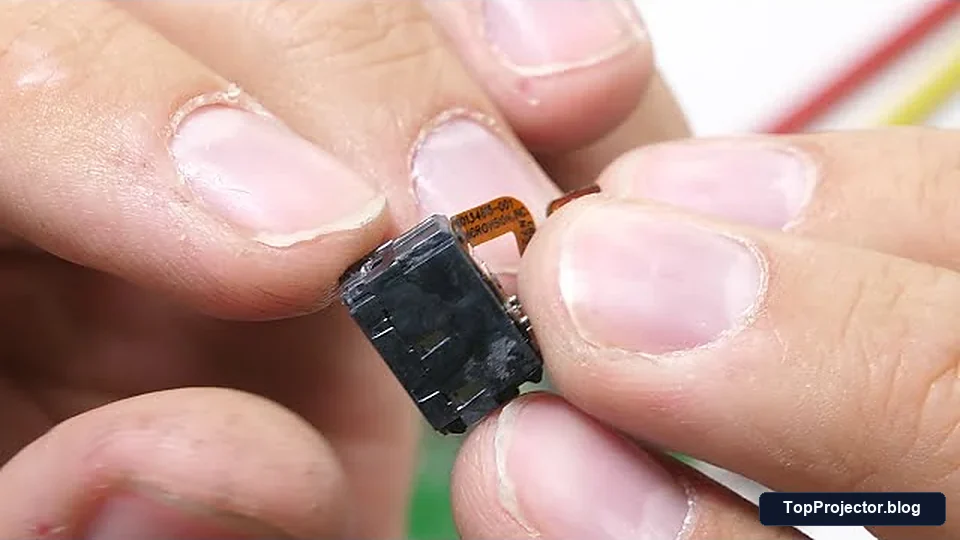
Modern projectors utilize complex internal heat pipes and high velocity cooling fans. When organizing your media cabinet setup, consult our audio pairing guide to ensure proper placement.
Poor cabinet placement or blocked exhaust ports trap ambient heat inside the chassis. This thermal overload accelerates diode aging and dramatically shortens the projected lifespan of your expensive optical engine.
Let us examine how ambient room temperatures and dust accumulation conspire against your cooling fans and internal laser assemblies.
- Laser diodes generate significant heat requiring aggressive thermal management.
- Cooling fans and copper heatsinks work constantly to protect internal electronics.
- Blocked ventilation ports cause rapid internal heat buildup and premature wear.
- Ambient room temperature directly dictates the operating efficiency of laser diodes.
The Impact of Ambient Temperature on Diode Efficiency
Operating your projector in a warm, unconditioned room forces the cooling system to work harder. Elevated ambient temperatures reduce the electrical efficiency of laser diodes and increase internal thermal stress.
Keeping your home theater environment at moderate temperatures significantly extends hardware life. Air conditioning and proper room ventilation pay massive dividends in long term projector reliability.
- High ambient room temperatures reduce overall laser diode efficiency.
- Cooler operating environments decrease thermal stress on internal components.
- Proper HVAC integration protects your investment from heat related failure.
Dust Accumulation and Optical Path Contamination
Cooling fans draw microscopic dust particles inside the projector chassis. If dust settles on internal optical elements, laser diodes, or mirrors, it creates localized hot spots and degrades image contrast.
Hermetically sealed optical engines prevent dust intrusion entirely. Investing in a projector with a certified dust resistant design removes one of the primary causes of premature hardware failure.
- Cooling fans inevitably introduce microscopic airborne dust particles.
- Dust accumulation on optics creates localized hot spots and dim spots.
- Sealed optical engines provide superior protection against environmental contamination.
Display Chip Technologies and Their Interaction with Laser Sources
The light engine is only one part of the equation. Digital micromirror devices, liquid crystal panels, and LCoS chips all interact differently with high intensity laser illumination over extended operational periods.
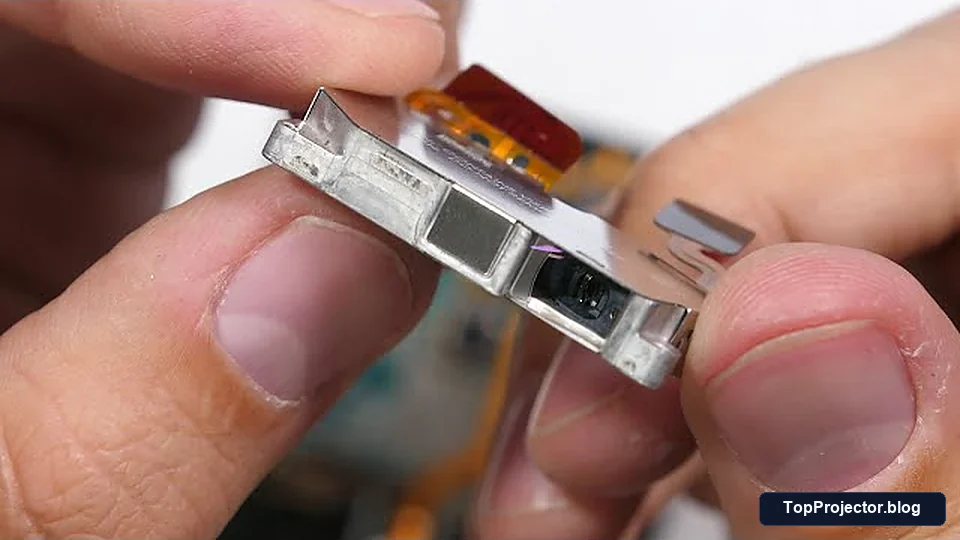
DLP chips use millions of microscopic tilting mirrors. While extremely durable, extreme laser heat can occasionally stress these mechanical assemblies if cooling airflow is compromised during long movie marathons.
LCD and LCoS panels absorb more light energy directly. Over thousands of hours, high intensity laser beams can degrade polarizing filters and cause yellowing or contrast degradation on liquid crystal panels.
Understanding these chip specific vulnerabilities helps you choose the right projection technology for your specific viewing habits and daily operational requirements.
- DLP micromirrors offer high mechanical durability under intense laser light.
- LCD panels absorb more light energy and face potential polarization wear.
- LCoS displays require careful thermal engineering to protect reflective layers.
- Panel degradation can occur independently of the underlying laser light source.
DLP Micro-Mirror Reliability Over Extended Operating Cycles
DLP technology is renowned for long term image stability. The inorganic nature of the micromirror array means it does not suffer from organic panel degradation or color fading over time.
However, maintaining adequate airflow across the DMD heat sink is vital. Without proper cooling, prolonged exposure to high lumen laser output can warp surrounding plastic housing components.
- DLP chips resist organic color degradation and panel burn in.
- Microscopic mirrors tilt millions of times per second reliably.
- Proper heatsink cooling protects surrounding structural components from heat.
3LCD Panel Degradation and Polarization Filter Burnout
3LCD projectors deliver vibrant color brightness but require careful light management. High energy laser beams passing through polarizing filters can cause thermal degradation and yellow staining over years of use.
Modern 3LCD manufacturers use inorganic alignment layers and enhanced cooling to mitigate this risk. These engineering upgrades ensure modern LCD projectors last much longer than older generations.
- 3LCD panels pass light through internal polarizing filters continuously.
- High intensity lasers can degrade organic polarizing films over time.
- Inorganic panel upgrades significantly improve long term display durability.
Practical Calibration and Maintenance Protocols to Maximize Longevity
Proactive maintenance is the easiest way to guarantee your projector reaches its maximum rated lifespan. Simple habits like cleaning air filters and utilizing eco brightness modes dramatically reduce internal wear.
Running your projector at maximum laser output every single moment accelerates thermal aging. For portable alternatives experiencing less heat, read our Anker Nebula Capsule 3 review for details.
Establishing a regular cleaning schedule prevents dust from choking your cooling fans. Let us explore specific configuration settings and physical maintenance steps that keep your projection system running smoothly.
Implementing these straightforward protocols ensures your hardware delivers crisp contrast and vibrant colors for well over a decade of continuous home entertainment enjoyment.
- Proactive maintenance prevents premature hardware failure and costly repairs.
- Eco brightness modes reduce thermal stress on delicate laser diodes.
- Regular air filter inspections ensure unobstructed internal cooling airflow.
- Smart calibration balances peak performance with long term component preservation.
Eco Modes, Brightness Adjustments, and Power Management
Most laser projectors feature adjustable laser power settings. Utilizing Eco or custom dimmed modes reduces electrical current to the diodes, significantly lowering operating temperatures and extending overall lifespan.
In a dedicated, light controlled home theater room, full laser power is rarely necessary. Dropping the output preserves your hardware while simultaneously lowering fan noise and power consumption.
- Eco modes decrease electrical current flowing through laser diodes.
- Lower operating temperatures directly translate to extended hardware longevity.
- Dimmed settings also reduce audible fan noise in quiet rooms.
Filter Cleaning Schedules and Proper Ventilation Clearance
Inspect and clean your projector air filters every few months. Trapped dust chokes airflow and forces internal fans to spin at maximum RPM, increasing mechanical wear and internal operating temperatures.
Always maintain at least six inches of clearance around all intake and exhaust vents. Never place a projector inside a tightly enclosed cabinet without dedicated ventilation fans.
- Clean air filters every three to six months depending on environment.
- Maintain adequate physical clearance around all chassis ventilation ports.
- Avoid placing projectors in unventilated custom cabinetry enclosures.
Identifying Early Warning Signs of Permanent Light Engine Failure
Recognizing the early symptoms of hardware fatigue allows you to plan replacements proactively. While laser engines degrade slowly, specific visual anomalies indicate that components are reaching their operational limits.
Sudden drops in ANSI lumen output that cannot be explained by ambient light or screen wear suggest diode degradation. Similarly, persistent color uniformity issues point toward phosphor wheel or polarization failure.
Catching these issues early helps you troubleshoot whether the problem stems from external sources, dirty optics, or actual internal component wear. Let us review the primary diagnostic signs of engine decline.
Careful observation of your projected image ensures you are never caught off guard by a failing light source during an important movie night or gaming session.
- Early warning signs help prevent unexpected projector failure during use.
- Sudden lumen drops indicate possible laser diode or phosphor degradation.
- Color uniformity issues often point toward internal optical misalignment.
- Regular visual checks ensure optimal home theater performance over time.
Spotting Sudden Lumen Drop and Contrast Degradation
A gradual decrease in brightness is normal over thousands of hours. However, a sudden, precipitous drop in ANSI lumens indicates driver board failure or rapid laser diode degradation.
If your high contrast scenes start looking washed out despite recalibration, the optical engine may be nearing the end of its reliable service life and require professional servicing.
- Gradual dimming is normal, but sudden brightness loss is problematic.
- Driver board malfunctions can cause unexpected laser output reduction.
- Washed out contrast suggests underlying optical engine wear.
Diagnosing Color Shift and Speckle Artifact Inconsistencies
Noticeable color shifts toward magenta or green often indicate aging phosphor wheels or unbalanced RGB diodes. Firmware updates can sometimes correct minor drifts, but severe shifts require hardware attention.
Laser speckle artifacts can also become more pronounced if internal diffusion elements degrade. Monitoring these subtle visual changes keeps your image quality pristine.
- Color shifts toward magenta or green indicate component aging.
- Firmware updates can occasionally correct minor color balance issues.
- Laser speckle changes suggest degradation in internal diffusion filters.
Strategic Replacement Planning for Dedicated Cinema Spaces
Planning for ultimate hardware replacement ensures seamless upgrades for your home theater. Even the longest lasting laser projector will eventually become obsolete as display technologies and resolution standards evolve.
Evaluating throw ratios, lens shift capabilities, and screen sizes ahead of time makes future upgrades effortless. Knowing when repair costs outweigh the price of a brand new unit saves you money.
Upgrading provides an opportunity to adopt higher native resolutions, improved HDR tone mapping, and wider color gamuts. Let us explore how to structure your long term home theater upgrade timeline.
A thoughtful replacement strategy keeps your projection setup at the absolute cutting edge of home entertainment performance without unexpected budget surprises.
- Strategic planning ensures smooth upgrades when hardware reaches end of life.
- Evaluate existing throw ratios and screen sizes before buying new gear.
- Compare professional repair costs against modern projector market pricing.
- Upgrades offer access to improved HDR mapping and higher resolutions.
Evaluating Throw Ratios and Screen Sizes During Upgrades
When planning a projector replacement, always verify your existing throw distance and screen size. Matching your new unit's throw ratio saves you from having to remount ceiling brackets or reposition AV furniture.
Modern ultra short throw models require specialized ambient light rejecting screens. Careful measurement guarantees your next projector integrates perfectly into your dedicated room architecture.
- Verify throw distance and screen dimensions before purchasing upgrades.
- Matching throw ratios avoids costly ceiling mount repositioning.
- Ultra short throw models demand specialized ambient light rejecting screens.
Assessing When Repair Costs Outweigh New Hardware Investment
Out of warranty laser engine replacements are exceptionally expensive. If a major optical component fails after twenty thousand hours of heavy use, purchasing a brand new projector is usually more cost effective.
Modern projection technology advances rapidly in contrast, brightness, and smart features. Putting repair funds toward a new unit delivers better overall long term value.
- Out of warranty laser repairs often exceed the value of the unit.
- Modern projectors offer significant advancements in contrast and HDR.
- Investing in new hardware provides better long term performance value.
Frequently Asked Questions
How many years does a typical laser projector last?
A typical laser projector lasts between seven to fifteen years depending on daily usage. Assuming standard viewing habits of three hours per day, the 20,000 hour light source easily spans nearly two decades.
Do laser projectors suddenly stop working when they reach their rated hours?
No, laser projectors do not shut off permanently when they hit their rated hour limit. The 20,000 hour mark simply indicates when brightness drops to fifty percent of original factory output.
Can I replace a worn out laser light engine myself?
Replacing a laser light engine requires specialized technical knowledge and calibration tools. You must have qualified service technicians handle internal module replacements to ensure safety and proper optical alignment.
Does running a laser projector in Eco mode really extend its lifespan?
Yes, running your projector in Eco or dimmed laser modes reduces thermal stress significantly. Lower operating temperatures directly decrease electrical wear and help the laser diodes achieve maximum operational longevity.
What maintenance practices are most important for laser projector durability?
Cleaning air filters every few months and maintaining adequate ventilation clearance are crucial. Keeping intake vents free from dust prevents catastrophic overheating and protects your internal optical components.