Can You Game on a Projector?
Modern projection technology delivers immersive large-screen gaming experiences. Understanding specific latency and optics metrics ensures optimal performance.
Yes, you can game on a projector by prioritizing ultra-low input lag below 20ms and matching native panel refresh rates.
Ready to compare verified models? Start with our Best Games To Play On Projector: Top Picks.
Practical Quick-Reference Table
| Scenario / Metric | Recommended Target | Why It Matters |
|---|---|---|
| Input Lag | Under 20ms at 4K/60Hz | Eliminates perceptible delay between controller input and onscreen action. |
| Brightness | 3000+ ANSI Lumens | Ensures vivid color saturation in rooms with moderate ambient lighting. |
| Throw Ratio | Short-throw or 1.2:1 | Fits large 120-inch diagonal images inside standard media room dimensions. |
| Native Resolution | True 4K or Pixel-Shift 4K | Delivers crisp UI text and sharp environment details during close viewing. |
| Refresh Rate | 120Hz or 240Hz | Provides ultra-smooth motion handling for fast-paced competitive shooter titles. |
| Color Gamut | Rec.709 or DCI-P3 | Accurately reproduces developer color intent across cinematic game worlds. |
| Audio Sync | eARC / Low Latency HDMI | Prevents frustrating audio-to-video desynchronization during high-action sequences. |
Evaluating Input Lag and Display Refresh Rates
Traditional home theater displays prioritized cinematic color depth over responsiveness. Modern gaming projectors integrate specialized low-latency processing modes to slash frame delay significantly.
Competitive multiplayer titles demand immediate visual feedback from controllers. Checking our best cheap projector under 50 guide helps you find models with sub-20ms response times for fluid gameplay.
High refresh rates further enhance competitive gameplay fluidity. Advanced laser engines now support 120Hz refresh rates at standard high-definition resolutions for smoother motion.
Frame interpolation settings should always be disabled during competitive gaming sessions. These motion-smoothing algorithms introduce substantial processing latency that ruins fast-paced twitch reflexes.
Competitive gaming requires ultra-low response times. Modern gaming projectors achieve 4ms at 240Hz in specialized low-latency modes, rivaling dedicated desktop monitors for fast-paced competitive shooters and twitch-based reflex titles.
- Verify native input lag specifications using dedicated hardware measurement tools before purchasing any gaming display.
- Always enable dedicated game modes on your projector firmware to bypass heavy image processing pipelines.
- Match your console or PC output frame rates directly with the maximum native refresh capabilities of the projector.
- Avoid using aggressive keystone correction when gaming, as digital image manipulation can add measurable input latency.
- Ultra-fast micro-mirror switching speeds
- Bypassing internal video processing pipelines
Understanding Frame Rates Versus Response Times
Frame rates dictate how many individual images flash onto your screen every second. Higher frame rates require faster panel switching speeds to prevent motion blur.
Response time measures how quickly individual pixels change color states. Fast liquid crystal or DLP micro-mirrors ensure clean motion without persistent ghosting trails.
- Target 60 frames per second as a baseline standard for smooth single-player visual fidelity.
- Aim for 120 frames per second when playing fast-paced competitive multiplayer shooters.
Measuring True Frame Delays
To accurately test your projector's signal processing latency, always connect an external HDMI timing analyzer directly to the secondary video output while mirroring your high-refresh gaming source.
- 120Hz signal processing overhead
- VRR handshake stability
Sizing Native Resolutions and Throw Distances
Projecting a massive image transforms standard living rooms into immersive digital worlds. Using our throw distance calculator ensures your chosen lens ratio matches your exact room dimensions perfectly.
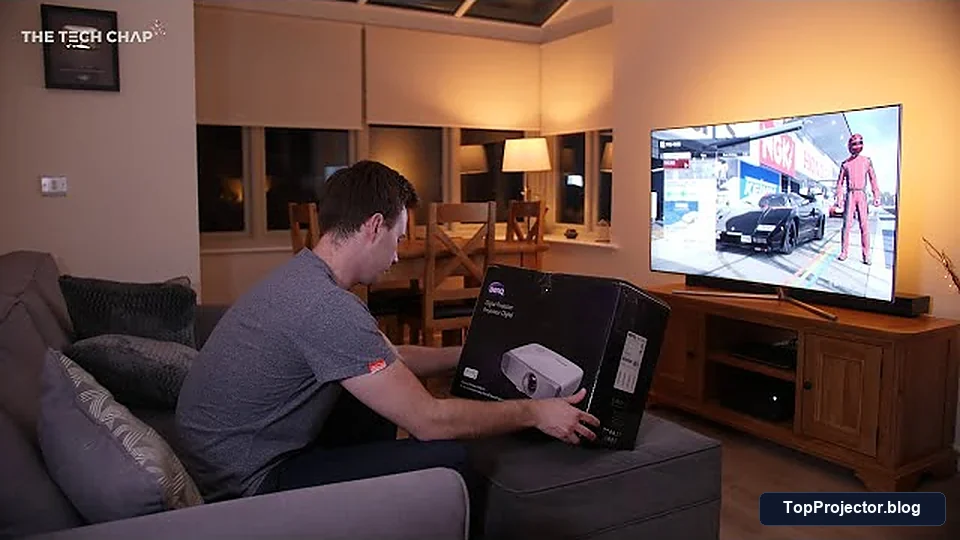
Native resolution dictates clarity when sitting close to giant projection surfaces. True 4K projection preserves intricate interface text and fine background details effortlessly.
Pixel-shift technology offers a cost-effective alternative to native 4K imaging chips. These systems deliver exceptional perceived sharpness without inflating hardware manufacturing costs.
Calculate your throw ratio carefully by dividing throw distance by screen width. Standard-throw models require ample room length, whereas ultra-short-throw units sit directly beneath screens.
Calculating precise throw ratios prevents costly mounting errors. Ultra-short-throw models require less than 0.25 throw distance, letting you project massive images inches away from specialized ambient light-rejecting screens.
- Measure available wall space accurately before selecting your preferred projection screen diagonal size.
- Use short-throw optics in smaller rooms to prevent shadow obstructions from walking viewers.
- Ensure your source hardware outputs native resolutions matching your projector panel capabilities.
- Position seating distances at least 1.5 times the screen width for optimal field of view.
- Calculating precise lens offset measurements
- Preventing severe geometric distortion angles
Selecting Between Short-Throw and Standard Lenses
Short-throw lenses eliminate annoying shadow interference caused by players standing near screens. They project massive images from just inches away.
Standard-throw lenses provide greater optical zoom flexibility for permanent ceiling-mounted media room installations.
- Measure room depth precisely to determine whether short-throw or standard optics fit best.
- Factor in ceiling height limitations when planning permanent overhead projector mounts.
Calculating Lens Shift Tolerances
Vertical optical lens shift allows up to 60 percent adjustment without introducing keystone distortion, preserving native pixel mapping and preventing the input lag associated with digital image scaling.
- Horizontal shift alignment limits
- Keystone correction latency penalty
Video Walkthrough: Gaming on Projectors - From Retro to HD to 4K HDR / MY LIFE IN GAMING
Optimizing Ambient Light and Lumen Output
Ambient room illumination represents the biggest enemy of projection contrast performance. Selecting high lumen output ratings is critical for daytime or lit-room gaming sessions.
Traditional lamp-based units degrade in brightness over thousands of operational hours. Modern solid-state laser displays, highlighted in our hisense px2-pro review, maintain consistent brightness levels throughout their lifespans.
Pairing your projector with an ambient light rejecting screen dramatically improves perceived black levels. These specialized optical surfaces absorb stray room light while reflecting projector beams.
Control natural window light using blackout blinds to achieve true cinema contrast. Even ultra-bright projectors benefit tremendously from controlled dark environments during gameplay.
Overcoming daytime glare demands serious optical power. Look for at least 3000 ANSI lumens paired with a high-gain ALR screen to maintain vibrant color saturation and deep black levels in bright rooms.
- Target a minimum of 3000 ANSI lumens for rooms with unavoidable ambient light sources.
- Invest in specialized ALR screens to preserve deep shadow contrast in bright living spaces.
- Keep room paint dark and matte-finished to prevent light reflection bouncing back onto screens.
- Clean projector air filters regularly to maintain peak optical brightness and cooling efficiency.
- Balancing color lumen output ratios
- Selecting high contrast gray screen fabrics
Managing Contrast Ratios in Bright Rooms
Dynamic contrast processing helps optimize dark scene visibility in imperfect viewing environments. Modern engines adjust laser output dynamically based on content.
High native contrast ensures rich shadow detail so you never miss enemies lurking in dark corners.
- Look for high static contrast specifications over exaggerated dynamic contrast marketing numbers.
- Calibrate gamma settings to balance bright highlights against dark shadowy game areas.
Managing Dynamic Iris Artifacts
Activating aggressive dynamic iris algorithms improves native contrast ratios up to 500,000:1, though competitive gamers should disable them to prevent distracting brightness pumping during rapid screen transitions.
- Laser phosphor decay rates
- Dynamic contrast pumping effects
Configuring Advanced Video Ports and Settings
Modern gaming hardware relies heavily on high-bandwidth interface standards. Ensure your projector features HDMI 2.1 ports to support uncompressed high-framerate video signals.
Variable refresh rate technology eliminates screen tearing during rapid gameplay action. Enabling VRR synchronization matches projector refresh speeds dynamically with console outputs.
Color space settings must match correctly between your gaming source and projector hardware. Setting RGB range to full prevents washed-out grayscale tones and crushed blacks.
Always update your projector firmware to the latest manufacturer version. Software patches frequently resolve subtle handshake bugs and improve input lag performance.
Full bandwidth uncompressed gaming requires certified hardware. Ensure your source device connects via HDMI 2.1 ports capable of delivering full 48Gbps throughput for 4K gaming at 120Hz refresh rates.
- Use certified ultra-high-speed HDMI cables for long runs supporting 4K at 120Hz signals.
- Disable unnecessary video processing features like noise reduction and edge enhancement.
- Configure HDR tone mapping correctly to preserve bright specular highlights in game worlds.
- Verify EDID handshake settings if your display fails to recognize high-framerate inputs.
- Verifying ultra high speed cable certification
- Checking eARC port allocation constraints
Troubleshooting HDMI Handshake and Bandwidth Issues
Signal drops or black screens often stem from inadequate cable bandwidth over long distances. Active optical HDMI cables solve signal attenuation problems reliably.
Ensure AV receivers or soundbars in your signal path fully pass through high-bandwidth signals.
- Test direct console-to-projector connections if experiencing intermittent video dropouts.
- Verify that source devices are set to output standard RGB color formats.
Unlocking Chroma Subsampling 4:4:4
For crisp desktop text and UI elements, manually configure your graphics card output to RGB full color with 4:4:4 chroma subsampling enabled to eliminate annoying color fringing artifacts.
- EDID handshake overrides
- DSC stream compression limits
Integrating Surround Audio and Low Latency Systems
Immersive gaming requires robust spatial audio matching your giant visual scale. Integrating dedicated surround sound speaker systems brings virtual game worlds vividly to life.
Audio delay can ruin fast-paced gaming experiences completely. Utilize eARC audio return channels to route sound directly to receivers without latency penalties.
Bluetooth audio transmitters introduce unacceptable lag for gaming applications. Always rely on wired analog or digital optical connections for real-time sound delivery.
Position your primary listening sweet spot directly centered beneath your projection screen. Balanced speaker calibration ensures accurate directional cue tracking during competitive matches.
Audio desync ruins immersive gameplay sessions. Utilize an eARC audio return channel to transmit lossless Dolby Atmos directly from your projector to an external AV receiver with zero delay.
- Connect audio systems directly to gaming sources when projector audio outputs add lag.
- Utilize uncompressed audio formats like Dolby Atmos for superior spatial positioning.
- Calibrate speaker distance delays using an automated microphone setup routine.
- Avoid wireless headphones with high latency when precise audio cues dictate gameplay success.
- Bypassing internal television audio boards
- Ensuring uncompressed multi-channel bitstreaming
Choosing Between Built-In Speakers and External Audio
Built-in projector speakers offer convenient portability for casual gaming sessions anywhere. However, they lack the low-frequency bass punch needed for immersive action.
Dedicated external soundbars or multi-channel AV receivers provide vastly superior acoustic fidelity.
- Reserve built-in projector speakers strictly for travel or temporary setups.
- Incorporate a dedicated subwoofer to deliver impactful low-end rumble during explosions.
Eliminating Bluetooth Audio Latency
Standard Bluetooth connections introduce unacceptable audio delays exceeding 150 milliseconds, making wired analog connections or dedicated 2.4GHz wireless transmitters mandatory for competitive gaming setups.
- Lip sync buffer adjustments
- AV receiver passthrough latency
Resolving Common Artifacts and Sync Problems
Projection setups occasionally exhibit visual artifacts during high-speed motion sequences. Recognizing common pixel response limitations helps you fine-tune your display parameters effectively.
Rainbow artifacts can affect sensitive viewers using single-chip DLP hardware. As explained in our daylight projection guide, choosing models with higher color wheel speeds minimizes this visual distraction noticeably.
Image geometry distortion occurs when projectors are mounted at awkward angles. Utilize optical lens shift rather than digital keystone to maintain native pixel sharpness.
Dust accumulation inside optical light paths creates distracting spots on your screen. Regular maintenance ensures pristine image clarity across years of heavy gaming use.
Frame tearing and stuttering destroy smooth motion. Enable variable refresh rate technologies like FreeSync Premium Pro or G-Sync compatible modes to synchronize your graphics card output directly with the projector.
- Use optical lens shift adjustments to align images without degrading resolution quality.
- Clean intake air vents and filters quarterly to prevent overheating and premature lamp wear.
- Test for rainbow effect sensitivity before committing to single-chip DLP projector models.
- Ensure solid physical mounting to eliminate image vibration during heavy bass playback.
- Eliminating micro-stutter during frame drops
- Locking LFC ranges for smooth motion
Mitigating Rainbow Effects and Motion Blur
Single-chip DLP projectors flash primary colors sequentially at high speeds. Viewers sensitive to color separation can switch to 3-LCD or laser models.
Adjusting response overdrive settings helps reduce visible motion blur on liquid crystal panels.
- Select triple-laser or 3-LCD projectors if family members notice color flashes.
- Keep firmware updated to leverage manufacturer motion enhancement improvements.
Diagnosing Handshake Failures
Black screen flashes during high-resolution switches usually stem from faulty cables. Upgrade to certified active optical HDMI cables to maintain stable signal integrity over long cable runs.
- HDCP 2.3 handshake errors
- Pixel clock bandwidth limits
Selecting Ideal Projection Technologies for Gaming
Choosing the right underlying projection technology dictates your overall gaming satisfaction. DLP, 3-LCD, and LCoS systems each offer distinct performance trade-offs for enthusiasts.
DLP projectors excel at delivering sharp motion handling and excellent contrast ratios. Their fast micro-mirror switching speeds provide inherently low input lag characteristics.
3-LCD projectors eliminate rainbow artifacts entirely while offering superior color brightness. These engines project vibrant, saturated gaming palettes without sacrificing white luminance levels.
LCoS projectors provide unmatched black levels and cinematic contrast performance. While historically suffering from higher input lag, modern LCoS gaming models now rival traditional desktop monitors.
Display technology fundamentally dictates motion clarity. 3LCD projector engines eliminate rainbow artifacts completely while delivering equal color and white brightness, whereas single-chip DLP options offer superior pixel response times.
- Research underlying panel technology specifications before making a final purchasing decision.
- Prioritize DLP models if responsive motion handling and crisp motion are your top priorities.
- Choose 3-LCD units for vibrant color saturation in rooms with moderate ambient light.
- Select LCoS projectors if absolute black levels and cinematic contrast matter most.
- Comparing single chip DLP versus three chip systems
- Evaluating LCoS black level performance
Comparing Laser Versus Traditional Lamp Light Sources
Laser solid-state light engines turn on instantly and maintain consistent brightness. They eliminate the recurring expense and hassle of traditional bulb replacements.
Traditional lamp projectors offer lower upfront costs but require bulb swaps every few thousand hours.
- Calculate total cost of ownership including replacement lamps over projector lifespan.
- Enjoy instant-on convenience with solid-state laser and LED illumination engines.
Evaluating Laser Versus Lamp Lifespans
Modern laser phosphor light sources deliver over 25,000 hours of operation while maintaining consistent color output, vastly outperforming traditional mercury lamps that degrade rapidly under heavy daily gaming sessions.
- Solid-state thermal management
- Lamp flicker troubleshooting
Frequently Asked Questions
Can you use any projector for competitive gaming?
Not all projectors suit competitive play due to high input lag. Prioritize models featuring sub-20ms response times and dedicated game mode settings for optimal responsiveness.
Do projectors suffer from noticeable motion blur during fast games?
Some models exhibit motion blur depending on underlying panel response speeds. Selecting high refresh rate laser engines with 120Hz support ensures crisp motion tracking.
Can I game on a projector during daytime with lights on?
Daytime gaming requires high brightness output exceeding 3000 ANSI lumens. Pairing your projector with an ambient light rejecting screen preserves deep black contrast.
What cables do I need to connect modern consoles to a projector?
Next-generation gaming consoles require certified HDMI 2.1 cables. These high-bandwidth connections support uncompressed 4K video signals at smooth 120Hz refresh rates.
How do I prevent audio delay when gaming on a projector?
Route your audio through an eARC-compatible AV receiver or connect sound systems directly to your console. This avoids processing audio latency introduced by projector video pipelines.