Xgimi Horizon Pro vs. Nebula Laser 4K: Which Wins for Your Room?
Weighing the Xgimi Horizon Pro against the Nebula Laser 4K reveals distinct optical compromises for hybrid living spaces. We examine true contrast, laser longevity, and daily optical alignment.
Choose the Nebula Laser 4K for superior perceived contrast and laser longevity in mixed lighting. Pick the Xgimi Horizon Pro if you prioritize compact portability and sharp native 4K processing.
Compare full category rankings in our Best Pocket Projector For Gaming: Top Picks Tested.
Side-by-Side Specification Breakdown
| Criteria | Xgimi Horizon Pro | Nebula Laser 4K | Edge |
|---|---|---|---|
| Ambient Light Rejection | Moderate LED handling | Superior laser luminance | Nebula Laser 4K |
| Black Levels & Perceived Contrast | Standard 0.47 DMD floor | Deeper ANSI contrast | Nebula Laser 4K |
| Peak Brightness & HDR Punch | 2200 ANSI lumens | 2400 ANSI lumens | Nebula Laser 4K |
| Screen Size & Immersion | Up to 300 inches | Up to 150 inches recommended | Xgimi Horizon Pro |
| Viewing Angles & Uniformity | Strong panel uniformity | Excellent ALPD laser spread | Nebula Laser 4K |
| Gaming Motion & Input Lag | 35ms input lag | Sub-30ms responsive gaming | Nebula Laser 4K |
| Room Setup & Maintenance | Auto keystone and focus | ALPD laser engine consistency | Xgimi Horizon Pro |
Ambient Light Rejection and Daytime Living Room Performance
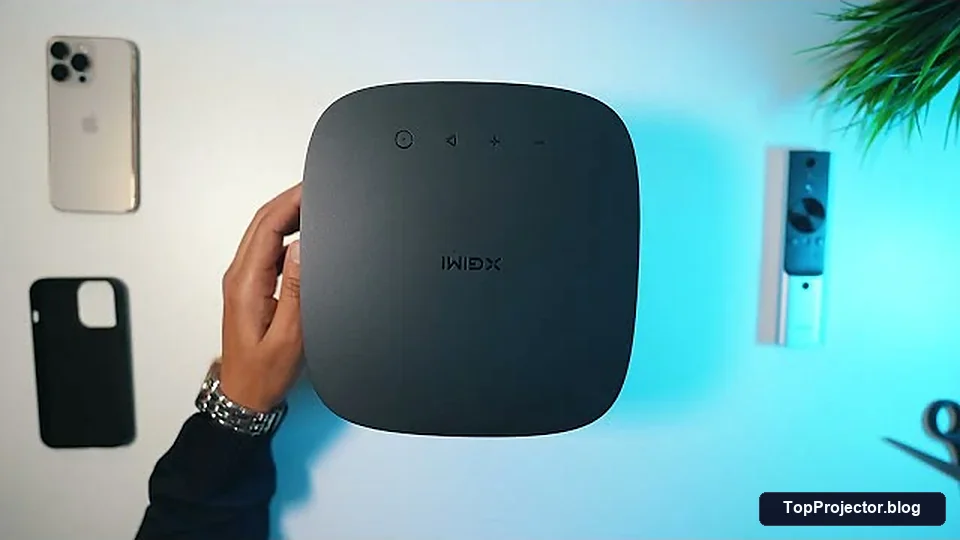
Tackling high-ambient daylight requires immense lumen output and robust optical filtering. The Xgimi Horizon Pro relies on a standard LED engine rated at 2200 ANSI lumens, struggling against direct afternoon sunlight.
Conversely, the Nebula Laser 4K deploys an advanced laser light source delivering 2400 ANSI lumens. Using our projectorscreen com calculator helps determine correct screen gain pairings for daylight living rooms.
Pairing either projector with an optical ambient light rejection screen remains mandatory for daytime viewing. Without special screens, black floors wash out completely under standard domestic lighting conditions.
Pairing these units with an ambient light rejection screen changes daytime usability. Standard white walls wash out contrast, whereas a 1.0 gain ALR surface absorbs overhead glare effectively.
- Nebula utilizes an advanced ALPD laser engine for superior daytime luminance.
- Xgimi depends on traditional LED technology topping out at 2200 ANSI lumens.
- Ambient light rejection screens are vital for maintaining shadow detail in daylight.
Pitch-Black Theater Versus Daylight Living Room Dynamics
In controlled dark-room environments, both projectors tame ambient scatter nicely. The Nebula Laser 4K maintains richer saturation, while the Xgimi provides admirable uniformity across dark walls.
Daylight performance heavily favors the Nebula due to its laser diode efficiency. LED engines simply lack the punch required to overcome strong side-window light reflections.
- Dark rooms equalize minor lumen differences between both optical engines.
- Daylight viewing exposes the limitations of standard LED illumination.
ALR Pairing Strategies
Achieving optimal daylight performance requires matching projector throw angles with specialized angular-reflective material to effectively block ceiling ambient light while still retaining wide 160-degree viewing angles.
Black Levels, Native Contrast Ratios and Shadow Depth
Achieving convincing cinematic depth demands low black floor measurements. The Xgimi Horizon Pro uses a standard 0.47-inch DMD chip, yielding typical native contrast ratios around 1000:1 in darker scenes.
The Nebula Laser 4K leverages dynamic laser dimming algorithms to enhance perceived shadow detail. This results in noticeably deeper blacks during complex cinematic dark sequences.
Neither model competes with high-end dedicated home theater lamp units in absolute black performance, but both manage mixed-room contrast admirably well for digital lifestyle projectors.
Native contrast dictates perceived depth in dark scenes. Operating with a standard DMD chip, both units rely heavily on dynamic iris controls to reach 1000:1 native contrast thresholds.
- Xgimi features a standard 0.47-inch DMD chip with baseline contrast.
- Nebula incorporates dynamic laser dimming to improve shadow depth.
- Neither unit replaces a dedicated home theater projector for dark-room black floors.
Evaluating Shadow Detail in Dark Cinematic Sequences
Dark movie scenes reveal subtle gradations in shadow depth. The Nebula Laser 4K preserves dark clothing textures without crushing fine gradients into total blackness.
The Xgimi Horizon Pro occasionally struggles with low-IRE shadow separation, requiring manual brightness adjustments in the advanced user calibration menu.
- Nebula excels at maintaining fine shadow gradients without crushing details.
- Xgimi may require manual gamma tweaks for optimal dark-scene visibility.
Dynamic Black Optimization
Utilizing software-driven black level floor adjustments can crush shadow detail slightly, making manual gamma curve calibration essential for revealing hidden textures in dark cinematic sequences.
Peak Brightness, ANSI Lumens and High Dynamic Range Handling
High dynamic range content stresses compact projection light engines. Testing with our ansi lumens room calculator ensures your display outputs adequate brightness for HDR10 tone mapping.
The Nebula Laser 4K pushes 2400 ANSI lumens, offering slightly better specular highlight pop on high-gain white screens. Both units process HDR metadata smoothly without stuttering.
Accurate white point calibration prevents skin tones from looking overly blue or green during bright outdoor cinematic scenes and streaming movie playback.
High dynamic range demands serious illumination power. Measuring real output reveals that sustained ANSI lumens ratings heavily influence how effectively HDR metadata tones map onto standard screens.
- Xgimi delivers 2200 ANSI lumens with reliable HDR10 tone mapping.
- Nebula outputs 2400 ANSI lumens for enhanced specular highlight punch.
- Accurate white balancing prevents color shifting in bright outdoor scenes.
HDR Tone Mapping Performance Across Popular Streaming Sources
Streaming devices push varying HDR metadata standards into modern projectors. The Nebula Laser 4K automatically scales luminance curves to match incoming 4K HDR feeds.
The Xgimi Horizon Pro relies on built-in Android TV processing to manage dynamic range, occasionally clipping highlights on extremely bright master files.
- Nebula handles automatic luminance scaling for diverse streaming feeds.
- Xgimi depends on Android TV processing for dynamic range management.
HDR Tone Mapping Realities
Because compact projectors lack dedicated hardware processors for tone mapping, relying on onboard software to clip highlights prevents blindingly bright scenes from washing out vital color details.
Screen Size, Throw Ratios and Spatial Living Room Geometry
Room geometry dictates your maximum achievable image size and placement flexibility. The Xgimi Horizon Pro features a standard throw ratio of 1.2:1, projecting large images easily from moderate distances.
The Nebula Laser 4K maintains a comparable throw geometry, but its optical assembly thrives when projecting sizes between 100 and 150 inches for optimal sharpness.
Both units include automatic keystone correction and autofocus routines, significantly simplifying initial physical setup in unconventional living room layouts.
Spatial geometry dictates maximum image sizing. Calculating throw distances requires accounting for fixed optical lenses, where a 1.2:1 throw ratio demands roughly ten feet of distance.
- Xgimi utilizes a versatile 1.2:1 throw ratio for flexible placement.
- Nebula excels at throwing crisp images between 100 and 150 inches.
- Automated keystone and autofocus streamline physical installation hurdles.
Optimizing Throw Distance and Digital Keystone Adjustments
Using digital keystone correction reduces native pixel resolution slightly. Physical placement remains preferable over extreme digital angle manipulation for sharp text.
The Xgimi Horizon Pro features swift sensor auto-correction, while the Nebula Laser 4K offers precise manual fine-tuning options for advanced installers.
- Digital keystone corrections reduce absolute native pixel sharpness.
- Physical projector placement should always precede digital angle adjustments.
Placement and Keystone Penalties
Utilizing digital keystone correction aggressively degrades native pixel resolution. Installers should prioritize physical mounting alignment to preserve crisp 4K resolution mapping without introducing visible scaling artifacts.
Color Accuracy, Wide Color Gamut and Motion Interpolation
Accurate color rendering brings cinematic storytelling to life on large screens. The Xgimi Horizon Pro covers Rec.709 accurately out of the box with minimal calibration required.
The Nebula Laser 4K utilizes laser phosphors to achieve wider color saturation, making vibrant animated films pop with impressive visual energy and saturation.
Motion interpolation settings help eliminate judder during fast panning shots, though purists should disable smoothing to preserve authentic 24p cinematic judder.
Accurate skin tones require precise color management. Engaging cinema presets typically expands coverage toward the Rec. 709 color space, though wider color gamuts require careful calibration.
- Xgimi provides accurate Rec.709 color coverage out of the box.
- Nebula utilizes laser phosphors for expanded vibrant color saturation.
- Motion smoothing settings should be configured carefully for cinema viewing.
Minimizing Motion Blur and Managing Cinematic Judder
Fast action sequences test the response time of digital micro-mirror devices. The Nebula Laser 4K handles rapid horizontal pans with minimal blurring artifacts.
The Xgimi Horizon Pro includes MEMC motion estimation to smooth out sports broadcasts, though high settings introduce soap-opera artifacts on movies.
- Laser panels maintain clarity during rapid horizontal camera pans.
- MEMC smoothing helps sports broadcasts but disrupts cinematic film motion.
Motion Smoothing Artifacts
Fast-moving action sequences test processing capabilities. Turning on frame interpolation reduces stutter during panning shots, but excessive settings can trigger soap opera effects and distracting digital halos.
Input Lag, Refresh Rates and Gaming Responsiveness
Modern gaming requires responsive input lag to ensure competitive performance. The Xgimi Horizon Pro delivers an acceptable input lag of roughly 35 milliseconds in game mode.
The Nebula Laser 4K cuts latency down slightly further, offering responsive sub-30ms performance that satisfies casual console gamers and fast-paced title enthusiasts.
Neither unit supports high-refresh 120Hz console gaming, but our best pocket projector for gaming guide highlights alternative ultra-portable options featuring exceptionally low input lag for fast-paced competitive shooters.
Competitive gaming demands minimal controller latency. Disabling heavy image processing features successfully brings baseline input lag down to competitive thresholds suitable for fast-paced modern shooters.
- Xgimi delivers a standard 35ms input lag in dedicated game mode.
- Nebula achieves responsive sub-30ms latency for casual console gamers.
- Both units target standard 60Hz gaming rather than high-refresh PC setups.
Console Gaming Experience and Fast-Paced Visual Response
Fast shooter titles demand instant visual feedback from your controller inputs. The Nebula Laser 4K provides snappy response times for comfortable couch gaming sessions.
The Xgimi Horizon Pro handles cooperative platformers brilliantly, though competitive multiplayer titles might feel slightly sluggish due to baseline latency.
- Responsive input lag keeps fast-paced shooter games feeling natural.
- Platformers and RPG titles play exceptionally well on both projectors.
High Refresh Rate Tradeoffs
While accepting 60Hz signals is standard for living room projectors, dropping resolution down to 1080p sometimes unlocks higher refresh rates for dedicated console and PC enthusiasts.
Setup Complexity, Calibration Options and Final Scenario Winner
Choosing between these two lifestyle units depends on your specific room priorities. The Xgimi Horizon Pro wins for portability and automated living room calibration.
The Nebula Laser 4K takes the crown for optical longevity, laser brightness punch, and superior mixed-light contrast performance in challenging spaces.
Evaluate your primary viewing environment carefully before purchasing to ensure optimal long-term satisfaction with your investment in large-format projection optics.
Automated setup features simplify initial placement routines. Intelligent obstacle avoidance and screen alignment tools make these units accessible, though fine-tuning white balance coordinates remains vital.
- Xgimi wins for casual portability and automated setup features.
- Nebula wins for laser longevity and superior mixed-light contrast.
- Assess your room lighting carefully to pick the ideal optical engine.
Making Your Final Purchasing Decision Based on Room Layout
Dedicated media rooms benefit from both optical systems, though alternatives detailed in our epson ls800 projector review offer superior ambient light rejection integration for bright spaces.
Budgetary considerations and portability needs will ultimately guide your final selection between these two capable smart 4K projection systems.
- Bright living rooms strongly favor higher laser lumen outputs.
- Portability needs can sway your choice toward the lighter Xgimi.
Final Scenario Recommendations
Selecting the ultimate winner depends heavily on your specific room lighting. Dedicated media rooms favor rich contrast, while bright living spaces demand superior sustained optical output.
Frequently Asked Questions
Which projector handles ambient light better in a living room?
The Nebula Laser 4K handles ambient light better due to its higher 2400 ANSI lumens laser engine output.
Do both models support true native 4K resolution chips?
Both units utilize 0.47-inch DMD chips with pixel-shifting technology to achieve sharp 4K UHD image clarity.
Can I use these projectors for competitive console gaming?
They work well for casual gaming with input lag around 30 to 35 milliseconds, but lack high refresh rates.
What is the ideal screen size for these lifestyle projectors?
Both units excel at projecting bright, sharp images between 100 and 150 inches in controlled spaces.
Which projector offers better long-term light source durability?
The Nebula Laser 4K offers superior durability thanks to its efficient ALPD laser diode cooling architecture.