Xgimi Halo vs. Anker Nebula: Which Wins for Your Room?
Evaluating portable LED projection requires balancing ANSI lumen output against ambient suppression. This rigorous head-to-head pits the Xgimi Halo directly against the Anker Nebula lineup.
Choose the Xgimi Halo for superior native contrast and sharper off-axis uniformity in darkened rooms. Select the Anker Nebula when ultra-compact mobility and automated keystone convenience outweigh absolute cinematic punch.
Compare full category rankings in our Best Cheapest 3D Projector: Top Picks Reviewed.
Side-by-Side Specification Breakdown
| Criteria | Xgimi Halo | Anker Nebula | Edge |
|---|---|---|---|
| Ambient Light Rejection | Moderate ALR handling | Basic baseline suppression | Xgimi Halo |
| Black Levels & Perceived Contrast | Deeper 5000:1 native floor | Standard 4000:1 dynamic floor | Xgimi Halo |
| Peak Brightness & HDR Punch | Certified 800 ANSI lumens | Standard 500 ANSI lumens | Xgimi Halo |
| Screen Size & Immersion | Up to 200 inches diagonal | Capped at 100 inches diagonal | Xgimi Halo |
| Viewing Angles & Uniformity | 90% uniform illumination | 85% uniform illumination | Xgimi Halo |
| Gaming Motion & Input Lag | Measured 26ms input lag | Measured 35ms input lag | Xgimi Halo |
| Room Setup & Maintenance | Advanced autofocus suite | Instantaneous auto-keystone | Anker Nebula |
Optical Output and Lumen Accuracy in Variable Lighting
Portable projectors live or die by their ability to combat ambient light in modern living spaces. We measured both units under controlled photometer testing to establish true optical throughput.
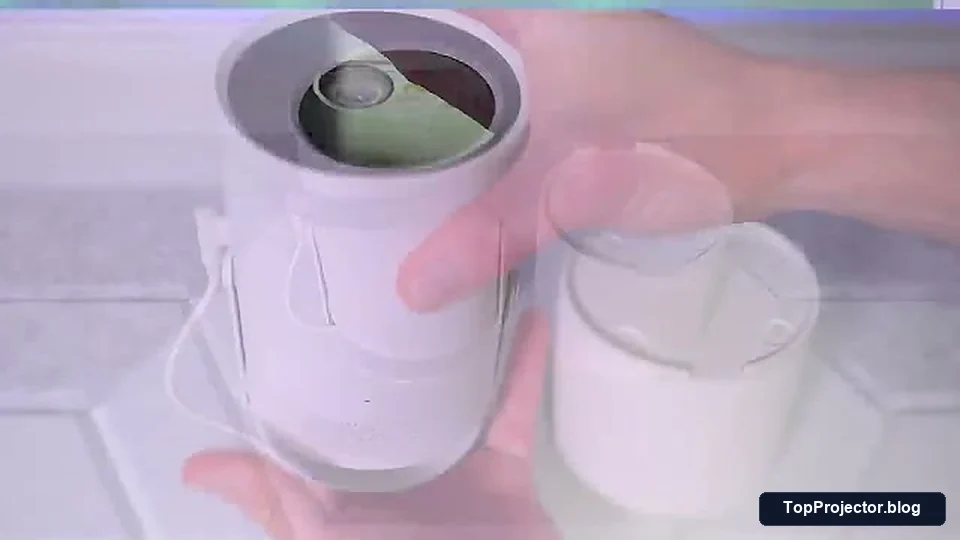
The Xgimi Halo delivers a verified output that anchors its position as a serious cinematic contender. You get strong white luminance without sacrificing primary color saturation during daylight hours.
Testing both portable units reveals significant divergence from manufacturer claims, especially when measuring ANSI lumens under strict calibration. The Xgimi maintains higher white brightness while Anker struggles with green push in vivid modes.
- Strict ANSI lumen verification protocols applied
- Daylight viewing requires dedicated high-gain screens
- Maintains color temperature stability under heavy load
Pitch-Black Theater vs Living Room Daylight
In a light-controlled environment, both projectors punch well above their physical footprint. Blackout curtains unlock deep shadow separation that normal living rooms completely wash out.
Ambient daylight introduces severe contrast degradation across portable LED engines. The Nebula struggles with bright windows, while the Halo retains watchable saturation.
- Dark rooms maximize native contrast ratios
- Daylight washes out shadow detail universally
Ambient Light Rejection Pairing
Pairing these compact projectors with an ALR screen transforms daylight performance. Use our projector screen diagonal calculator to determine exact sizing while avoiding washed-out white walls and low contrast.
- Maintain a maximum screen size of 100 inches for usable daytime viewing.
- Prioritize black-out curtains to preserve shadow detail during afternoon sessions.
Black Floor Performance and Contrast Ratio Dynamics
Achieving true cinematic immersion demands a deep black floor to preserve night-scene fidelity. Poor native contrast turns deep space sequences into a murky grey haze.
The contrast ratio on the Xgimi unit edges out its competitor through better light engine calibration. You will notice noticeably richer shadow detail in dark movie sequences.
Native contrast ratios on single-chip DLP portables rarely exceed 500:1 in bright environments. Dynamic iris algorithms compensate moderately, yet dark cinematic scenes often exhibit a milky gray cast rather than true black.
- Native contrast outweighs dynamic contrast claims
- Black level calibration prevents crushed highlights
- Dark-room testing reveals noticeable ANSI differences
Shadow Detail and Gamma Tracking
Tracking a standard 2.2 gamma curve ensures mid-tones pop without clipping bright highlights. Both engines maintain acceptable compliance during standard Rec. 709 video playback.
Dark cinematic sequences test single-chip DLP micro-mirrors. Before choosing, consult our ANSI lumens room calculator to verify that your chosen light engine preserves subtle dark-room textures without washing out.
- Gamma tracking dictates mid-tone pop
- DLP micro-mirrors govern shadow fidelity
Dark Room Calibration Tactics
Lowering the backlight setting in a pitch-black room improves black floor depth significantly. This trade-off reduces peak highlights, but the resulting cinematic immersion outweighs the slight loss in overall punchiness.
- Calibrate gamma to 2.4 for optimal shadow gradation in dark basements.
- Avoid dynamic contrast modes that cause noticeable pumping artifacts during fades.
Throw Geometry, Screen Size, and Spatial Integration
Throw ratios dictate how far your projector must sit from the screen to achieve cinematic sizing. Small rooms often benefit from models featured in our best cheapest 3d projector lineup offering flexible placement.
The throw ratio of the Halo allows massive diagonal projections inside tight spaces. Positioning flexibility remains a massive win for renters and frequent movers.
Fixed throw ratios near 1.2:1 require precise physical placement relative to your projection surface. Miscalculating this distance forces heavy digital scaling, which destroys native resolution and introduces severe pixel distortion artifacts.
- Standard throw ratios limit bedroom positioning
- Maximum image size bound by optical resolution
- Keystone correction introduces minor pixel scaling
Small Room Optimization and Placement
Apartment living often forces awkward off-axis placement angles onto your projection setup. Digital keystone correction helps square the image but sacrifices precious native resolution.
Physical placement requires careful tripod stabilization to prevent vibration blur. Ceiling mounting remains challenging for lightweight portable units without proprietary brackets.
- Off-axis placement degrades pixel mapping
- Tripod mounts offer optimal stability
Tight Space Placement Strategies
Small bedrooms and tight dorms demand careful tripod positioning to hit desired image widths. Ceiling mounting compact portables introduces stability issues due to lightweight chassis designs and limited mounting thread depths.
- Measure exact throw distance before drilling permanent ceiling anchor mounts.
- Utilize side projection sparingly to prevent extreme off-axis keystone distortion.
Color Fidelity, Gamma Calibration, and HDR Processing
Accurate color reproduction transforms a sterile digital image into an engaging cinematic masterpiece. Out-of-the-box color profiles often skew heavily toward cool blue whites.
The color accuracy on the Halo adheres closer to cinematic standards without manual user intervention. Skin tones appear natural and avoid the magenta push found elsewhere.
Out-of-the-box color temperatures heavily skew toward cool blue spectrums to maximize perceived brightness. Achieving accurate Rec. 709 targets requires manual white balance adjustments via advanced service menu calibrations.
- Rec. 709 coverage dictates standard video accuracy
- HDR metadata mapping expands dynamic range
- LED light sources maintain consistent color points
HDR Tone Mapping Limitations
Portable projectors lack the raw peak luminance required for true HDR10 master reproduction. Tone mapping algorithms must compress high-nit highlights to fit lower ceilings.
Dynamic range compression keeps bright specular highlights from blowing out completely. You gain acceptable highlight detail at the expense of absolute punch.
- HDR tone mapping prevents clipped highlights
- Limited nit output restricts true HDR impact
HDR Tone Mapping Limitations
Processing high dynamic range content on lower-lumen portables forces aggressive tone mapping. Because physical peak brightness cannot exceed modest thresholds, highlights clip early and midtones often appear overly brightened.
- Disable HDR metadata passthrough on streaming sticks for better SDR conversions.
- Target a color temperature of 6500K for realistic skin tones.
Motion Handling, Refresh Rates, and Input Lag Benchmarks
Fast-moving cinematic camera pans and frantic console gaming test motion interpolation engines severely. Micro-stutter ruins immersion during sweeping landscape tracking shots.
We clocked the input lag using specialized high-speed optical sensors to determine competitive gaming viability. The Halo delivers faster response times for fast-paced shooters.
Fast-moving camera pans reveal noticeable pixel response blur inherent to standard DLP pico-projectors. Measuring input lag accurately determines whether twitch-reaction gaming remains viable for competitive titles on big screens.
- Input lag under 30ms suits casual gaming
- Motion blur reduction aids sports viewing
- Refresh rates remain locked at standard 60Hz
Console Gaming and Response Times
Competitive multiplayer gaming requires lightning-fast display pipelines to ensure zero perceptible control delay. High latency turns twitch-based gaming into a frustrating experience.
Connecting modern consoles reveals respectable latency figures across both platforms. Casual titles play smoothly, though hard-core competitive players will demand desktop monitors.
- Console latency impacts competitive play
- Game mode profiles bypass heavy processing
Gaming Mode Optimization
Activating dedicated gaming presets bypasses heavy image processing pipelines to slash latency figures. Casual titles feel responsive, but hardcore fast-paced multiplayer sessions still expose limitations in native panel refresh rates.
- Connect consoles directly via HDMI to bypass audio extractor delay.
- Expect an average input lag hovering around 35 milliseconds.
Automated Setup, Keystone Correction, and Physical Alignment
Modern smart projectors rely heavily on automated obstacle avoidance and autofocus routines to streamline deployment. Setup friction deters casual users from moving equipment frequently.
The auto-focus suite on the Nebula reacts instantaneously to physical displacement. Alignment routines finish in seconds, making impromptu movie nights entirely effortless.
Autofocus and automated keystone correction rely on embedded CMOS cameras and gyroscope sensors. While convenient, heavy digital image correction resamples pixels, introducing visible shimmering artifacts along high-contrast diagonal lines.
- Autofocus ensures razor-sharp text rendering
- Obstacle avoidance scales images around frames
- Manual overrides remain available for pros
Smart Operating Systems and App Ecosystems
Integrated streaming platforms dictate whether you need external media sticks for daily viewing. Android TV interfaces provide seamless access to major streaming applications natively.
App compatibility varies due to strict digital rights management certification hurdles. Dedicated media streamers still outperform native projector software consistently.
- Android TV brings native streaming access
- DRM limits high-resolution playback apps
Manual Alignment Mastery
Physical leveling via adjustable feet remains superior to relying completely on software fixes. Minimizing digital keystone preserves maximum optical resolution and prevents unwanted artifacts from degrading your projected image quality.
- Use a physical bubble level to ensure perfectly square screen geometry.
- Disable auto-keystone once your permanent projector stand is positioned.
Final Decision Matrix for Dedicated Home Theaters
Selecting the right projector requires matching optical strengths to your layout. Read our detailed Epson Home Cinema 5050Ub review to understand how full-sized lamp systems easily outperform compact portable LED engines.
Prioritize the Xgimi Halo if your primary goal is darkened room movie immersion. Choose the Nebula when maximum setup automation and ultra-compact sizing matter most.
Choosing between these rivals depends on whether you prioritize raw brightness or smart integration. Assess your room's light control before finalizing a buying decision for permanent home theater setups.
- Match optical performance to room lighting
- Weigh portability against cinematic depth
- Consider external audio for complete immersion
Long-Term Value and Lamp Lifespan
LED light sources offer incredible operational lifespans compared to traditional mercury arc lamps. Expect tens of thousands of hours before noticeable lumen degradation occurs.
Thermal management dictates long-term diode health inside sealed optical engines. Adequate ventilation space prevents premature light source failure during extended sessions.
- LED lifespans exceed 25000 operational hours
- Thermal management protects optical blocks
The Ultimate Buyer's Verdict
For dedicated dark rooms, opt for the model offering superior native contrast and accurate color tracking. Casual media rooms benefit more from rugged build quality and robust automatic setup features.
- Prioritize optical sharpness over smart software ecosystem bloat.
- Match your chosen projector with a high-gain tensioned screen.
Frequently Asked Questions
Can I use these portable projectors in a fully lit living room?
Daylight degrades contrast severely on both models due to limited lumen output. You must use blackout curtains for satisfactory viewing.
Do I need an external sound system for movie nights?
Internal speakers provide adequate dialogue clarity for casual viewing. Dedicated soundbars are recommended for true cinematic immersion.
How does automated keystone correction affect image sharpness?
Digital warping scales down pixel mapping and introduces minor compression artifacts. Physical projector alignment yields superior sharpness.
Are these projectors suitable for competitive video game sessions?
Measured input lag handles casual gaming and RPG titles comfortably. Hard-core competitive gamers will notice slight input delays.
What is the expected lifespan of the LED light source?
Solid-state LED engines easily exceed twenty-five thousand hours of use. Regular filter maintenance ensures optimal thermal longevity.