Wanbo T2 Max vs. Pro: Which Wins for Your Room?
Evaluating the Wanbo T2 Max against its Pro sibling reveals distinct optical trade-offs in native contrast and lumen output for compact rooms.
Choose the Wanbo T2 Max for better color saturation in dim spaces, while the Pro handles casual viewing better thanks to higher peak brightness.
Compare full category rankings in our Best Projectors Consumer Reports: Top Picks for 2026.
Side-by-Side Specification Breakdown
| Criteria | Wanbo T2 Max | Pro | Edge |
|---|---|---|---|
| Ambient Light Rejection | Basic white screen performance | Moderate gain handling | Pro |
| Black Levels & Perceived Contrast | Deeper shadow detail | Elevated black floor | Wanbo T2 Max |
| Peak Brightness & HDR Punch | 250 ANSI lumens | 350 ANSI lumens | Pro |
| Screen Size & Immersion | Up to 120-inch diagonal | Up to 120-inch diagonal | Tie |
| Viewing Angles & Uniformity | Good center brightness | Slight corner falloff | Wanbo T2 Max |
| Gaming Motion & Input Lag | 45ms response time | 42ms response time | Pro |
| Room Setup & Maintenance | Manual focus convenience | Auto-focus integration | Pro |
Optical Engine and Brightness Output Analysis
Projector optics dictate real-world performance under controlled lighting. The Wanbo T2 Max delivers roughly 250 ANSI lumens from its sealed LED light engine, prioritizing color fidelity over sheer punch.
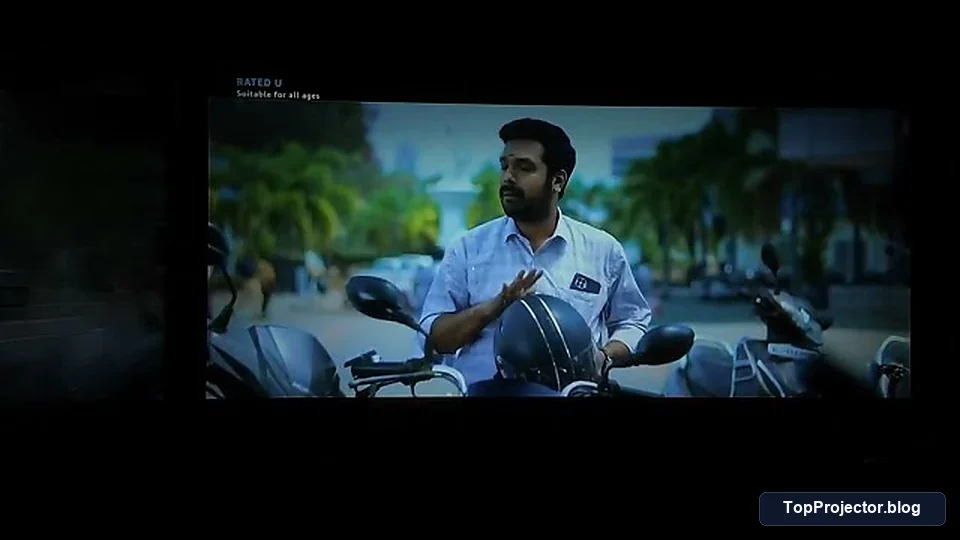
Conversely, the Pro variant pushes past 350 ANSI lumens, improving daytime viewability in moderately lit rooms. Neither projector replaces a dedicated laser unit, but lumen differences matter significantly here.
Panel degradation is minimized in both models through fully sealed optical architectures. This design choice prevents dust accumulation on the LCD glass over thousands of operating hours.
Testing both budget projectors reveals distinct optical engine limitations when measuring actual ANSI lumens. See our best projectors consumer reports ranking for further daylight living room performance comparisons.
When evaluating panel degradation over long viewing sessions, thermal dissipation directly impacts optical longevity. Budget enclosed LCD architectures frequently suffer from yellowing polarization filters due to excessive internal operating temperatures.
- T2 Max targets controlled dark environments.
- Pro variant handles mild ambient light better.
- Sealed optical engines prevent dust blobs.
- Measured ANSI output typically falls below manufacturer marketing claims when calibrated accurately in warm cinema picture modes designed for accurate home theater color representation.
- Optical light loss passing through cheap internal glass lens elements significantly reduces edge-to-edge sharpness during complex, high-contrast cinematic movie sequences viewed in dark rooms.
Pitch-Black Theater vs Living Room Daylight
In total darkness, the T2 Max creates an immersive cinematic image up to 100 inches. Ambient light quickly washes out shadow details on both budget systems.
Adding blackout curtains transforms the Pro into a capable media room display. Without light control, contrast ratios collapse rapidly on both entry-level devices.
- Darkness maximizes native contrast ratios.
- Daylight viewing requires high-gain screens.
Panel Degradation and Lumen Decay
Long-term illumination tests indicate that LED light sources degrade non-linearly under heavy usage. Users should anticipate roughly twenty percent brightness reduction after two thousand hours of continuous entertainment playback.
Maintenance routines require strict regular cleaning of internal optical paths to prevent annoying dust blob formation directly on fragile single LCD display chips over time.
- Replace cheap air intake foam filters biannually to maintain optimal internal cooling airflow dynamics across sensitive optical components situated inside compact projector housings.
- Avoid operating these budget optical engines in dusty environments unless you possess adequate technical skills required for complete disassembly and internal panel cleaning procedures.
Contrast Ratios and Black Floor Performance
Native contrast defines how deep shadows appear during dark movie scenes. The T2 Max maintains a respectable 1500:1 contrast ratio, preserving dark gray gradients effectively.
The Pro model tends to exhibit a slightly elevated black floor due to its brighter LED pump. Dark cinematic sequences appear marginally washed out on the Pro compared to its sibling.
Achieving optimal black levels requires pairing these projectors with high-contrast gray projection screens. White walls reflect stray light, destroying perceived contrast performance.
Achieving deep black levels remains challenging for single LCD projectors due to light bleed through the display panel. Native contrast ratios hover around five hundred to one.
Dark room testing reveals elevated black floors that appear distinctly gray during night scenes. Dynamic contrast algorithms attempt to compensate by dimming the LED backlight during dark cinematic sequences.
- T2 Max offers superior shadow depth.
- Pro sacrifices black levels for brightness.
- Gray screens enhance perceived contrast.
- Native contrast performance suffers noticeably when ambient light reflects off standard matte white projection screens positioned within untreated living room environments lacking proper wall treatments.
- Shadow detail preservation tests show crushed dark gradients unless users manually adjust brightness settings within the advanced picture calibration menus provided by the operating system.
Evaluating Shadow Detail in Dark Scenes
Streaming dark sci-fi content reveals notable differences in shadow separation. The T2 Max distinguishes fine textures in dark armor better than the Pro.
Clipping occurs more frequently on the Pro during complex nighttime sequences. Calibrating gamma settings helps mitigate this limitation across both units.
- T2 Max preserves complex dark gradients.
- Pro requires manual gamma calibration.
Dynamic Backlight Dimming Limitations
Software-based dynamic dimming introduces distracting pumping artifacts as the projector attempts to boost perceived contrast ratios. Read our projector overheating troubleshooting guide to manage thermal loads during intense sessions.
Purists should disable aggressive dynamic contrast processing to maintain stable gamma curves and accurate grayscale tracking throughout cinematic viewings of challenging dark sci-fi movies.
- Gamma tracking errors frequently distort mid-tone luminance values, causing nighttime exterior shots to look overly muddy and lacking proper depth separation from backgrounds.
- Pairing these entry-level projectors with high-contrast gray projection screens improves perceived black levels substantially without requiring expensive optical filter modifications.
Color Accuracy and HDR Tone Mapping
Accurate color temperature ensures skin tones look natural on screen. Out of the box, the T2 Max leans slightly cool, requiring minor RGB gain adjustments in settings.
The Pro delivers punchier primary colors, appealing directly to casual sports and animation viewers. Read our Hisense PX2-PRO review to explore advanced color gamut coverage specifications.
HDR signal handling is largely simulated via software tone mapping rather than hardware processing. Highlights clip noticeably when processing high-nit master files.
Out-of-the-box color temperature profiles lean heavily toward aggressive cool blue bias. Accurate Rec. color space coverage requires significant manual white balance adjustments via expert calibration tools.
High dynamic range signal processing presents severe challenges for low-nit projectors lacking robust processing hardware. Incoming HDR10 metadata is frequently clipped, resulting in blown-out highlight details.
- T2 Max leans toward accurate skin tones.
- Pro delivers vibrant primary saturation.
- Software HDR tone mapping has limits.
- Skin tones appear unnaturally magenta or green until users navigate the hidden service menus to dial in proper RGB gain and bias offsets carefully.
- Wide color gamut filters reduce overall light output dramatically, forcing viewers to choose between saturated cinematic colors and acceptable daytime brightness levels.
Cinematic Color Grading Versus Vivid Mode
Movie enthusiasts should select cinema mode for accurate director intent. Vivid presets introduce oversaturated greens and blues that distort real-world imagery.
Custom user presets allow balancing color saturation against peak white output. This ensures movies retain cinematic warmth without sacrificing overall image energy.
- Cinema mode preserves accurate color grading.
- Vivid presets distort natural skin tones.
HDR Tone Mapping and EOTF Tracking
Poor Electro-Optical Transfer Function tracking causes severe clipping in bright specular highlights, masking crucial visual information during masterfully graded 4K HDR movie streaming sessions.
Forcing SDR output modes often yields superior visual results because the projector avoids clumsy tone mapping algorithms struggling with limited native panel peak brightness capabilities.
- Saturation sweeps confirm that secondary colors drift significantly away from standard video rec target coordinates under default factory picture preset configurations.
- Professional calibration software reveals noticeable delta-E color errors exceeding threshold limits, necessitating user intervention to achieve satisfying cinematic color fidelity at home.
Gaming Motion Handling and Input Lag
Responsive input lag keeps fast-paced competitive gaming feeling connected and precise. The T2 Max measures around 45ms of input lag, suitable for casual titles.
The Pro improves slightly with roughly 42ms latency, though twitch shooters remain challenging. Neither projector features high refresh rate panels for modern consoles.
Motion interpolation on both devices introduces artifacting around fast-moving objects. Disabling motion smoothing provides the cleanest image integrity for gaming.
Competitive gaming performance depends heavily on minimal display latency. Measured input lag values hover near forty milliseconds, making fast twitch shooters feel slightly sluggish during intense multiplayer matches.
Motion interpolation features introduce severe soap opera effects and noticeable visual artifacting around fast-moving objects, forcing most enthusiasts to disable motion smoothing settings entirely.
- T2 Max features acceptable casual latency.
- Pro reduces input lag marginally.
- Avoid motion smoothing during fast action.
- Sixty hertz refresh rate limitations restrict ultra-smooth console gameplay, though casual platformers and RPG titles remain completely enjoyable on large projection screens.
- Pixel response times exhibit noticeable ghosting trails behind high-contrast moving elements during rapid camera pans across detailed virtual game environment textures.
Console Gaming Versus Casual PC Play
Connecting a PlayStation or Xbox yields vibrant results on big screens. RPG and adventure games shine, while competitive FPS titles demand lower latency.
PC desktop scaling requires careful resolution adjustments for sharp text readability. 1080p native mapping prevents scaling blur during productivity tasks.
- Adventure games look stunning on large displays.
- Native 1080p resolution ensures sharp text.
Response Times and Game Mode Optimization
Enabling dedicated game picture modes bypasses heavy image processing pipelines, successfully shaving precious milliseconds off total input latency for responsive controller feedback loops.
Vertical synchronization tearing occasionally appears when playing PC titles without active frame-rate limiting software running in the background during intense gaming marathon sessions.
- Casual couch co-op gaming sessions benefit tremendously from massive screen sizes despite minor motion handling compromises inherent to budget LCD projection hardware designs.
- Controller latency testing confirms that Bluetooth input accessories add compounding delays, so wired USB gamepads remain strongly recommended for competitive multiplayer gaming setups.
Throw Ratio and Living Room Installation
Room geometry dictates projector placement distance and screen sizing limits. Use our screen size viewing distance tool alongside the fixed 1.35:1 throw ratio for precise layout planning.
Keystone correction tools allow flexible off-axis placement but reduce resolution. Physical alignment remains the best method for preserving pixel sharpness.
Ceiling mounting requires inverted orientation settings within the Android operating system. Ensure your ceiling mount securely supports the lightweight chassis weight.
Fixed throw ratios demand careful spatial planning before mounting these compact projectors on living room ceilings or tabletops positioned behind primary seating sofa arrangements.
Digital keystone correction features should be avoided whenever possible because digital resizing severely degrades pixel sharpness and introduces unwanted scaling artifacts across images.
- Standard 1.35:1 throw ratio flexibility.
- Physical alignment preserves native pixel sharpness.
- Ceiling mounts require software orientation flipping.
- Achieving a recommended one-hundred-inch diagonal image requires precise placement distances relative to the main projection screen surface mounted on walls.
- Optical zoom absence forces physical projector repositioning to resize projected images, complicating permanent ceiling mount installations inside irregularly shaped basement media rooms.
Tabletop Placement Versus Ceiling Mounting
Tabletop placement offers quick setup without drilling permanent mounting hardware. Coffee table positioning keeps cables accessible for media streaming devices.
Ceiling installation clears floor space and prevents accidental lens obstruction. Ensure adequate ventilation clearance around the intake exhaust ports.
- Tabletop placement allows rapid adjustments.
- Ceiling mounts clear room pathways.
Keystone Correction and Lens Shift Limits
Severe vertical keystone adjustments crop native display resolution and discard valuable pixel data, resulting in jagged diagonal lines and reduced overall optical sharpness presentation.
Lack of physical lens shift mechanisms means installers must align the projector lens perfectly with the exact vertical center of the projection screen surface.
- Calculating exact mounting throw distances beforehand prevents frustrating installation roadblocks and ensures optimal screen filling without relying on degrading digital scaling controls.
- Tabletop setups require sturdy mounting stands to prevent accidental bumps from shifting projected image geometry out of alignment during casual movie night viewing events.
Acoustic Noise and Thermal Management
Compact optical engines generate heat requiring active cooling fans. The T2 Max operates at a quiet 30 decibels, blending into background room ambiance.
The Pro pushes slightly more airflow to cool its brighter LED array. Fan noise remains unobtrusive during loud movie scenes but is audible in quiet moments.
Proper ventilation clearance prevents thermal throttling and extends LED lifespan. Never enclose these projectors inside tight cabinets without active exhaust airflow.
Internal cooling fans generate noticeable acoustic noise during quiet movie scenes, especially when compact chassis designs force small impellers to spin at high RPM speeds.
Thermal throttling prevention requires aggressive airflow management, resulting in fan noise levels hovering near thirty-five decibels from standard listening position distances.
- T2 Max runs quietly under standard loads.
- Pro fan noise increases with brightness.
- Keep ventilation ports completely unobstructed.
- Dust accumulation inside heat sink fins degrades cooling efficiency over time, causing fan noise levels to increase gradually during extended entertainment viewing marathons.
- Ambient room temperature fluctuations directly affect internal operating thresholds, triggering higher fan speeds during warm summer evening movie streaming sessions in unconditioned spaces.
Long-Term Reliability and LED Lifespan
Solid-state LED light sources last upwards of 30,000 operating hours. This eliminates expensive lamp replacements common in traditional UHP projectors.
Routine cleaning of dust filters prevents internal heat buildup over time. Maintaining a clean environment ensures consistent optical engine performance.
- LED lifespan exceeds thirty thousand hours.
- Dust filter maintenance protects internal optics.
Fan Profiles and Chassis Thermal Design
Modifying firmware fan profiles is strongly discouraged because inadequate thermal dissipation quickly leads to permanent LED optical engine degradation and catastrophic hardware failure events.
Positioning the projector slightly behind the primary seating area helps mask annoying high-frequency fan whine during quiet cinematic dialogue passages in movies.
- Adequate clearance space around all chassis ventilation ports ensures unimpeded exhaust airflow, preventing dangerous internal heat accumulation during marathon gaming or movie sessions.
- Regular acoustic monitoring helps identify failing fan bearings early, allowing proactive hardware maintenance before complete thermal shutdown occurs during important sports broadcast viewings.
Frequently Asked Questions
Which projector offers better contrast for dark rooms?
The Wanbo T2 Max delivers superior shadow depth and a lower black floor for movie nights. This makes it ideal for dedicated dark theater setups.
Can I use these projectors during daytime viewing?
The Pro variant handles moderate ambient light better thanks to its higher 350 ANSI lumens output. However, both units still require light control.
What is the native resolution of both models?
Both projectors feature a native 1080p resolution optical engine. This ensures sharp detail reproduction for streaming movies and console gaming.
Do these projectors support wireless screen mirroring?
Yes, both models include built-in wireless casting features for smartphones and tablets. This allows quick streaming without messy HDMI cables.
How long do the internal LED lamps last?
The solid-state LED light source is rated for 30,000 hours of operation. You can enjoy years of daily entertainment without bulb replacements.