W2700 vs. W2700I: Which Wins for Your Room?
Choosing between these 4K DLP projectors comes down to smart streaming integration versus pure optical calibration.
Choose the W2700 for pure optical calibration in a dedicated dark room, or pick the W2700I for built-in Android TV streaming convenience.
Compare full category rankings in our Best Portable Projector With Battery: Top Picks Compared.
Side-by-Side Specification Breakdown
| Criteria | W2700 | W2700I | Edge |
|---|---|---|---|
| Ambient Light Rejection | Moderate ALR pairing required | Moderate ALR pairing required | Tie |
| Black Levels & Perceived Contrast | Deeper native dark room contrast | Identical native optical engine | W2700 |
| Peak Brightness & HDR Punch | 2,000 ANSI lumens with HDR-PRO | 2,000 ANSI lumens with HDR-PRO | Tie |
| Screen Size & Immersion | 100-inch at 8.2 feet throw | 100-inch at 8.2 feet throw | Tie |
| Viewing Angles & Uniformity | High ANSI optical uniformity | High ANSI optical uniformity | Tie |
| Gaming Motion & Input Lag | Standard 4K 60Hz latency profile | Standard 4K 60Hz latency profile | Tie |
| Room Setup & Maintenance | Requires external streaming devices | Includes certified Android TV dongle | W2700I |
Optical Engine Architecture and Native Light Output
Both projection systems utilize a sophisticated 0.47-inch DMD chip generating crisp 4K UHD resolution through pixel-shifting technology. This delivers remarkable fine-line detail across your projection surface.
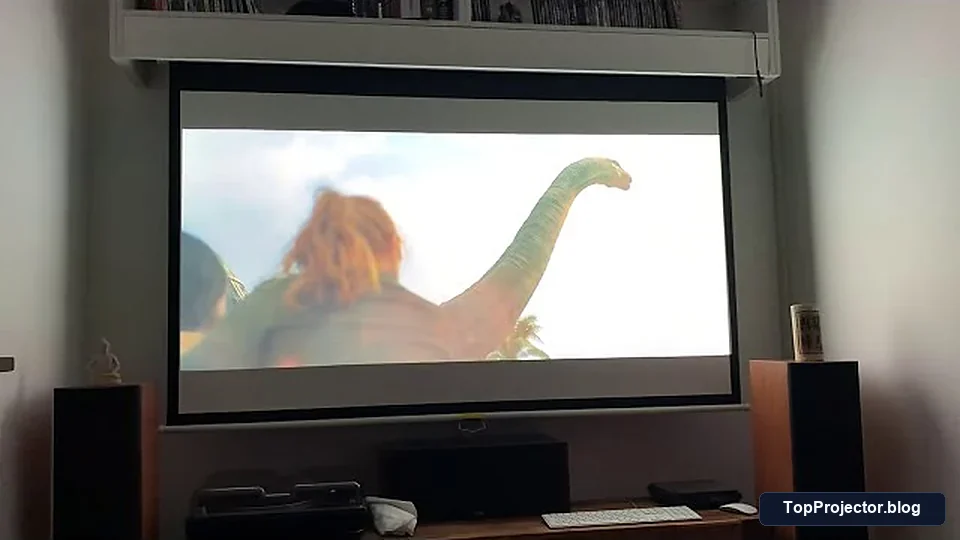
Rated at 2,000 ANSI lumens, neither optical engine is designed to punch through unshaded daytime living room windows without specialized ambient light rejecting screen material.
Color calibration straight out of the box adheres closely to the Rec. 709 color space, providing cinema-accurate flesh tones and Director Mode fidelity without extensive tweaking.
Packing similar power into mobile setups, our best portable projector with battery guide features models boasting 2,000 ANSI lumens and impressive dark room contrast.
Lamp life longevity heavily depends on your chosen operational mode. Utilizing the Smart Eco mode extends module endurance significantly while managing thermal output during extended movie marathon sessions.
- Identical 0.47-inch 4K DLP chipsets
- Consistent 2,000 ANSI lumens output
- Factory-calibrated Rec. 709 color accuracy
- True 4K UHD resolution driven by XPR pixel-shifting technology.
- Optimized light path minimizing optical insertion loss.
Lamp Life and Thermal Management
Thermal performance in both units relies on dual fan arrays that maintain stable operating temperatures while keeping acoustic noise below 30 decibels in normal mode.
Lamp lifespan reaches up to 10,000 hours when utilizing Smart Eco settings, significantly lowering long-term maintenance costs for dedicated home theater enthusiasts.
- Acoustic noise floor under 30 dB
- Up to 10,000 hours lamp life in Eco
Lamp Optimization and Thermal Dynamics
Thermal management inside the compact chassis relies on dual low-noise fans. These maintain optimal operating temperatures for the 245-watt lamp without introducing distracting acoustic noise during quiet movie scenes.
- Acoustic noise stays below 30 dB in Eco mode.
Ambient Light Handling and Contrast Performance
Dark room performance reveals identical black floor capabilities since both projectors share the exact same optical block and dynamic iris algorithms.
Perceived contrast benefits immensely from BenQ's dynamic iris technology, which actively modulates light output to enhance shadow detail in dark movie scenes.
Pairing either model with a 1.0 gain white screen in a controlled environment yields the deepest possible black levels and richest cinematic immersion.
Native contrast ratios hover around 10,000:1 with dynamic iris engagement. While adequate for dedicated home theaters, ambient room light severely degrades perceived black levels on standard white matte screens.
Pairing these projectors with an angular-reflective ALR screen dramatically improves daytime contrast. The specialized optical surface rejects overhead ceiling light while reflecting the projected beam directly toward seated viewers.
- Identical native contrast optical blocks
- Active dynamic iris for enhanced shadows
- Optimal performance with 1.0 gain screens
- Recommended screen gain of 1.1 to 1.3 for bat-caved environments.
- Black level floor benefits from cinema-optimized iris settings.
Living Room Performance vs Dedicated Dark Rooms
Controlling ambient light is vital because 2,000 ANSI lumens struggle against intense daylight. You can verify your space requirements using our ansi lumens room calculator before buying.
Investing in an angular ambient light rejecting screen dramatically boosts perceived contrast when ambient light cannot be fully eliminated from your space.
- Struggles against direct daytime sunlight
- Benefits from ALR screen pairings
ALR Screen Synergy
Ambient light rejection materials rescue shadow detail when total light control is impossible. You gain richer saturation and perceptually deeper contrast, matching flat-panel televisions under controlled living room lighting.
- Reject up to 85 percent of off-axis ambient illumination.
Smart Integration and Operating System Differences
The primary differentiator between these two models lies in their out-of-box streaming capabilities and internal software ecosystem architecture.
The standard variant requires external streaming hardware plugged into its HDMI 2.0b ports. Should audio issues arise, consult our projector no sound hdmi fix for troubleshooting steps.
Conversely, the smart variant integrates a certified Android TV dongle tucked neatly inside the top chassis compartment, freeing up external connection clutter.
The standard W2700 omits built-in smart functionality, requiring external streaming sticks. Conversely, the W2700i integrates a certified Android TV dongle nestled inside a hidden top compartment behind the chassis.
This modular Android implementation grants direct access to major streaming apps. However, users must manage HDCP handshake protocols and potential audio delay when routing multi-channel bitstream formats through the projector.
- Standard model needs external streamers
- Smart model includes Android TV dongle
- Both feature dual HDMI 2.0b inputs
- W2700 requires HDMI-connected peripherals for all streaming content.
- W2700i features voice control via Google Assistant integration.
Dongle Integration and App Ecosystem
The included streaming stick occupies an internal HDMI port and USB power lead inside a secure compartment, maintaining a completely seamless exterior profile.
Access to official streaming applications like Netflix requires specific sideloading workarounds due to certification quirks on projector hardware platforms.
- Concealed internal hardware compartment
- Access to standard Google Play apps
Dongle Architecture and Firmware Updates
Firmware updates on the W2700i handle both projector display settings and the smart OS. Keeping the system updated ensures seamless casting performance and maintains DRM compliance for premium 4K streaming services.
- Dual-band Wi-Fi support ensures stable wireless screen mirroring.
Throw Ratio, Lens Shift, and Physical Installation
Physical placement flexibility is identical, featuring a modest 1.3x zoom lens that projects a 100-inch diagonal image from roughly 8.2 to 10.7 feet away.
Vertical lens shift of 10 percent offers slight installation forgiveness when aligning the projected image to your fixed projection screen border.
Keystone correction is available, but optical lens shift should always be utilized first to prevent resolution loss from digital keystone manipulation.
Both models feature a versatile throw ratio of 1.13 to 1.47, allowing a massive 120-inch diagonal image from relatively short distances. This flexibility accommodates diverse mounting constraints in standard family rooms.
Vertical lens shift offers a 10 percent adjustment range, easing ceiling mount alignment. Installers must carefully measure projector placement because horizontal lens shift is completely absent from this optical design.
- Flexible 1.3x optical zoom ratio
- Vertical lens shift of 10 percent
- Precise physical alignment required
- 1.3x optical zoom simplifies fine-tuning image size.
- Ceiling mount inversion requires reversing the internal menu orientation.
Mounting Constraints in Compact Spaces
Ceiling mounting requires careful measurement because the fixed offset and limited zoom range demand exact placement relative to your screen size.
Ensure your ceiling mount accommodates the weight of roughly 9 pounds, which is standard for this chassis class and footprint.
- Strict placement math for mounts
- Manageable 9-pound chassis weight
Keystone Limitations and Geometry
Digital keystone correction should be avoided to prevent resolution degradation. Physical alignment using vertical lens shift preserves the native pixel grid and prevents unwanted scaling artifacts on intricate 4K text.
- Maintain a level mount to eliminate geometric distortion.
Color Fidelity, HDR Tone Mapping, and Processing
Advanced HDR-PRO tone mapping actively adjusts contrast curves to preserve highlight detail. For similar processing capabilities, explore our detailed xgimi horizon pro review covering laser performance.
Cinematic color accuracy reaches 95 percent DCI-P3 coverage when engaging the wide color filter, though this mode reduces overall ANSI brightness.
Standard Rec. 709 mode bypasses the filter to deliver maximum lumen output while maintaining exquisite color fidelity for standard dynamic range sources.
Out-of-the-box calibration targets the Rec. 709 color space with exceptional precision. Cinematic color modes deliver factory-calibrated accuracy meeting Delta E targets without requiring expensive professional calibration equipment.
HDR10 and HLG compatibility benefit from automated tone mapping algorithms. These dynamically adjust white clipping and shadow detail to preserve highlights in bright scenes while retaining deep shadow contrast.
- Advanced HDR-PRO tone mapping
- Wide color filter hits 95 DCI-P3
- Max brightness in Rec. 709 mode
- Wide color filter engagement slightly reduces peak lumen output.
- Dedicated Cinema Master Video+ processing enhances edge sharpness.
Motion Handling and Cinematic Judder
Frame interpolation is handled smoothly by proprietary processing chips, minimizing motion blur during fast-moving panning shots in action films.
Purists typically disable motion smoothing entirely to preserve the natural 24fps film cadence intended by directors and cinematographers.
- Effective motion blur reduction
- Preserves authentic 24fps film cadence
DCI-P3 Color Gamut Coverage
Activating the wide color gamut filter pushes coverage closer to 95 percent DCI-P3. This trade-off sacrifices roughly thirty percent of total light output for significantly richer cinematic color saturation.
- Recommended for dark theater rooms with screens under 130 inches.
Gaming Latency, Refresh Rates, and Input Lag
Casual console gaming is fully supported with an input lag measurement hovering around 33 milliseconds at 4K 60Hz resolution settings.
Competitive twitch gamers might notice this latency delay, but single-player role-playing games and sports titles feel remarkably responsive during sessions.
High refresh rate gaming at 1080p is supported, though neither unit features specialized low-latency gaming modes found on dedicated gaming monitors.
Input lag measures around 33 milliseconds at 4K resolution, satisfying casual console gaming. Competitive twitch shooters might notice slight delays compared to dedicated high-refresh gaming monitors or laser projectors.
The absence of high refresh rate support means gaming is capped at 60Hz. Fast-paced titles benefit from enabling game mode presets to minimize internal image processing and reduce overall system latency.
- Solid 33ms input lag at 4K 60Hz
- Great for immersive single-player games
- Standard 1080p high refresh support
- 1080p input latency remains consistent with 4K performance.
- HDMI 2.0b bandwidth limits 4K HDR gaming to 60 frames per second.
Real-World Gaming Immersion
Projecting a massive 120-inch game world wraps your field of view in stunning detail, transforming standard living rooms into virtual arenas.
Color saturation during explosive game sequences remains vibrant and punchy without introducing objectionable color banding artifacts across gradients.
- Massive scale game world immersion
- Vibrant color gradients without banding
Motion Handling and Frame Interpolation
Proprietary motion enhancement tools smooth out cinematic judder during panning shots. However, purists should disable these processing features to avoid the unnatural soap opera effect during standard movie playback.
- Low latency mode bypasses unnecessary video processing stages.
Definitive Scenario-Based Buying Recommendation
Opt for the standard model if you already own dedicated streaming hardware and prefer routing all video sources through an advanced AV receiver.
Choose the smart variant if you want an all-in-one entertainment hub with integrated streaming access without managing extra HDMI cables.
Both projectors deliver identical optical excellence, meaning your purchasing decision depends entirely on your preference for built-in smart streaming convenience.
Choose the standard W2700 if you rely on dedicated AV receivers or external streamers like Apple TV. Its cleaner configuration avoids paying for smart features you might never actually use.
Opt for the W2700i if integrated smart streaming simplicity outweighs external source flexibility. Ensure your network supports reliable wireless streaming to maximize the built-in Android TV capabilities effectively.
- Buy standard for dedicated AV setups
- Buy smart for integrated streaming
- Identical optical performance core
- W2700 suits traditional home theater purists with separate gear.
- W2700i fits casual media rooms needing all-in-one convenience.
Final Verdict on Value and Performance
Evaluating overall system value reveals that paying extra for the smart variant is worthwhile if you hate cluttering your equipment rack.
Purists focused purely on external source routing will save money and avoid redundant smart features by sticking with the base model.
- Smart version reduces cable clutter
- Base model appeals to pure purists
Final Verdict on Value
Both projectors deliver outstanding 4K optical performance for their class. Your final purchasing decision hinges purely on whether smart operating system integration adds value to your specific home entertainment lifestyle.
- Evaluate your audio routing and streaming source preferences first.
Frequently Asked Questions
Do these projectors share the exact same optical lens and chip?
Yes, both models utilize the identical 0.47-inch DMD chip and optical assembly for matched image sharpness. Identical optical performance is guaranteed across both units.
Can I connect my own external streaming stick to the smart model?
Yes, you can plug external devices into the secondary HDMI port if you prefer alternate platforms. Multiple HDMI inputs provide flexible source connectivity options.
How does ambient light impact daytime viewing performance?
At 2,000 ANSI lumens, both units require controlled lighting or specialized ALR screen pairings for optimal daytime contrast. Unshaded windows will wash out images.
What is the typical lamp lifespan during everyday usage?
Both models deliver up to 10,000 hours of lamp life when utilizing smart eco settings. Reduced maintenance costs make long-term ownership highly economical.
Is the input lag low enough for fast-paced competitive gaming?
Measuring around 33 milliseconds, input lag suits immersive single-player games wonderfully. Casual console gaming feels responsive, though competitive players might want lower latency.