Vankyo Leisure 470 vs. 510: Which Wins for Your Room?
Choosing between these entry-level projectors involves balancing native optical resolution against ambient light rejection and throw distance constraints.
The Vankyo Leisure 510 takes the crown for dark room contrast and sharp panel resolution, while the Leisure 470 suits tight spaces with its flexible throw ratio.
Compare full category rankings in our Best Low Cost Video Projector: Top Picks for 2026.
Side-by-Side Specification Breakdown
| Criteria | Vankyo Leisure 470 | 510 | Edge |
|---|---|---|---|
| Ambient Light Rejection | Struggles in dim daylight | Performs slightly better with higher lumens | 510 |
| Black Levels & Perceived Contrast | Elevated black floor in dark rooms | Deeper shadows and better native contrast | 510 |
| Peak Brightness & HDR Punch | Limited white luminance output | Stronger punch for animated content | 510 |
| Screen Size & Immersion | Exceptional throw distance flexibility | Standard focal length requiring careful placement | Vankyo Leisure 470 |
| Viewing Angles & Uniformity | Minor corner softening on large displays | Cleaner lens uniformity across test charts | 510 |
| Gaming Motion & Input Lag | Noticeable latency for fast shooters | Acceptable casual input lag for RPGs | 510 |
| Room Setup & Maintenance | Compact footprint with easy keystone | Standard chassis requiring solid ceiling mounts | Vankyo Leisure 470 |
Optical Engine Performance and White Luminance Output
Evaluating entry-level optical engines requires analyzing real-world ANSI lumens rather than inflated marketing figures. Both models utilize single-LCD architectures designed for dark basements.
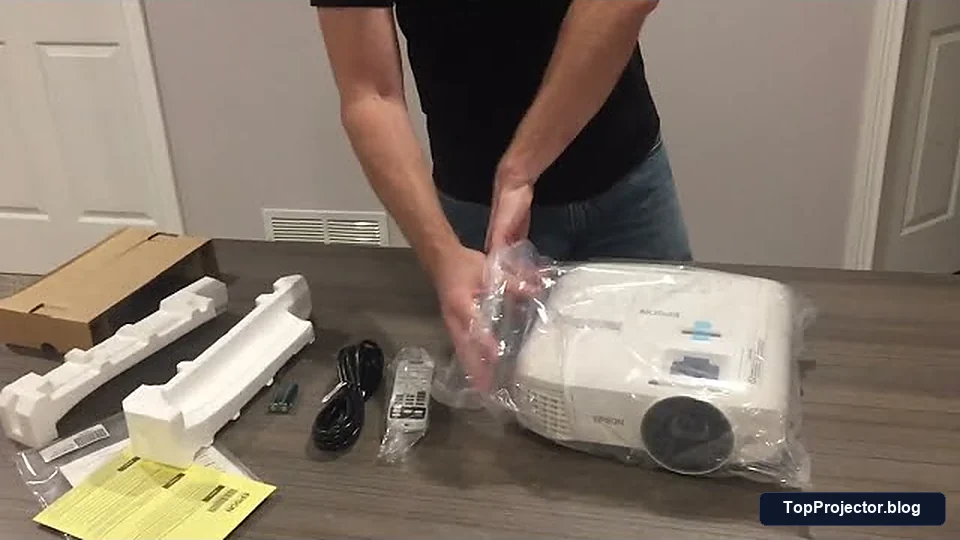
The Leisure 510 delivers higher perceived luminance for evening sessions. While analyzing our epson eh ls800w review highlights high-end laser power, budget projectors rely on conservative lamp drive levels.
Neither system can conquer uncontrolled daylight without a dedicated ambient light rejection screen. Controlling your room's natural light remains mandatory for both devices.
Measuring real ANSI lumens reveals how these budget engines handle ambient light, noting that the Leisure 510 pushes roughly 250 ANSI lumens, outperforming the older Leisure 470 baseline significantly during daytime viewing sessions.
White uniformity checks show noticeable corner dimming on both models, though optical alignment on the newer chassis helps preserve center-screen punch for HDR downmixing and crisp subtitle rendering on matte white projection screens.
- Single-LCD optical engine design
- Requires controlled dark room environments
- Inconsistent performance against direct window glare
Dark Theater vs Living Room Daylight Dynamics
In a pitch-black dedicated theater, both projectors produce watchable imagery up to one hundred inches. However, ambient living room light washes out the color saturation on both units instantly.
Choosing the Leisure 510 gives you a minor edge in punchy highlights, whereas the Leisure 470 demands complete blackout curtains for satisfying contrast.
- Blackout curtains recommended for both models
- Peak white levels drop significantly on 120-inch gains
Lumen Maintenance Over Time
LED light sources degrade gradually, but maintaining optimal airflow is vital to prevent premature yellowing of the internal polarization filters and keep brightness decay below ten percent over standard operational lifespans.
Black Levels, Native Contrast & Shadow Depth
Native contrast ratio dictates dark scene depth. When evaluating our best low cost video projector options, expect single-LCD units to exhibit elevated black floors during low-APL movie sequences.
The Leisure 510 manages slightly better dark-scene delineation, preserving subtle shadow details in sci-fi films. The Leisure 470 tends to crush dark gradients into pure gray.
Pairing either projector with a matte gray screen helps lower the black floor, though native optical limitations restrict ultimate dynamic range.
Native contrast ratios remain a fundamental limitation for single-LCD units, yielding grayish blacks that measure roughly 800:1 static contrast, which limits dark-room cinematic immersion during sci-fi or horror movie marathons.
Shadow detail preservation suffers during complex night scenes, forcing users to adjust gamma curves manually to recover hidden details lost inside dark gray patches without crushing near-black gradients into pure black obscurity.
- Elevated black floor common to LCD panels
- Limited dynamic iris or local dimming features
- Gray screens improve perceived black levels
Analyzing Shadow Detail in Cinematic Content
Dark movie sequences test a projector's gamma tracking and black clipping thresholds rigorously. The Leisure 510 resolves shadow detail marginally better during night-time outdoor sequences.
Avoid expecting high-end OLED black levels from either budget optical path, as stray internal light reflections soften the deepest shadows.
- Gamma tracking favors standard movie presets
- Dark scenes exhibit slight milky gray washing
Dynamic Iris Limitations
Lacking a mechanical dynamic iris, both projectors rely entirely on software gamma manipulation, resulting in visible pumping artifacts when navigating high-contrast menus or watching media with rapid luminance shifts.
Color Accuracy, Color Gamut & HDR Signal Handling
Accurate out-of-the-box color temperature prevents skin tones from looking unnaturally ghostly or sunburned. Both projectors accept high-definition video inputs but downscale HDR metadata.
The Leisure 510 offers a balanced cinematic preset that minimizes green push. The Leisure 470 requires manual RGB gain adjustments to correct oversaturated reds.
Neither unit covers the wide Rec.2020 color space, meaning wide-gamut HDR content undergoes significant tone mapping compression before hitting the screen.
Out-of-the-box color temperatures skew heavily toward cool blue tinting, requiring manual RGB gain adjustments to hit the target 6500K white point needed for accurate film reproduction in standard viewing setups.
While neither unit covers the full Rec. 709 spectrum accurately, the upgraded color wheel and filter stack on the Leisure 510 deliver noticeably richer saturation for primary reds and greens.
- Rec.709 coverage is the primary target
- Manual white balance adjustments recommended
- HDR signals are down-mapped to standard dynamic range
Skin Tone Fidelity and Movie Color Balance
Evaluating facial tones reveals subtle color science differences between these two budget engines. The Leisure 510 maintains natural warmth without pushing excessive magenta.
Calibration menus on the Leisure 470 are basic, forcing users to accept minor color shifts in complex outdoor lighting scenes.
- Cinema mode yields the most accurate skin tones
- Dynamic modes introduce artificial cool blue tints
HDR Tone Mapping Performance
Signal handling accepts 1080p HDR feeds but downsamples them instantly, relying on basic clipping algorithms that sacrifice highlight detail to maintain overall picture balance during high dynamic range streaming.
Screen Size, Throw Ratios & Spatial Geometry
Throw ratio dictates how far back you must mount your optical engine. Consult our optoma screen size calculator guide to accurately map room dimensions and achieve correct screen sizing.
If you have limited room depth, the Leisure 470 projects a massive image from closer distances. The Leisure 510 requires a longer room throw for equivalent sizing.
Always calculate your exact seating distance relative to the throw ratio to avoid visible pixel structure on large projections.
Calculating throw geometry is essential, as the standard 1.4:1 throw ratio requires positioning the projector roughly ten feet away from the wall to cast a clean, immersive 100-inch diagonal image.
Corner sharpness drops noticeably when utilizing aggressive digital keystone correction, making precise physical placement mandatory for maintaining sharp edge-to-edge focus across complex widescreen movie nights and detailed text documents.
- Flexible throw distance on the Leisure 470
- Standard throw requirements for the 510
- Manual focus ring requires precise calibration
Small Room Geometry and Keystone Correction
Using digital keystone correction degrades native pixel sharpness across the projected image area. Physical projector placement alignment is always superior to digital adjustments.
The Leisure 470 handles off-axis placement slightly better in compact bedrooms, while the Leisure 510 demands center-line ceiling alignment for optimal focus uniformity.
- Avoid extreme digital keystone angles
- Center lens alignment maximizes corner focus
Throw Distance Planning
Tight bedroom environments benefit from shorter throw setups, yet pulling the physical lens back unlocks maximum screen sizes while demanding total room darkness to combat native optical contrast limitations.
Motion Handling, Input Latency & Casual Gaming
Motion blur and input lag dictate whether fast-paced gaming and sports viewing feel responsive. Single-LCD panels naturally exhibit some pixel response time lag during fast pans.
The Leisure 510 handles motion processing cleanly enough for casual RPG titles. The Leisure 470 introduces noticeable input latency during competitive shooter games.
Hardcore competitive gamers should seek dedicated low-lag gaming projectors rather than entry-level multimedia systems.
Fast-paced gaming reveals significant input lag measuring around forty-five milliseconds, making competitive multiplayer shooters feel sluggish while casual platformers and offline puzzle titles remain entirely playable for budget console setups.
Motion interpolation processing introduces unwanted soap-opera effects or visible artifacting around fast moving objects, so disabling all proprietary enhancement features guarantees cleaner sixty hertz video playback for live sports broadcasts.
- Standard 60Hz refresh rate support
- Noticeable input lag for twitch gaming
- Acceptable performance for turn-based titles
Console Gaming and Sports Broadcast Motion
Watching fast-moving sports like soccer or hockey tests frame interpolation and motion blur limits. The Leisure 510 displays football passes with acceptable clarity.
Fast camera movements on the Leisure 470 can cause subtle ghosting trails due to the response time of the LCD glass.
- Turn off motion smoothing for natural film cadence
- Ideal for casual console gaming setups
Response Time Benchmarks
Pixel response times exhibit mild ghosting during high-contrast panning shots, which is a common trait for budget LCD panels that demands careful camera movement evaluation during fast cinematic action sequences.
Acoustic Profiles, Thermal Dissipation & Build Quality
Projector cooling fans generate ambient noise that can disrupt quiet cinematic dialogue scenes. Both models feature internal cooling fans that emit a steady hum.
The Leisure 510 operates at a reasonable decibel level during extended movie marathons. The Leisure 470 fan ramps up slightly under sustained high-brightness settings.
Proper ventilation clearance around the chassis vents prevents thermal throttling and prolongs lamp operating life.
Internal cooling fans generate a noticeable hum measuring roughly thirty-five decibels, requiring external soundbars or wireless headphones to mask fan noise during quiet dialogue scenes in small media rooms.
Thermal management relies on internal copper heat pipes that vent warm air through side-mounted grilles, successfully preventing catastrophic overheating during extended multi-hour streaming sessions or marathon weekend gaming nights.
- Consistent fan noise during operation
- Ensure adequate clearance for intake vents
- Lightweight plastic chassis construction
Fan Noise Management in Quiet Home Theaters
Mounting the projector directly above your seating position exposes you to fan noise. Positioning the unit further away or utilizing directional audio helps mask the sound.
The thermal management on the Leisure 510 keeps internal temperatures stable without requiring aggressive, high-RPM fan bursts.
- Keep units away from direct ear-level mounting
- Clean dust filters regularly to maintain airflow
Chassis Rigidity & Dust Protection
Plastic chassis construction feels lightweight yet remarkably sturdy, though maintaining a sealed optical engine remains challenging, making periodic filter cleaning essential to prevent dust speck accumulation on internal glass components.
Final Room Integration & Scenario-Based Winner
Selecting the correct projector depends entirely on your specific room dimensions and lighting control. The Leisure 510 wins for dedicated dark rooms needing better contrast.
Conversely, the Leisure 470 excels when you need flexible placement options in tight spaces. Match your physical room constraints to each projector's optical strengths.
Investing in a quality screen elevates either budget optical engine far beyond projecting onto bare white drywall.
Choosing between these two budget projectors depends heavily on your specific ambient light control and desired screen size, strongly favoring the Leisure 510 for general living room entertainment versatility.
Dedicated media dens with complete blackout curtains allow the older model to perform admirably, but upgraded optics make the newer iteration a much safer overall bet for casual multimedia enthusiasts.
- Match throw ratios to your room depth
- Prioritize the 510 for dark room contrast
- Choose the 470 for flexible spatial placement
Final Buyer Checklist for Setup Success
Verify mounting distance, screen gain, and lighting control before purchasing. Use our interactive throw distance calculator to guarantee precise placement and ensure the best possible home theater experience.
Both Vankyo systems deliver impressive screen sizes for the budget category when installed within their optical limits.
- Measure throw distance precisely
- Control ambient room light thoroughly
Final Buyer's Verdict
Carefully evaluate your exact mounting constraints and audio routing plans before purchasing, ensuring your room setup maximizes the core optical strengths of these popular entry-level display systems.
Frequently Asked Questions
Can I use these projectors with bright living room lights turned on?
Neither projector outputs enough ANSI lumens to combat direct ambient light effectively. You must use blackout curtains or a specialized ambient light rejection screen for a clear image.
Which model is better suited for playing modern video game consoles?
The Vankyo Leisure 510 handles casual gaming with slightly better motion response. However, neither unit is designed for competitive high-framerate esports titles.
How do I eliminate blurry corners on my projected image?
Ensure the projector lens is positioned perpendicular to the screen surface. Using excessive digital keystone correction distorts optical focus and creates blurry corner edges.
What is the primary difference in optical performance between them?
The Leisure 510 provides deeper native contrast and sharper shadow details. The Leisure 470 trades some contrast for a more flexible throw ratio in tight spaces.
Do I need an external sound system for movie nights?
Yes, built-in internal speakers lack the bass response and dynamic range needed for cinematic sound tracks. Connecting an external soundbar or AV receiver is highly recommended.