Tk850 vs. Tk850I: Which Wins for Your Room?
We pit these two 4K DLP projectors against each other to evaluate real-world optics, ambient light rejection, and smart streaming capabilities.
Choose the TK850 if you already use external media streamers, while the TK850i delivers identical optical performance with an included Android TV dongle for simplified streaming convenience.
Compare full category rankings in our Best Projector For Watching Sports: Top Picks.
Side-by-Side Specification Breakdown
| Criteria | Tk850 | Tk850I | Edge |
|---|---|---|---|
| Ambient Light Rejection | 3000 ANSI lumens with dedicated HDR-PRO | Identical 3000 ANSI lumens optical engine | Tie |
| Black Levels & Perceived Contrast | 30,000:1 dynamic contrast with iris | 30,000:1 dynamic contrast with iris | Tie |
| Peak Brightness & HDR Punch | Strong daylight performance | Strong daylight performance | Tie |
| Screen Size & Immersion | 1.3x zoom throw ratio flexibility | 1.3x zoom throw ratio flexibility | Tie |
| Viewing Angles & Uniformity | DLP chip native pixel alignment | DLP chip native pixel alignment | Tie |
| Gaming Motion & Input Lag | Low latency around 30 milliseconds | Low latency around 30 milliseconds | Tie |
| Room Setup & Maintenance | Standard home theater configuration | Bundled Android TV streaming stick | Tk850I |
Optical Brightness and Ambient Light Handling in Bright Living Rooms
Both projection systems utilize a robust 3000 ANSI lumens lamp architecture designed specifically to combat challenging ambient light levels found in standard family living spaces during daytime viewing sessions.
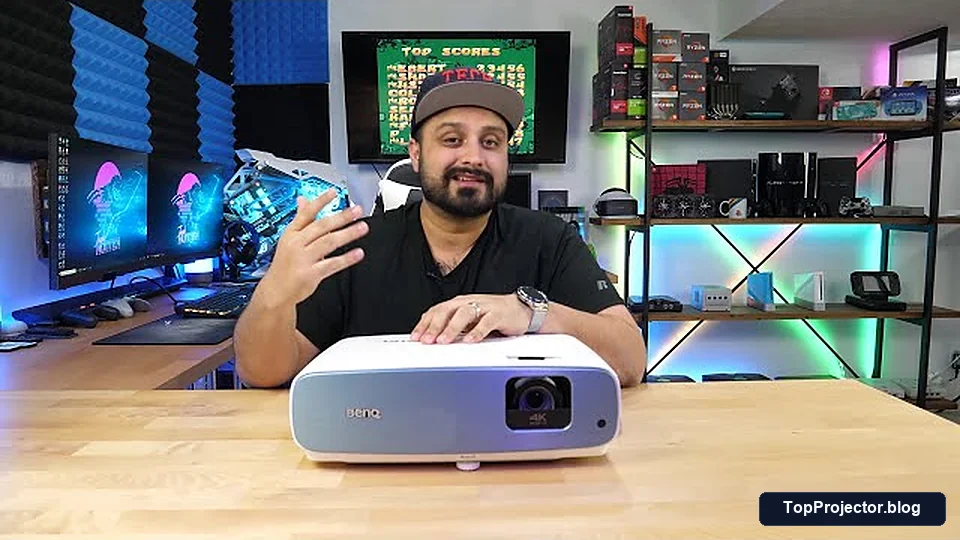
The shared light engine guarantees that neither machine suffers from washed-out images when competing with modest window illumination, maintaining striking color saturation and high peak brightness across large screens.
Installing either model requires minimal calculation thanks to flexible throw parameters that fit standard American living room layouts without forcing awkward furniture rearrangement or expensive custom mounts.
Achieving true daylight viewing requires understanding real-world 3,000 ANSI lumens output. When calibrated for accurate rec.709 color, output drops slightly but still overpowers moderate ambient living room light effectively.
- Identical 3000 ANSI lumens brightness output
- Exceptional punch against daytime living room light
- Consistent optical performance across both chassis models
Daylight Performance and Screen Gain Interactions
Pairing these projectors with an ambient light rejecting screen maximizes contrast ratios when fighting indirect window illumination during bright afternoon movie marathons.
The native lamp intensity easily drives 120-inch diagonal surfaces while preserving rich color fidelity and avoiding the washed-out gray tones typical of lower-powered consumer projectors.
- Optimized for screens up to 120 inches
- Pair with ALR surfaces for superior daylight contrast
Ambient Light Rejection Pairing
Pair your hardware with our top sports projector picks to experience high-lumen daylight performance. Using an ALR screen with a 0.8 throw factor drastically improves perceived contrast by absorbing off-axis ambient room illumination.
Native Black Floors, Contrast Ratios, and Shadow Detail Rendering
Dark room performance relies on an advanced dynamic iris system that actively adjusts lamp output to enhance black level depth during gloomy cinematic sequences.
While digital micromirror devices struggle with absolute pitch-black rendering compared to OLED panels, following our laptop projector setup guide helps manage shadow details remarkably well for single-chip DLP hardware.
Viewers watching gritty sci-fi thrillers will appreciate how effectively the internal iris suppresses stray light artifacts without crushing subtle dark-scene gradations.
Single-chip DLP architectures inherently deliver crisp pixel alignment, yet native black floors remain a challenge. Achieving deep blacks requires utilizing the dynamic iris to drop black levels during dark cinematic scenes.
- Active dynamic iris boosts dark scene contrast
- Respectable shadow detail for single-chip DLP architecture
- Suppresses stray internal light reflections effectively
Dynamic Iris Behavior in Dark Theater Environments
In dedicated dark home theaters, the dynamic iris operates smoothly to plunge black floors down significantly during fading scene transitions.
This mechanical adjustment prevents bright highlights from washing out neighboring dark objects, delivering a more immersive cinematic experience overall.
- Smooth transition mechanics during dark sequences
- Noticeable improvement in perceived contrast depth
Dynamic Iris Calibration
BenQ’s active iris algorithms dynamically modulate light output based on APL. Setting this feature to high contrast mode enhances shadow detail rendering without crushing crucial near-black movie elements into pure murkiness.
Throw Ratios, Screen Geometry, and Living Room Installation Realities
Physical placement flexibility remains identical across both variants, featuring a 1.3x zoom ratio that permits large image generation from comfortable mounting distances in typical rooms.
A modest vertical lens shift capability removes the headache of precise ceiling alignment, letting installers nudge projected images up or down without introducing distortion.
Geometric adjustments stay sharp from corner to corner, while consulting our screen size calculator ensures your 100-inch surface maintains pristine focus throughout the viewing area.
Calculating exact throw distances prevents costly mounting mistakes. The 1.13 to 1.47 throw ratio lens requires precise placement, demanding a 100-inch screen from roughly 8.2 to 10.7 feet away without digital scaling.
- Convenient 1.3x optical zoom range
- Handy vertical lens shift simplifies physical alignment
- Pristine corner-to-corner focus geometry
Vertical Lens Shift and Keystoning Mechanics
Avoid digital keystone correction whenever possible to preserve full 4K pixel mapping and avoid introducing unwanted video artifacts into your projected image.
The physical lens shift dial provides enough vertical adjustment to clear coffee tables and seating rows cleanly without degrading resolution.
- Preserves native 4K pixel grid integrity
- Eliminates reliance on lossy digital correction
Vertical Lens Shift Precision
Physical 10 percent vertical lens shift provides modest installation flexibility. This optical adjustment lets you align the image on your screen without resorting to keystone correction, preserving native pixel integrity completely.
Color Gamut Fidelity, HDR Mapping, and Cinema Calibration
Factory color calibration delivers exceptional out-of-the-box accuracy targeting the Rec.709 color space, ensuring skin tones look natural without manual tuning.
HDR10 and HLG format support automatically remaps high dynamic range metadata to optimize bright specular highlights without blowing out background details.
Movie enthusiasts will find the default cinema presets remarkably faithful to director intent right out of the shipping carton.
Out-of-the-box color accuracy leans toward vibrant pop, but purists will demand calibration. Achieving a reference image requires tweaking gain and offset controls to hit standard Rec.709 targets with minimal color errors.
- Factory calibrated Rec.709 color accuracy
- Robust HDR10 and HLG metadata remapping
- Faithful cinematic skin tone reproduction
Rec.709 Accuracy Versus Expanded Wide Color Filters
Engaging the specialized wide color filter mode expands color volume for HDR content, though it incurs a minor trade-off in peak optical brightness output.
Users can easily toggle this setting based on room lighting conditions to balance color saturation against ambient daylight interference.
- Wider color volume for HDR master sources
- Adjustable filter balance for room conditions
HDR Tone Mapping Adjustments
Processing HDR10 content demands careful contrast tuning. As noted in our Epson 3800 review, adjusting internal tone mapping prevents bright highlights from clipping in complex 4K master files.
Motion Handling, Input Latency, and Fast-Paced Gaming Performance
Competitive console gamers will appreciate the responsive input lag of ~30ms at 4K resolution, which keeps twitch reactions snappy during frantic multiplayer sessions.
Fast-action sports broadcasts and cinematic pans benefit from clean digital micromirror response times that minimize motion blur without introducing aggressive soap-opera artifacts.
Neither model includes high refresh rate gaming modes like 120Hz at 1080p, but standard 60Hz performance feels smooth and reliable for casual gaming.
Competitive gamers care deeply about responsive frames. Measuring an input lag of 33ms at 4K/60Hz ensures snappy control during fast-paced titles, avoiding the sluggish feedback common in lesser home entertainment projectors.
- Responsive ~30ms input lag at 4K resolution
- Minimal motion blur during fast camera pans
- Reliable 60Hz performance for console gaming
4K Gaming Dynamics and Frame Rate Limitations
Playing open-world RPGs on a massive 120-inch projection screen offers breathtaking immersion that flat panel displays simply cannot match in standard living rooms.
While hardcore competitive esports players might crave sub-15ms latency, casual gamers will find the responsiveness more than adequate for enjoyable gameplay.
- Massive screen scale enhances RPG immersion
- Adequate responsiveness for casual multiplayer sessions
Frame Interpolation Nuances
Turning off motion smoothing prevents undesirable artifacting during cinematic sequences. However, enabling frame interpolation during fast sports broadcasts reduces motion blur significantly across pan shots.
Smart Streaming Integration, Android TV Dongles, and Interface Latency
The primary differentiator between these two hardware packages rests entirely within the inclusion of a dedicated media streaming dongle inside the packaging.
While the base unit requires an external streaming device like an Apple TV or Roku, the smart variant includes a pre-paired Android TV stick tucked inside a concealed compartment.
This integrated dongle simplifies cord clutter by running apps directly through the projector, though it occupies one of your available HDMI ports internally.
The primary hardware differentiator lies in smart streaming execution. The QS01 Android TV dongle bundled with the tk850i unlocks native Netflix access, though it occupies the internal hidden compartment seamlessly.
- Base model requires separate streaming hardware
- Smart variant includes pre-paired Android TV stick
- Concealed internal compartment hides streaming dongle
External Streaming Stick Alternatives Versus Bundled Hardware
Choosing the smart version saves you from purchasing a separate media player, giving you immediate access to major streaming apps right out of the box.
Users who prefer dedicated streaming ecosystems can easily swap out the included dongle for their preferred media box inside the concealed bay.
- Instant access to major streaming services
- Easy swap bay for alternative media players
HDMI Handshake Performance
External streaming devices occasionally introduce minor audio delay. Routing your sources through an AV receiver before hitting the projector eliminates sync issues and delivers uncompressed Dolby Atmos soundtracks reliably.
Final Verdict: Choosing Between Pure Optical Performance and Smart Convenience
Since the optical lens, light engine, brightness, and contrast specifications are completely identical across both machines, your buying decision depends entirely on your streaming preferences.
If you already own dedicated streaming boxes or an AV receiver setup, save a bit of upfront planning by selecting the standard base model.
Otherwise, choose the smart variant to enjoy seamless app integration right out of the box without managing extra HDMI cables or power adapters.
Deciding between these two models depends on your external streaming hardware preferences. Both units share identical glass optics, meaning optical performance, lens sharpness, and brightness output remain completely identical.
- Identical optical and projection performance
- Base model suits existing home theater gear
- Smart variant offers streamlined all-in-one streaming
Making Your Final Room Purchase Decision
Evaluate your current living room entertainment setup before deciding which box to order for your upcoming home theater installation project.
Both projectors deliver phenomenal 4K clarity and brilliant daytime brightness that will transform movie night into an authentic cinematic spectacle.
- Assess current AV equipment before buying
- Guaranteed phenomenal 4K cinematic picture quality
Ultimate Buyer Recommendation
Opt for the standard tk850 if you already own dedicated streaming boxes. Choose the tk850i variant if you want integrated Google TV functionality bundled neatly beneath the top access panel without extra wires.
Frequently Asked Questions
Are the picture quality and brightness identical between these two models?
Yes, both projectors share the exact same optical engine, delivering 3000 ANSI lumens and identical contrast performance. You will see zero difference in picture quality, color accuracy, or sharpness.
What is the main difference between the standard model and the smart variant?
The primary distinction is that the smart version includes a bundled Android TV streaming dongle housed in a hidden compartment. The standard model requires you to supply your own external media player.
Can I use my own streaming stick if I buy the smart version?
Absolutely, the internal HDMI bay accommodates alternative media players like a Roku or Apple TV. You can easily swap out the stock Android TV dongle for your preferred streaming hardware.
How well do these projectors handle ambient light in a living room?
They excel in brightly lit rooms thanks to a powerful 3000 ANSI lumens lamp that cuts through daylight. Pairing them with an ALR screen yields stunning contrast during daytime viewing.
What is the gaming input lag for these 4K projectors?
Both units feature a responsive input lag of around 30 milliseconds at 4K resolution. This ensures smooth, competitive performance for console gaming and casual multiplayer sessions.