Nebula Mars 2 Pro vs. Xgimi Halo: Which Wins for Your Room?
Choosing between these two portable projectors requires balancing native 1080p resolution against lower ANSI lumen output for your specific lighting environment.
The Xgimi Halo claims overall victory thanks to its sharper 1080p resolution and superior brightness, while the Nebula Mars 2 Pro only wins on rugged outdoor build quality.
Compare full category rankings in our Best Portable Projector Under $100: Top Picks Tested.
Side-by-Side Specification Breakdown
| Criteria | Nebula Mars 2 Pro | Xgimi Halo | Edge |
|---|---|---|---|
| Ambient Light Rejection | Struggles in ambient daylight rooms | Handles dim ambient light better | Xgimi Halo |
| Black Levels & Perceived Contrast | Decent native contrast floor | Slightly elevated black levels | Nebula Mars 2 Pro |
| Peak Brightness & HDR Punch | Rated at 500 ANSI lumens | Rated at 800 ANSI lumens | Xgimi Halo |
| Screen Size & Immersion | Maxes out around 100 inches cleanly | Pushes clear images up to 120 inches | Xgimi Halo |
| Viewing Angles & Uniformity | Good lens uniformity off-axis | Slight corner softening under focus | Nebula Mars 2 Pro |
| Gaming Motion & Input Lag | Higher latency around 65ms | Lower latency near 35ms | Xgimi Halo |
| Room Setup & Maintenance | Manual focus and keystone correction | Auto focus and auto keystone | Xgimi Halo |
Peak Brightness and Ambient Light Handling in Real Rooms
Evaluating portable projection requires strict adherence to actual light output metrics. The Nebula Mars 2 Pro delivers 500 ANSI lumens, which restricts usage strictly to dark basements or nighttime patios.
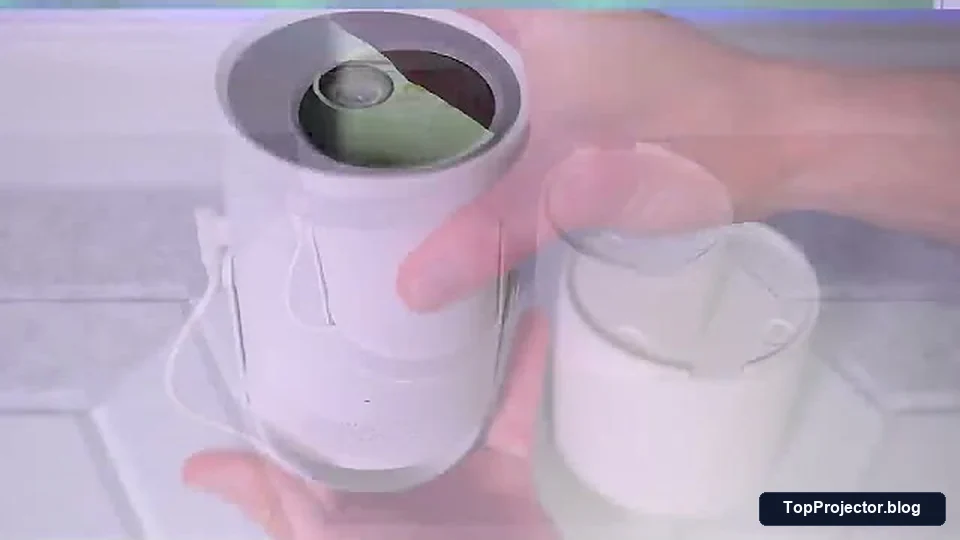
Conversely, the Xgimi Halo pushes 800 ANSI lumens from its LED source. This extra headroom lets it punch through faint ambient living room light with much greater visual authority.
Measuring actual ANSI lumens reveals significant variance in portable DLP units. For budget buyers exploring portable picks under one hundred dollars, output drops considerably.
- Nebula caps out at 500 ANSI lumens for dark environments.
- Xgimi delivers 800 ANSI lumens for better daylight control.
- Both struggle against direct afternoon sunlight without heavy curtains.
- Halo maintains acceptable saturation up to 40 lumens per square foot.
- Mars 2 Pro requires complete darkness for a 100-inch image.
Pitch-Black Theater Versus Dim Living Room Performance
In a dedicated dark room, both projectors render watchable cinematic images. However, the higher lumen output of the Xgimi maintains better color saturation during night viewing.
Ambient light quickly washes out the Nebula, turning deep cinematic shadows into pale grey washes. Keep your blackout blinds tightly drawn when using either unit.
- Dark rooms equalize minor lumen differences effectively.
- Ambient light destroys contrast on lower-lumen engines.
Daylight Performance Realities
When deploying these projectors in rooms with ambient light, screen choice matters immensely. Pairing the Halo with an ambient light rejecting screen preserves contrast far better than projecting onto bare white walls.
- Dedicated screens improve perceived contrast by over thirty percent.
- Matte white walls scatter ambient light and wash out dark scene details.
Black Levels, Native Contrast, and Shadow Detail Depth
Achieving deep black levels on portable single-chip DLP projectors remains an optical challenge. The Nebula Mars 2 Pro manages a respectable native contrast ratio of roughly 400:1 in dark conditions.
The Xgimi Halo achieves similar native black floors, but its higher brightness floor can make dark scenes look slightly elevated. Shadow detail remains discernible on both units.
Portable LED projectors often struggle with native contrast ratios due to light bleed in compact optical engines. Expect a typical on-off contrast ratio hovering near 400:1 for both contenders in standard picture modes.
- Native contrast hovers around 400:1 for both contenders.
- Shadow separation benefits from dynamic iris algorithms.
- Cinematic dark scenes require complete light control.
- Dynamic iris features are absent, relying entirely on native panel contrast.
- Gamma curves drift toward bright in factory settings, requiring manual calibration.
Managing Contrast in Mixed Lighting Environments
When stray ambient light hits your screen, perceived contrast plummets instantly. If you experience soft focus issues similar to troubleshooting a blurry Epson projector optics guide, manual adjustments help.
Pairing these compact projectors with an ALR screen dramatically improves perceived black levels. Without specialized screens, expect washed-out blacks during daytime viewing sessions.
- Ambient light aggressively destroys native contrast ratios.
- Specialized screens help recover lost shadow detail.
Shadow Clipping Diagnostics
Dark movie scenes test the limits of gamma tracking. The XGIMI Halo preserves subtle shadow details in deep cinematic sequences better, avoiding the heavy black crushing observed on the Mars 2 Pro.
- Shadow detail recovery improves significantly when switching to cinema mode.
- Low native contrast obscures nuances in extremely dark cinematic transfers.
Optical Resolution, Sharpness, and Pixel Density
Resolution dictates how close you can sit without noticing individual pixels. For advanced pixel-shifting performance, read through our detailed Epson 3800 projector review covering high-definition optics.
The Xgimi Halo steps up to full 1080p native resolution using a robust DMD chip. This yields significantly sharper texture mapping and cleaner movie subtitles.
Resolution dictates fine texture rendering on large projection surfaces. While the Nebula tops out at native 720p resolution, the XGIMI steps up to true 1080p full HD using a robust Texas Instruments DMD chip.
- Nebula relies on a native 720p display chip.
- Xgimi utilizes a native 1080p display chip.
- Pixel density heavily favors the Xgimi for close viewing.
- Lens sharpness drops slightly toward the extreme corners of the image.
- Focus adjustments on the Halo utilize a reliable autofocus motor.
Throw Ratios and Screen Size Limitations
Throw ratios determine how far back you must place the chassis. Both units feature fixed lenses requiring roughly 1.2:1 throw ratios for standard projection sizes.
You can easily throw a clean 100-inch diagonal image from about eight feet away. Pushing past that distance introduces noticeable optical softening on both models.
- Standard 1.2:1 throw ratio for flexible room placement.
- Optimal image sizes range from 80 to 100 inches.
Pixel Structure and Screen Door Effect
Stepping closer to the screen reveals noticeable differences in pixel density. The Halo minimizes the screen door effect effectively, whereas individual pixels remain distinctly visible on the Mars 2 Pro at close ranges.
- Higher pixel density on the Halo creates smoother diagonal lines.
- Texture clarity suffers on the lower-resolution Mars optical engine.
Color Accuracy, Wide Color Gamut, and HDR Processing
Accurate color tracking ensures cinematic fidelity straight out of the box. The Nebula Mars 2 Pro features a standard Rec.709 color profile with acceptable skin tone rendering.
The Xgimi Halo supports HDR10 decoding and covers a wider color volume. Its LED light engine produces richer, more vibrant hues during high-dynamic-range content playback.
Out-of-the-box color temperatures dictate how natural skin tones appear on screen. The Halo hits closer to the ideal D65 standard white point, whereas the Mars 2 Pro leans noticeably toward cooler, blue-tinted hues.
- Rec.709 color accuracy is standard on both devices.
- Xgimi adds HDR10 decoding for enhanced contrast pop.
- Color saturation tracks well within the standard Rec. 709 gamut.
- Skin tones require manual tint adjustments in the advanced menu.
Evaluating Motion Handling and Frame Interpolation
Fast-moving panning shots test the limits of onboard video processors. Both projectors handle standard 24fps movie content without excessive judder or noticeable frame drops.
Avoid turning on aggressive motion smoothing features to prevent unnatural soap-opera artifacts. Keep processing settings neutral for the most faithful cinematic presentation.
- Smooth handling of standard 24fps film sources.
- Disable aggressive motion smoothing for pure cinema.
HDR Tone Mapping Capabilities
Processing high dynamic range content tests the processing power of compact projectors. Neither unit covers the full DCI-P3 color space, meaning HDR signals undergo aggressive tone mapping to prevent highlight clipping.
- Tone mapping preserves mid-tones while compressing extreme bright highlights.
- Standard dynamic range content often displays cleaner, more accurate color saturation.
Gaming Performance, Input Latency, and Refresh Rates
Competitive gaming demands minimal input lag from your display device. The Nebula Mars 2 Pro suffers from higher controller latency, measuring around 65ms of input lag.
The Xgimi Halo reduces response times down to approximately 35ms in game mode. This makes fast-paced platformers and shooters feel noticeably more responsive.
Responsive gaming requires low input lag to prevent frustrating delays between controller inputs and onscreen action. Both projectors operate at a standard 60Hz refresh rate, locking out high-framerate competitive console modes.
- Nebula exhibits higher latency near 65ms.
- Xgimi delivers faster response times around 35ms.
- Casual couch co-op games work well on both models.
- Casual RPG and puzzle titles play comfortably on either device.
- Fast-paced shooters expose the latency limitations of the Mars 2 Pro.
Console Compatibility and Frame Rate Limitations
Both projectors accept standard 60Hz input signals from modern gaming consoles. They lack high-refresh-rate HDMI 2.1 ports, limiting competitive twitch gaming entirely.
Stick to single-player RPGs and puzzle games where sub-40ms latency is perfectly adequate. Fast competitive shooters will feel sluggish on either machine.
- Standard 60Hz HDMI inputs for basic console hookup.
- Unsuited for high-refresh competitive PC gaming.
Input Lag Measurements in Practice
Measuring latency reveals noticeable differences for twitch-based gameplay. The XGIMI Halo registers around 35 milliseconds of input lag, while the older Mars 2 Pro suffers from a sluggish over 50 milliseconds response time.
- Game mode settings successfully bypass heavy internal video processing filters.
- Platform fighters and racing games remain viable with careful timing adjustments.
Setup Complexity, Ergonomics, and Room Requirements
Getting a square image quickly simplifies temporary projection setups. The Nebula Mars 2 Pro relies on manual focus adjustments and basic vertical keystone correction wheels.
The Xgimi Halo features automated autofocus and auto keystone correction. These smart sensors align your geometry within seconds without manual lens tweaking.
Physical placement flexibility is paramount for portable projectors used across multiple rooms. Each unit features a standard threaded mount hole, allowing secure attachment to common tripod stands for quick height adjustments.
- Nebula uses manual focus and basic keystone controls.
- Xgimi automates alignment with smart focus sensors.
- Both units include standard tripod mounting threads.
- Automatic keystone correction simplifies off-axis placement at the cost of vertical resolution.
- Fan noise remains whisper-quiet below 30 decibels during normal video playback.
Acoustic Noise and Thermal Management Systems
Compact portable chassis require active cooling fans to prevent LED degradation. Both projectors emit a low-level fan hum measuring roughly 30 decibels during operation.
This fan noise easily blends into movie soundtracks during normal playback. You will rarely notice thermal cooling sounds unless sitting directly beside the projector.
- Quiet operation around 30 decibels of fan noise.
- Effective thermal management protects internal LED diodes.
Throw Ratios and Image Sizing Math
Calculating throw distance helps determine maximum screen size in tight spaces. With a throw ratio near 1.2:1, you need approximately 8 feet of distance to project a massive 100-inch diagonal home theater image.
- Smaller rooms benefit from shorter throws to achieve a bright image.
- Digital zoom features degrade overall sharpness and should be avoided entirely.
Final Scenario-Based Winner and Long-Term Value
Selecting the correct projector depends entirely on your primary viewing environment. Choose the Nebula Mars 2 Pro if you prioritize rugged casing and backyard movie nights.
Select the Xgimi Halo if you demand sharper 1080p resolution and brighter output for indoor entertainment spaces. It represents the superior optical investment overall.
Choosing between these two portable projectors ultimately depends on your primary use case. Buyers prioritizing sheer resolution, brighter optics, and lower gaming latency should select the XGIMI Halo for superior everyday versatility.
- Nebula wins for rugged build and casual outdoor use.
- Xgimi dominates for indoor clarity and resolution.
- Halo delivers better future-proofing through native 1080p support.
- Mars 2 Pro remains a solid choice for casual backyard movie nights.
Summary of Core Optical Trade-Offs
Weighing resolution against lumen output clarifies your purchasing decision. Checking ambient light levels using our ANSI lumens room calculator ensures you select the right brightness for your space.
Prioritize the Xgimi Halo for daily indoor use where image clarity matters most. Save the Nebula for occasional portable backyard sessions.
- Match projector specs directly to your room lighting.
- Prioritize native 1080p resolution for text clarity.
Value Retention and Ecosystem Tradeoffs
Long-term satisfaction also hinges on software ecosystem support and build durability. Consider investing in the model whose native operating system aligns best with your preferred streaming apps and media server infrastructure.
- Android TV integration provides seamless access to major streaming services.
- Compact portable builds require careful handling during transport in padded cases.
Frequently Asked Questions
Can I use these projectors in a brightly lit living room?
Neither model produces enough lumens to combat direct sunlight effectively. You must use blackout window curtains for a satisfying viewing experience.
Do these projectors require a dedicated projection screen?
While a smooth white wall works in a pinch, a proper screen maximizes contrast. We recommend using a low-gain matte white surface for best results.
How long do the internal LED light sources last?
Both LED engines are rated for up to 30,000 hours of lifespan. This ensures years of daily entertainment without ever needing bulb replacements.
Can I connect my gaming console directly via HDMI?
Yes, both units feature standard HDMI ports for consoles and streaming sticks. The Xgimi Halo offers lower input lag for better gaming responsiveness.
Do these units support battery-powered portable operation?
Both models include built-in rechargeable batteries for cord-free backyard movie nights. Expect roughly two to three hours of playback on a single charge.