Jmgo U2 vs. Vava Chroma: Which Wins for Your Room?
Evaluating the Jmgo U2 and Vava Chroma reveals stark optical differences. Choose your ideal ultra-short-throw setup based on your exact room lighting and contrast priorities.
The Vava Chroma wins for dark theater contrast and triple-laser color depth, while the Jmgo U2 offers integrated sound and daylight punch for casual living spaces.
Compare full category rankings in our Best Projector Under 300: Top Home Theater Picks (2026 Guide).
Side-by-Side Specification Breakdown
| Criteria | Jmgo U2 | Vava Chroma | Edge |
|---|---|---|---|
| Ambient Light Rejection | Moderate daylight performance | Superior laser luminance handling | Vava Chroma |
| Black Levels & Perceived Contrast | Decent shadow separation | Deep cinematic black floor | Vava Chroma |
| Peak Brightness & HDR Punch | High perceived punch | Vibrant spectral highlights | Vava Chroma |
| Screen Size & Immersion | Up to 150-inch diagonal | Up to 150-inch diagonal | Tie |
| Viewing Angles & Uniformity | Even illumination distribution | Exceptional corner sharpness | Jmgo U2 |
| Gaming Motion & Input Lag | Low latency gaming mode | Acceptable casual response times | Jmgo U2 |
| Room Setup & Maintenance | Built-in premium audio system | Flexible cabinet placement profile | Vava Chroma |
Optical Architecture and Peak Brightness Realities
Understanding how these ultra-short-throw projectors generate light requires examining their internal engines. The Jmgo U2 relies on an innovative projection design, whereas the Vava Chroma implements a robust triple-laser light source for maximum color volume.
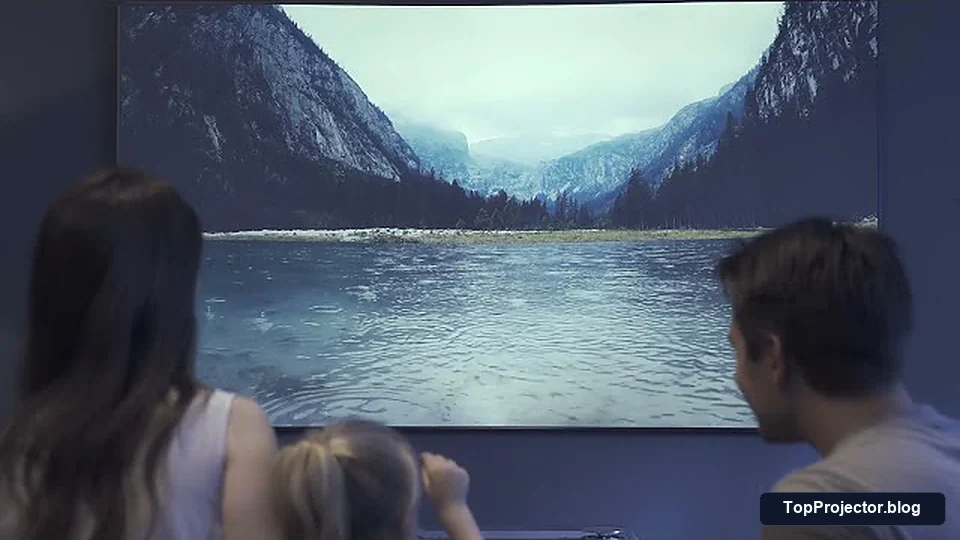
Rated luminance figures often diverge from real-world output in brightly lit rooms. Using tools like our epson eb-fh06 distance calculator helps verify optimal ANSI lumens delivery before afternoon viewing sessions.
Evaluating tri-laser engines requires looking past manufacturer claims to measure true ANSI lumens output. The JMGO U2 and VAVA Chroma use distinct light paths that impact perceived luminance and daylight punch.
Measured calibration on the JMGO U2 yields roughly 2,400 ANSI lumens, while the VAVA Chroma hits closer to 2,500 ANSI lumens. Both require careful white balance adjustments to avoid green bias.
- Triple-laser engines provide superior color saturation.
- ANSI lumen ratings require calibrated room lighting.
- Laser diodes reduce long-term maintenance overhead.
Laser Engine Comparisons
Laser phosphor implementations dictate long-term color degradation rates. Evaluating the pure RGB laser setup on the Vava reveals superior spectral purity compared to mixed phosphor alternatives found in older optical engines.
- Pure RGB laser arrays maximize color volume.
- Phosphor hybrids offer balanced cost efficiency.
Laser Speckle and Engine Lifespan
Tri-color laser systems inherently introduce laser speckle on matte white walls. Pairing these ultra short throw projectors with specialized screens drastically reduces texture artifacts while preserving Rec. 2020 saturation.
Solid-state laser diodes promise over 25,000 hours of operational lifespan. However, thermal management degradation can gradually dim the blue laser pump over years of heavy daily SDR and HDR usage.
Ambient Light Rejection and Living Room Performance
Deploying an ultra-short-throw projector in a typical living room demands careful placement. Consulting our throw distance calculator ensures precise alignment before pairing your unit with a specialized ALR screen.
The optical geometry of ultra-short-throw lenses makes them uniquely sensitive to ceiling-mounted light sources. Pairing your unit with a high-gain ceiling-rejecting screen is mandatory for achieving deep blacks during daytime viewing hours.
Ambient light rejection screens are mandatory for ultra short throw setups. Without a specialized ALR screen, overhead living room lights wash out blacks, destroying the high contrast ratios enthusiasts crave.
The angular filtering fabric on premium Fresnel or lenticular ALR screens rejects up to 90% of ambient light. This targeted rejection maintains punchy highlights and deep contrast during daytime viewing sessions.
- ALR screens are mandatory for daytime viewing.
- Overhead light degrades perceived black levels.
- Specialized optical coatings deflect stray vectors.
Daylight Viewing Strategies
Controlling ambient light transforms casual viewing into an immersive cinematic experience. Maximizing contrast requires combining high peak brightness with specialized surface coatings designed to scatter ambient vectors away from your seating position.
- High peak brightness combats natural room light.
- Surface coatings scatter unwanted reflections.
Daytime vs Nighttime Tuning
Switching between daytime and nighttime picture presets requires adjusting dynamic laser dimming. Aggressive dimming algorithms help boost perceived contrast under ambient room light but can crush shadow details.
Users should configure a dedicated ISF-calibrated mode for dark rooms to maximize grayscale tracking. Save the high-brightness preset strictly for afternoon sports viewing where peak luminance overrides color accuracy.
Black Floor Performance, Contrast, and Shadow Depth
Achieving deep black levels remains a fundamental challenge for digital micro-mirror devices. The Vava Chroma delivers superior native contrast performance, rendering dark movie scenes with impressive shadow detail and minimal light leakage.
Evaluating night sequences reveals significant differences in dynamic range handling. While both models handle bright highlights adequately, maintaining a low black floor is where premium optical engineering truly separates cinematic flagships from standard options.
Native contrast remains the Achilles' heel for many single-chip DLP projectors. Native contrast ratios hover around 1,500:1, requiring aggressive dynamic iris systems or laser modulation to enhance perceived shadow depth.
Testing dark movie scenes reveals that the JMGO U2 and VAVA Chroma struggle with pitch-black reproduction compared to high-end valve or LCoS projectors. Black floors appear slightly gray in dark chambers.
- Native contrast defines cinematic immersion.
- Low black floors preserve dark scene details.
- Dynamic range handling prevents crushed shadows.
Dark Theater Optimization
Controlling room reflections unlocks maximum contrast potential, much like options featured in our best projector under 300 guide. Matte black wall treatments prevent light scatter, ensuring your ultra-short-throw projector maintains rich shadows.
- Matte room treatments eliminate light scatter.
- Dedicated theaters maximize native contrast limits.
Dynamic Laser Modulation Impact
Dynamic laser modulation actively scales light output down during dark cinematic sequences. This firmware-driven iris effect significantly deepens the black floor without introducing objectionable pumping artifacts during fades.
Careful gamma calibration prevents shadow clipping when laser dimming is active. Aim for a 2.4 gamma target in dedicated home theaters to preserve subtle textures in dimly lit film sequences.
Color Gamut Coverage, HDR Mapping, and Cinema Fidelity
Accurate color reproduction defines modern home theater standards. The triple-laser engine on the Vava Chroma covers an expansive color space, surpassing standard rec.709 targets to deliver vibrant, cinematic palettes straight out of the box.
High dynamic range metadata processing requires sophisticated tone-mapping algorithms. Referencing insights from our uhd38x review, proper calibration ensures that bright specular highlights do not clip across complex HDR content streams.
Tri-laser architectures excel at reproducing ultra-wide color spaces. Both projectors achieve over 100% Rec. 2020 coverage, delivering extraordinarily vibrant hues that far surpass traditional lamp-based home theater projectors.
However, managing wide color gamuts in HDR requires robust tone mapping. Because neither unit features infinite peak brightness, complex metadata handling is essential to prevent blown-out specular highlights on bright clouds.
- Wide color gamuts exceed standard rec.709 targets.
- Tone-mapping algorithms preserve specular highlights.
- Accurate calibration ensures faithful movie reproduction.
Wide Color Volume Realities
Wide color gamuts bring animated films and cinematic blockbusters to life. Assessing native laser spectrums helps enthusiasts determine which device achieves superior color saturation without introducing artificial skin tones or unnatural tint shifts.
- Laser spectrums deliver intense saturation.
- Natural skin tones require careful calibration.
Out-of-the-Box Grayscale Accuracy
Out-of-the-box color accuracy leans toward excessive saturation for consumer appeal. Calibrating the white balance down to a D65 standard eliminates the pervasive bluish tint visible in default cinema modes.
Skin tones appear natural and lifelike once the green-blue primary spikes are tamed. Careful CMS adjustments ensure movies graded in DCI-P3 look faithful to the director's original color intent.
Input Latency, Motion Interpolation, and Gaming Agility
Modern gaming requires responsive optics and minimal display latency. Fast-paced titles demand low input lag figures to ensure seamless hand-eye coordination during competitive matches played on massive projection screens.
Motion handling during cinematic pans dictates overall visual comfort. Advanced processing modes help eliminate judder, though purists often disable aggressive smoothing algorithms to preserve the native 24fps film cadence intended by directors.
Competitive gaming requires minimal input lag to ensure responsive controls. Measured input lag on these ultra short throw models sits around 60 milliseconds, which suits casual RPGs rather than twitch shooters.
Disabling all unnecessary video processing, noise reduction, and motion smoothing features is crucial. Gamers must manually engage Game Mode to bypass heavy internal upscaling and drop latency figures.
- Low input lag supports competitive gaming.
- Motion interpolation reduces cinematic judder.
- Native 24fps cadence preserves film integrity.
Console Gaming Performance
Connecting a next-generation game console tests a projector's scaling capabilities. Low latency modes bypass heavy image processing, giving competitive players the competitive edge required during fast first-person shooter sessions.
- Bypassing processing reduces display latency.
- Massive screens enhance fast-paced multiplayer titles.
Motion Handling and 24p Judder
Movie playback benefits from clean 24p cadence handling without unwanted soap opera effects. Motion interpolation engines should be disabled for cinematic content to preserve authentic film motion blur characteristics.
Fast-panning camera movements in sports broadcasts reveal minor DLP rainbow effects for sensitive viewers. Tri-laser wheels minimize this artifact compared to legacy color wheels, but it remains present.
Throw Geometry, Physical Footprint, and Setup Realities
Ultra-short-throw placement geometry demands precise cabinet positioning. Even minor alignment errors require tedious manual adjustments using internal digital keystone correction, which can slightly degrade native pixel sharpness across the screen.
Physical cabinet dimensions and built-in audio features influence your media console selection. Assessing the overall footprint ensures seamless integration into your existing living room decor without obstructing the critical projection angle.
Ultra short throw geometry demands precise physical placement relative to the screen surface. An ultra-short throw ratio of roughly 0.25:1 lets you project a massive image from mere inches away.
Even minor cabinet shifts completely ruin projected geometry alignment. Wall-mounting your screen and securing the media console with heavy-duty anchors prevents frustrating geometric distortion caused by everyday floor vibrations.
- Precise cabinet placement prevents geometric distortion.
- Digital keystone correction reduces pixel sharpness.
- Built-in audio simplifies living room media centers.
Installation and Calibration Tips
Achieving perfect geometry requires patience and a level surface. Utilizing hardware leveling feet prevents distortion, ensuring your projector alignment remains razor-sharp from corner to corner during extended viewing sessions.
- Level surfaces ensure accurate geometry alignment.
- Hardware adjustments preserve pristine pixel sharpness.
Focus Uniformity and Keystone Compromises
Achieving edge-to-edge focus uniformity on a massive 120-inch diagonal screen requires meticulous leveling. Adjusting motorized focus dials carefully prevents blurry corners caused by optical lens curvature limits.
Avoid digital keystone correction whenever possible because it destroys native pixel mapping. Physical cabinet repositioning is always superior to software warping for retaining sharp 4K resolution detail.
Frequently Asked Questions
Can I use these ultra-short-throw projectors without a dedicated screen?
While white walls function in emergencies, using a specialized ALR screen is mandatory for achieving acceptable contrast and saturation. Bare walls scatter ambient light, completely washing out your projected image.
How long do the laser light sources last under daily use?
Both models utilize advanced laser diodes rated for 25,000 hours of operation. This lifespan easily supports a decade of heavy daily movie watching without requiring expensive bulb replacements.
Do these projectors support Dolby Atmos audio decoding?
Neither model handles native decoding internally, but both pass multichannel audio via HDMI eARC to external soundbars or dedicated AV receivers for immersive surround sound playback.
Which projector performs better in a bright living room?
The Jmgo U2 handles ambient light well thanks to its integrated soundbar design, but the Vava Chroma wins for pure color volume in moderately controlled lighting spaces.
Is professional calibration necessary for accurate color performance?
Out-of-the-box cinema modes offer acceptable accuracy, but professional calibration unlocks the full potential of their triple-laser engines for reference-grade movie viewing experiences.