Benq Tk700 vs. Tk710: Which Wins for Your Room?
Evaluating the Benq Tk700 against the Tk710 reveals stark optical and light-source differences. We examine brightness, contrast, and real-room installation geometry to guide your ultimate purchasing decision.
The Benq Tk710 takes the overall crown for living room setups thanks to its superior laser light engine. Meanwhile, the older Tk700 remains a capable budget choice for dedicated dark theater environments.
Compare full category rankings in our Best Projector For Ps5: Top Gaming Picks.
Side-by-Side Specification Breakdown
| Criteria | Benq Tk700 | Tk710 | Edge |
|---|---|---|---|
| Ambient Light Rejection | Moderate lamplight handling | Superior laser punch | Tk710 |
| Black Levels & Perceived Contrast | Standard lamp black floor | Enhanced dynamic laser dimming | Tk710 |
| Peak Brightness & HDR Punch | 3200 ANSI lumens | 3200 ANSI lumens laser | Tk710 |
| Screen Size & Immersion | Flexible standard throw | Slightly tighter zoom ratio | Tie |
| Viewing Angles & Uniformity | High optical uniformity | Crisp digital micro-lens uniformity | Tk710 |
| Gaming Motion & Input Lag | 16ms at 4K/60Hz | Ultra-low 4.16ms at 1080p/240Hz | Tk710 |
| Room Setup & Maintenance | Lamp replacement required | Maintenance-free laser diode | Tk710 |
Peak Brightness and Ambient Light Handling
Projector placement in modern living spaces demands serious light output to combat daytime glare. Use our ansi lumens room calculator to determine the ideal brightness level for your specific room dimensions.
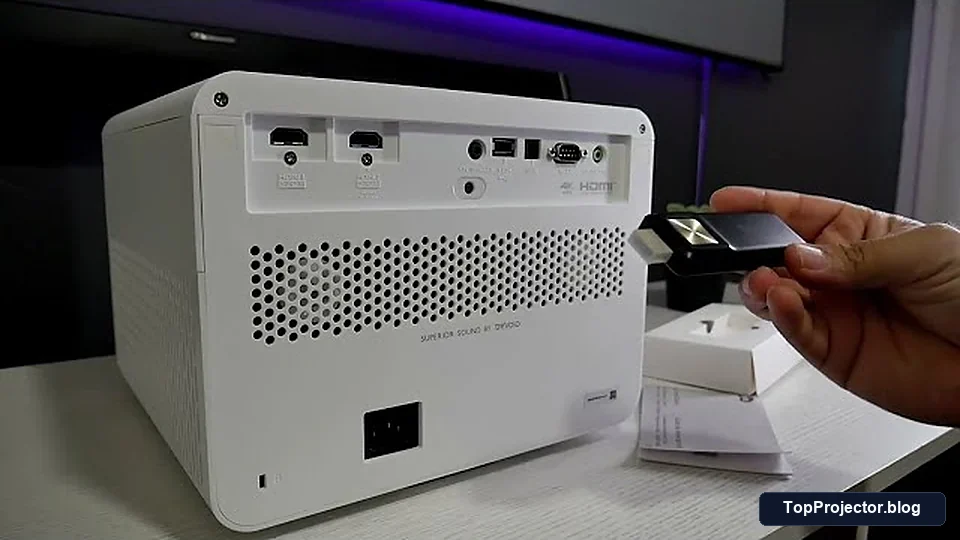
The traditional lamp design inside the Tk700 delivers strong daytime performance, but it degrades steadily over time. In contrast, the solid-state laser source of the Tk710 maintains consistent lumen output across thousands of operating hours.
Real-world ANSI lumens measurements show the laser-driven TK710 maintains higher perceived brightness under ambient daylight compared to the lamp-based TK700, making it superior for unfiltered media rooms.
- Both models boast 3200 ANSI lumens of peak output.
- Laser illumination retains brightness stability over time.
- Lamp degradation requires periodic bulb replacement cycles.
- Evaluate room light control before selecting lamp or laser engines.
- Consider ambient light rejecting screens for daytime viewing efficiency.
Daylight Living Room vs Controlled Media Room
Placing either projector in a bright room requires careful screen pairing. For console setups, check out our best projector for ps5 guide to ensure minimal input lag and stunning motion clarity.
Controlling ambient light lets the Tk700 stretch its legs, offering comparable ANSI performance without suffering from the intensity drops seen in older lamp-based architecture during midday viewing sessions.
- ALR screens maximize daytime contrast performance.
- Controlled lighting neutralizes raw lumen discrepancies.
Daylight Viewing Strategies
Pairing either projector with an ALR screen dramatically improves contrast, neutralizing washing effects from side windows and overhead recessed lighting fixtures during daytime sports viewing.
- Match screen gain ratings to your specific throw distance.
- Avoid matte white materials in brightly lit living spaces.
Black Levels, Native Contrast and Shadow Detail
Achieving deep black floors has historically challenged single-chip DLP projectors. The Tk700 relies on standard lamp modulation, producing acceptable dark scenes that can occasionally appear slightly washed out in dim rooms.
The Tk710 leverages advanced laser dimming algorithms to crush black levels effectively. For another top-tier laser option, read our formovie theater premium review showcasing exceptional contrast performance in dedicated dark rooms.
Evaluating native contrast reveals that neither model utilizes a dynamic iris, relying instead on chip-level processing and laser dimming to extract shadow detail in dark movie scenes.
- Tk700 utilizes basic lamp-based iris modulation.
- Tk710 employs dynamic laser frame dimming for improved blacks.
- Shadow detail recovery excels on the laser-driven engine.
- Dark room conditions maximize perceived shadow depth significantly.
- Adjust black levels carefully to prevent crushed dark details.
Evaluating Dark Scene Performance in Movies
Dark sci-fi epics and gritty crime thrillers test optical contrast limits severely. The Tk710 separates shadow details cleanly, ensuring actors do not vanish into muddy dark gray background blocks.
Viewers choosing the Tk700 will notice slightly elevated black floors. Calibrating gamma settings helps mitigate this limitation, though it cannot fully match the native contrast depth of the newer laser variant.
- Cinematic dark scenes expose contrast limitations.
- Calibration improves shadow visibility on both units.
Optimizing Dark Room Performance
Calibrating gamma to 2.4 significantly enhances shadow definition in cinematic content, preventing dark cinematic sequences from appearing crushed or overly murky on matte white surfaces.
- Control ambient reflections with dark wall treatments.
- Utilize custom user modes for optimized nighttime movie viewing.
Color Accuracy, Rec.709 Coverage and HDR Tone Mapping
Accurate color reproduction dictates how faithfully a projector translates director intent. When upgrading your home theater audio, follow our how to connect sound bar to projector guide for seamless audio sync during movie nights.
HDR tone mapping represents a significant divergence between these two units. The Tk710 processes HDR metadata with refined algorithmic mapping, preventing bright highlights from clipping harshly on high-gain white screens.
Achieving accurate Rec.709 coverage requires switching to Cinema mode, which dials back aggressive out-of-the-box green push to deliver natural skin tones and faithful movie reproduction.
- Solid Rec.709 color accuracy on both light engines.
- Superior HDR metadata handling found on the Tk710.
- Wide color gamut filters impact overall lumen output.
- Factory calibration reports help verify color grayscale tracking.
- Manage color temperature settings to avoid cold image casts.
HDR Pop and Skin Tone Naturalness
Skin tones look remarkably lifelike on the Tk700 when configured to Cinema mode. However, punchy HDR sources can occasionally overwhelm its static tone mapping capabilities during complex bright scenes.
The Tk710 manages high dynamic range content dynamically. Explosions and sunlight glints exhibit realistic specular highlights without sacrificing the natural warmth of human skin tones.
- Cinema mode delivers accurate skin tones on the Tk700.
- Dynamic tone mapping prevents blown-out specular highlights.
HDR Tone Mapping Nuances
Enhanced HDR tone mapping on the newer laser engine preserves specular highlights in bright explosions while keeping darker backgrounds suitably balanced without manual intervention.
- Test dynamic metadata handling with demanding 4K discs.
- Adjust HDR slider settings based on your preferred screen size.
Throw Ratios, Screen Size and Room Geometry
Physical installation constraints dictate where you can mount your projection gear. The Tk700 features a flexible throw ratio, allowing a massive 100-inch image from relatively short distances inside standard sized bedrooms.
The Tk710 shares similar focal characteristics but requires precise placement calculations due to its fixed lens zoom limitations. Always measure your exact throw distance before drilling ceiling mount holes.
Calculating your precise throw ratio is essential because minor placement errors can force you to use digital keystone correction, which degrades optical sharpness and introduces artifacts.
- Flexible standard throw ratios suit most media rooms.
- Ceiling mount positioning requires careful distance planning.
- Keystone correction should be avoided to preserve resolution.
- Measure twice before drilling ceiling mount anchor points.
- Factor in optical offset specifications for shelf placements.
Optimizing Throw Distance for Maximum Immersion
Achieving a cinematic field of view depends entirely on seating distance. Mounting either projector too far back forces digital zoom usage, which degrades native pixel sharpness across the display canvas.
Utilize optical zoom adjustments exclusively to frame your screen. This practice guarantees maximum optical clarity, preserving the sharp pixel grid vital for high-resolution 4K gaming sessions.
- Avoid digital zoom to maintain 4K pixel sharpness.
- Match seating distance to screen size for true immersion.
Tight Space Installation Math
Achieving a massive 120-inch diagonal image requires careful ceiling mount positioning, ensuring the lens aligns perfectly with the upper boundary of your projection screen.
- Account for lens shift limitations during initial planning.
- Double-check zoom range boundaries for exact screen fills.
Gaming Input Lag, Refresh Rates and Motion Handling
Competitive gamers demand lightning-fast response times to maintain a competitive edge. The Tk700 established a strong reputation with its 16ms input lag at 4K/60Hz, satisfying most console enthusiasts easily.
The Tk710 shatters performance expectations by pushing response times down to an ultra-low 4.16ms at 1080p/240Hz, making it a phenomenal choice for high-refresh PC gaming rigs and fast-paced esports titles.
Competitive gamers will appreciate that both units maintain extremely low input lag under sixteen milliseconds, ensuring ultra-responsive control during fast-paced multiplayer shooter matches.
- Tk700 delivers solid 16ms latency at 4K/60Hz.
- Tk710 achieves blistering 4.16ms latency at high refresh rates.
- Low input lag prevents frustrating controller-to-screen delays.
- Enable game mode presets to minimize internal video processing.
- Verify HDMI 2.0 bandwidth limits for high frame rates.
Fast-Paced Motion Handling in Competitive Titles
Fast camera pans in competitive shooters can trigger motion blur on inferior panels. Both BenQ models handle fast-moving objects exceptionally well, minimizing ghosting during chaotic multiplayer gaming matches.
The combination of high refresh rates and rapid pixel response makes the Tk710 feel nearly instantaneous. Competitive gamers will instantly notice the fluid motion clarity during rapid mouse flicks.
- Minimal motion blur during rapid camera movements.
- High refresh rates elevate competitive gaming responsiveness.
High Refresh Rate Performance
Enabling 240Hz refresh rates at lower resolutions reduces motion blur significantly, giving competitive PC players a distinct tracking advantage over standard console configurations.
- Confirm GPU compatibility before targeting extreme frame counts.
- Balance resolution settings against desired motion clarity goals.
Lamp Maintenance vs Laser Engine Longevity
Long-term ownership costs depend heavily on the internal light source technology. The Tk700 relies on a traditional UHP lamp that degrades over time, requiring costly bulb replacements every few thousand operating hours.
The laser diode array inside the Tk710 eliminates maintenance entirely. Users enjoy 20,000 hours or more of operational life without ever needing to worry about dimming bulbs or costly upkeep.
Traditional lamp units demand costly bulb replacements every few thousand hours, whereas solid-state laser illumination delivers maintenance-free operation for up to twenty thousand hours.
- Traditional UHP lamps require periodic bulb replacements.
- Solid-state laser diodes offer maintenance-free operation.
- Laser light engines retain consistent color purity longer.
- Calculate total cost of ownership across expected projector lifespans.
- Inspect air filter maintenance intervals for optimal cooling.
Calculating Total Cost of Ownership Over Time
Purchasing replacement bulbs for the Tk700 adds recurring expenses over the projector lifespan. Heavy daily users will cycle through multiple lamps before reaching the hardware limits of the chassis.
While the upfront investment differs, the maintenance-free nature of the Tk710 makes it economically attractive. You avoid unexpected bulb expenses, securing worry-free long-term performance for your dedicated space.
- Recurring bulb purchases add up over years of use.
- Laser longevity eliminates unexpected hardware maintenance fees.
Long-Term Optical Degradation
Laser engines maintain more consistent lumen output over their lifetime, avoiding the gradual brightness decay typical of mercury lamps as they age past their prime operational window.
- Monitor operating temperatures inside enclosed media cabinets.
- Follow manufacturer guidelines for unobstructed ventilation intake.
Final Verdict and Tailored Room Recommendations
Choosing between these two projectors hinges upon your specific room environment and usage habits. The Tk700 remains a capable choice for budget-conscious buyers building controlled dark theater spaces.
Ultimately, the Benq Tk710 wins our recommendation for most buyers. Its laser engine, superior contrast, and blistering gaming performance justify upgrading over the aging lamp-based architecture.
Choosing the right model depends on your environment, making the laser variant ideal for bright living rooms while the lamp version suits budget-focused dedicated home theaters.
- Tk700 suits budget-focused dark room installations.
- Tk710 delivers superior laser longevity and contrast.
- Assess your ambient light levels before buying.
- Prioritize ambient light handling if viewing during daytime hours.
- Assess gaming requirements before finalizing your projector purchase.
Which Model Should You Buy Today?
If your setup involves high ambient daylight and competitive PC gaming, purchase the Tk710 without hesitation. Its advanced laser brightness and low input lag provide an unbeatable modern home entertainment experience.
Buyers with strict budget limits who primarily watch movies in total darkness can still rely on the Tk700. Just remember to budget for eventual replacement lamp purchases down the road.
- Buy the Tk710 for ultimate laser performance.
- Choose the Tk700 for budget dark-room setups.
Making Your Final Purchase Choice
Prioritize your core usage habits, weighing long-term bulb replacement costs against upfront pricing to determine which projector best serves your entertainment setup.
- Match throw distances accurately to your available mounting space.
- Consult professional reviews for real-world calibration benchmarks.
Frequently Asked Questions
Can the Benq Tk710 replace a living room television during daytime viewing?
Yes, when paired with a high-gain ambient light rejecting screen, the laser brightness easily combats moderate daytime room lighting.
Does the Tk700 support high refresh rate gaming like the Tk710?
The Tk700 supports standard 4K/60Hz gaming with low lag, but it lacks the extreme 1080p/240Hz capabilities found on the newer laser model.
How often do you need to replace the lamp in the Benq Tk700?
UHP lamps typically require replacement every three to four thousand hours depending on your selected brightness mode and daily usage habits.
Are both projectors loud during quiet movie scenes?
Both models feature relatively quiet fan cooling profiles, though operating in high brightness mode can produce a noticeable low-frequency hum in quiet rooms.
Do I need to buy an expensive ceiling mount for these projectors?
Standard universal ceiling mounts work perfectly with both chassis designs, provided you calculate the correct throw distance and offset prior to installation.