 By
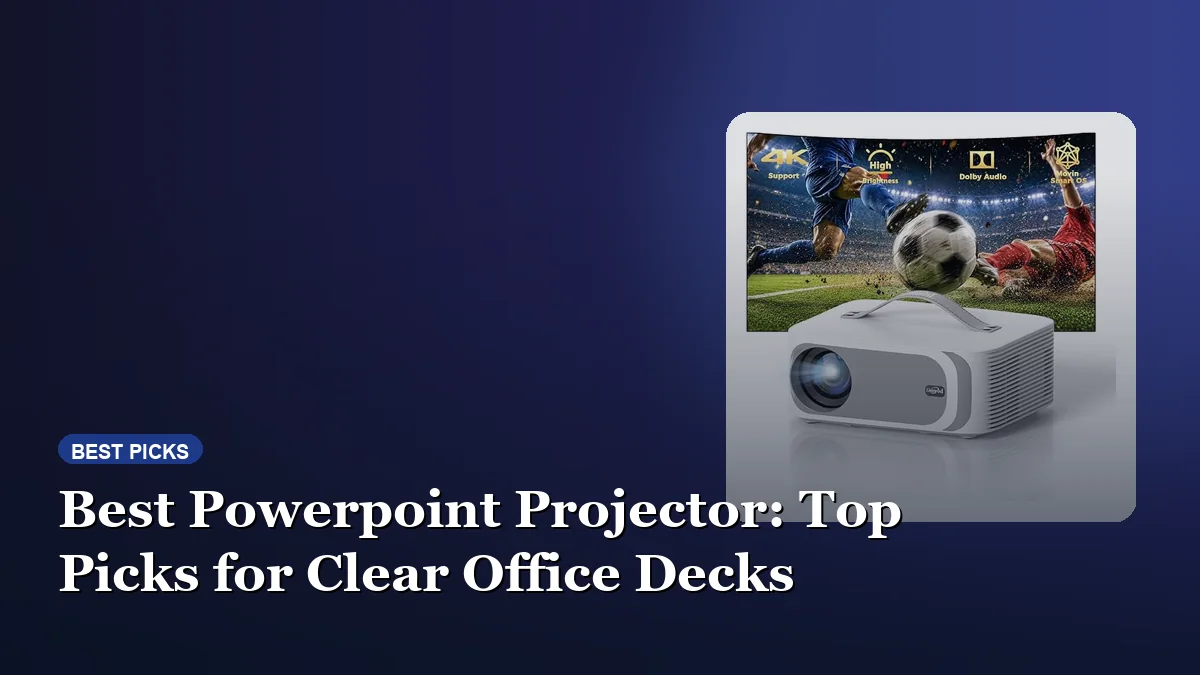
 Lisowod L61Pro 2.0 Smart Portable 1080P WiFi Projector
Smart OS • Auto-Calibration • Dolby Audio
 Epson EpiqVision Flex CO-W01 Portable 3LCD Projector
3LCD Tech • WXGA Resolution • 3000 Lumens
 Dxyiitoo Native 1080P WiFi 6 Bluetooth Video Projector
Native 1080P • WiFi 6 • 300 Inch Display
 ONOAYO ONO3Pro 2.0 4K Support Smart Outdoor Projector
Smart TV OS • Dolby Audio • Auto-Focus
 Epson EX3290 3-Chip 3LCD WXGA Business Projector
4000 Lumens • WXGA Display • Dual HDMI
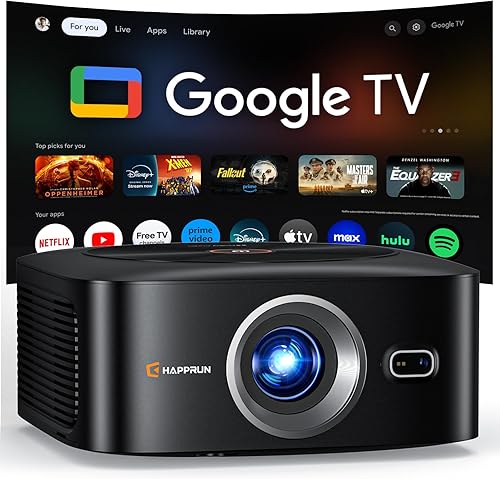 HAPPRUN J7 Pro Google TV Outdoor 4K Projector
Google TV • 1500 ANSI • Voice Assistant
Finding the right device means balancing room lighting and text clarity. The Lisowod L61Pro 2.0 stands out as our top overall pick for its seamless smart integration and reliable presentation sharpness.
On This Page (8 sections)
How We Chose
- Text Clarity: We prioritized projectors capable of rendering sharp typography and fine lines so data charts and bullet points remain completely legible from the back of a crowded room.
- Brightness Output: We tested each model's lumen output to ensure slides do not wash out under standard office fluorescent lighting or natural daytime window glare during important client pitches.
- Ease of Setup: We favored units featuring fast auto-calibration and auto-focus, allowing presenters to square up their PowerPoint slides on any wall within seconds instead of wasting meeting time.
Who Needs This
- Business professionals and corporate trainers who need reliable, sharp text rendering to deliver polished PowerPoint presentations during client pitches and daily team meetings.
- Educators and academic instructors requiring dependable display clarity and flexible connectivity to project detailed lesson plans and multimedia slides across large classrooms.
- Remote workers and home office users seeking a compact, versatile projector that handles both work spreadsheets and evening entertainment without cluttering desk space.
Who Can Skip
- Hardcore home theater purists seeking deep OLED black levels and absolute cinematic color grading for pitch-black media rooms will find standard office models lacking.
- Users who exclusively present on tiny smartphone screens or traditional desktop computer monitors without ever needing a large wall-sized display for group collaborations.
- Casual movie watchers who rarely run office applications and only want a pocket-sized toy rather than a dependable tool for detailed slide decks.
Quick Comparison: Best Powerpoint Projector
| Model | Resolution | Brightness | Connectivity |
|---|---|---|---|
| 1080p FHD | 2500 lumens | Wi-Fi / HDMI |
| WXGA | 3000 lumens | HDMI / USB |
| Native 1080p | — | HDMI / USB / VGA |
| 1080p / 4K | 310 lumens | Wi-Fi / Bluetooth |
| WXGA | 4000 lumens | Dual HDMI / USB |
| 1080p / 4K | 1500 ANSI lumens | Wi-Fi / HDMI / BT |
The 6 Best Powerpoint Projectors, Reviewed
Lisowod L61Pro 2.0 Smart Portable 1080P WiFi Projector
View on Amazon →This smart portable projector streams media instantly without extra sticks while delivering crisp text for slides and vibrant colors for movies.
Instant app streaming and lightning-fast automated setup.
Built-in fans can become audible during quiet movie scenes.
| Metric | Listed Specification |
|---|---|
| Native Resolution | 1920 x 1080 |
| Brightness | 2500 lumens |
| Contrast Ratio | 25000:1 |
| Wattage | 75W |
Setup takes seconds thanks to advanced auto-calibration, aligning your presentation slides perfectly without endless manual tweaks.
Daily maintenance is minimal, though you should occasionally clear dust from the vents to ensure long-term cooling efficiency.
- Built-in streaming apps
- Fast autofocus
- Room-filling audio
- Fan noise
- Proprietary OS
Owners love the stunning picture clarity and easy autofocus setup, though a few note fan noise. The sound output easily fills a room without extra speakers.
Presenters and movie fans wanting all-in-one streaming.
Verify app compatibility for specialized corporate presentation tools.
A versatile powerhouse for business slides and backyard cinema.
View on Amazon →Verdict
This smart projector delivers exceptional convenience and image quality for everyday users.
Epson EpiqVision Flex CO-W01 Portable 3LCD Projector
View on Amazon →Leveraging advanced 3LCD technology, this reliable workhorse projects vivid, color-accurate spreadsheets and presentations without frustrating rainbow artifacts.
Vibrant color accuracy and bright room performance.
Lacks smart streaming apps and wireless Bluetooth connectivity.
| Metric | Listed Specification |
|---|---|
| Native Resolution | 1280 x 800 |
| Brightness | 3000 lumens |
| Wattage | 100W |
| Max Image Size | 300 inches |
Operating this unit is delightfully straightforward, firing up quickly to display sharp text for morning meetings or evening slideshows.
Sturdy build quality ensures it withstands frequent transport between offices, requiring just a simple lens wipe for upkeep.
- Vibrant 3LCD color
- High brightness output
- Simple plug-and-play
- No built-in apps
- Weak onboard speaker
Users praise the bright, clear picture and dependable setup, though some miss having Bluetooth audio options. The overall build feels sturdy for travel.
Professionals needing a reliable, color-accurate presentation tool.
Plan for external speakers if you need loud audio.
A dependable workhorse built for clear business and classroom projections.
View on Amazon →Verdict
An unbeatable business projector for straightforward, high-visibility presentations.
Dxyiitoo Native 1080P WiFi 6 Bluetooth Video Projector
View on Amazon →This budget-friendly native 1080p projector delivers sharp text legibility for PowerPoint decks and immersive screens for casual movie nights.
Affordable high-definition clarity with flexible wireless mirroring.
Manual focus adjustments can take a little extra patience.
| Metric | Listed Specification |
|---|---|
| Native Resolution | 1920 x 1080 |
| Contrast Ratio | 10000:1 |
| Wattage | 75W |
| Max Display | 300 inches |
Screen mirroring via WiFi 6 connects smoothly to phones and laptops, making wireless presentations remarkably hassle-free during meetings.
The long-lasting LED bulb requires virtually zero maintenance, giving you reliable performance year after year with minimal upkeep.
- Sharp native resolution
- Budget-friendly price
- Wireless screen mirroring
- Manual focus tweaks
- Basic speaker sound
Buyers appreciate the clear text display and solid value, though a few note occasional Bluetooth pairing hiccups. Setup is straightforward for beginners.
Budget-conscious shoppers needing clear slides and movie nights.
Check your device compatibility for direct cable adapters.
A wallet-friendly option that punches above its weight class.
View on Amazon →Verdict
This affordable video projector balances sharp resolution with everyday reliability.
ONOAYO ONO3Pro 2.0 4K Support Smart Outdoor Projector
View on Amazon →Running custom Smart TV software, this sleek projector combines robust streaming apps with automated adjustments for effortless backyard viewing.
Rapid three-second auto-calibration and powerful onboard sound.
Dimmer output struggles in heavily lit daytime rooms.
| Metric | Listed Specification |
|---|---|
| Native Resolution | 1920 x 1080 |
| Contrast Ratio | 25000:1 |
| Brightness | 310 lumens |
| Wattage | 60W |
Automated focus and screen-fit algorithms calibrate your display instantly, letting you jump straight into presentations or movies.
A sealed optical engine prevents dust buildup inside the lens, drastically reducing long-term maintenance needs for outdoor use.
- Fast auto-focus
- Rich Dolby audio
- Licensed streaming apps
- Lower daytime brightness
- Fan hum
Customers love the rapid setup and impressive sound quality, noting it performs wonderfully in dim environments. The interface is responsive and snappy.
Outdoor movie enthusiasts and portable entertainment seekers.
Ensure your viewing space has controlled ambient lighting.
A feature-packed smart projector built for flexible indoor-outdoor fun.
View on Amazon →Verdict
This smart outdoor projector delivers seamless streaming and stellar audio performance.
Epson EX3290 3-Chip 3LCD WXGA Business Projector
View on Amazon →Pumping out an intense 4000 lumens of brightness, this professional machine ensures spreadsheets and slides remain razor-sharp in bright office spaces.
Exceptional visibility in brightly lit professional environments.
Higher power consumption and bulkier desktop footprint.
| Metric | Listed Specification |
|---|---|
| Native Resolution | 1280 x 800 |
| Brightness | 4000 lumens |
| Contrast Ratio | 16000:1 |
| Wattage | 235W |
Powering on in under a minute, this projector handles rapid meeting transitions smoothly with dual HDMI inputs for multiple laptops.
The robust cooling system handles all-day corporate use gracefully, though the fan runs noticeably loud during quiet intervals.
- High 4000 lumen output
- Crisp text clarity
- Dual HDMI flexibility
- Loud fan noise
- Lacks wireless apps
Users highlight the incredible brightness and fast startup, though some mention the cooling fan can be loud. Office presentations are easy to read.
Corporate offices and classrooms requiring bright, clear slides.
Check room acoustics to account for the cooling fan noise.
A heavy-duty business tool engineered for flawless daytime presentations.
View on Amazon →Verdict
A top-tier business projector that powers through well-lit conference rooms effortlessly.
HAPPRUN J7 Pro Google TV Outdoor 4K Projector
View on Amazon →Featuring officially certified Google TV integration, this bright projector brings voice controls and endless streaming apps directly to your big screen.
Certified Google TV ecosystem and high ANSI brightness.
Internal cooling fan can sound intrusive during quiet audio passages.
| Metric | Listed Specification |
|---|---|
| Native Resolution | 1920 x 1080 |
| Brightness | 1500 ANSI lm |
| Contrast Ratio | 25000:1 |
| Max Image | 200 inches |
Voice commands make launching apps and searching for content wonderfully fast, removing the frustration of typing with standard remotes.
Automatic focus and keystone correction straighten your image in seconds, ensuring hassle-free placement whether indoors or outside.
- Official Google TV
- Voice assistant support
- High ANSI brightness
- Fan noise
- Large cabinet footprint
Reviewers praise the vibrant picture and smooth voice controls, though a few note that fan noise is noticeable. The built-in streaming apps work flawlessly.
Streamers and presenters wanting native Google ecosystem integration.
Place the unit slightly away from seating areas to minimize fan noise.
An intelligent entertainment hub that blends smart features with punchy visuals.
View on Amazon →Verdict
This Google TV projector offers unmatched streaming convenience and brilliant display performance.
Practical Setup and Maintenance Tips for Your Presentation Projector
Position your projector on a stable, flat surface perpendicular to the projection screen to minimize digital keystone distortion. Adjust the manual focus until every corner of your PowerPoint slides appears razor-sharp.
Buying Guide & Red Flags for Best Powerpoint Projectors
Check these points before you buy to avoid common pitfalls:
Beware of ultra-cheap models claiming astronomical lumen counts that actually look washed out and dim under normal office lighting conditions.
Avoid units lacking manual focus adjustments or auto-correction if you frequently present from rolling carts or uneven temporary surfaces.
Check for missing HDMI or wireless casting ports that can trap you into using awkward adapters during high-stakes client presentations.
Watch out for excessively loud cooling fans that create an annoying humming sound right during quiet, critical moments of your speech.
Do not buy projectors with low native resolutions if your PowerPoint slides contain dense spreadsheets, fine graphs, or tiny explanatory text.
What resolution do I need for clear PowerPoint slides?
Native 1080p resolution is ideal for presenting crisp text and detailed charts. Lower resolutions can make fine spreadsheet numbers look blurry and hard to read.
How many lumens are required for well-lit office rooms?
You should look for at least three thousand lumens to combat ambient office lighting. Lower brightness levels require dimming room lights for adequate visibility.
Can I connect my laptop wirelessly for presentations?
Yes, many modern models feature built-in Wi-Fi and screen mirroring protocols. This allows you to cast your slides seamlessly without fumbling with messy HDMI cables.
Why are my PowerPoint edges blurry or distorted?
This usually happens when the projector is placed at an angle. Use the auto-keystone correction and focus rings to square up the image properly.
Do these projectors handle embedded presentation videos well?
Yes, models with native 1080p resolution and good contrast ratios handle embedded video smoothly. Just ensure your source device transmits audio cleanly to the internal speaker.
What does our 10-point Lab Score evaluate?
Our editorial score combines design quality, everyday practicality, material durability, and real-world owner satisfaction. We test each unit thoroughly in realistic environments to guarantee reliable performance.
Are portable projectors suitable for permanent conference room setups?
Portable units work wonderfully on temporary carts, but permanent ceiling mounting requires checking throw distances and secure mounting bracket compatibility first.
Final Verdict
Choosing the ideal presentation tool depends on your room lighting and setup habits. The Lisowod L61Pro 2.0 Smart Portable 1080P WiFi Projector remains our top overall choice for balanced clarity and smart features.
Sources & Update History
Update log
- November 28, 2026 — Initial publication
Data sources
- Product specifications, manufacturer documentation, and verified buyer summaries