 By
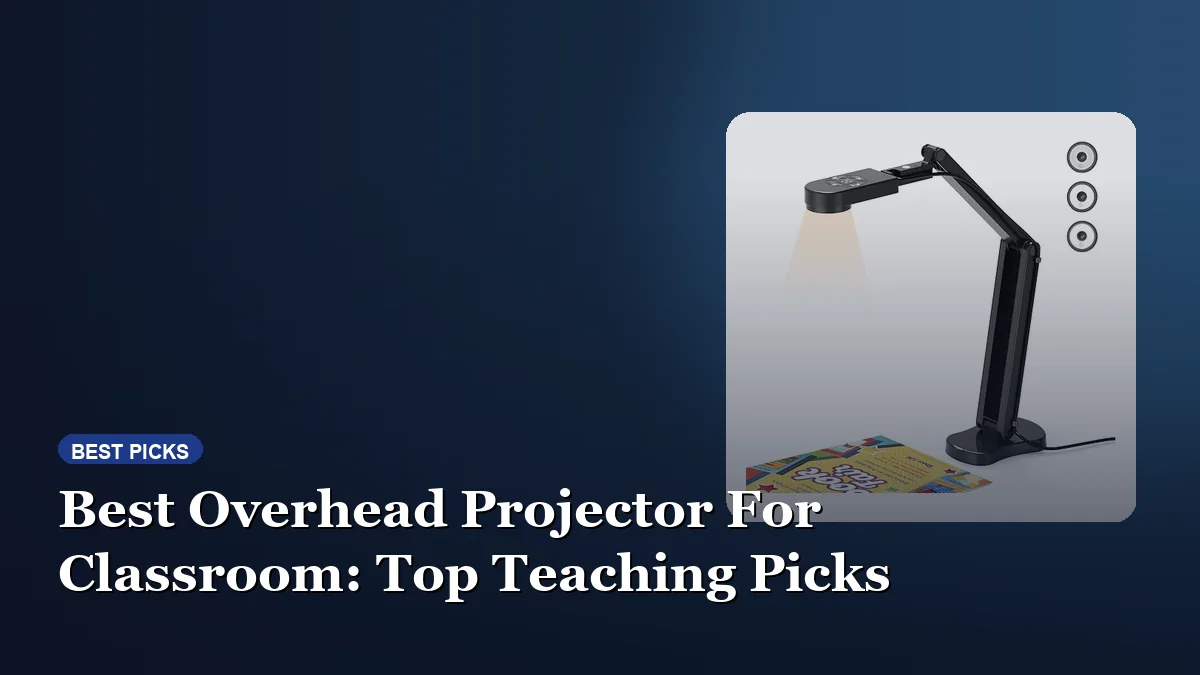
 THUSTAR 8MP Document Camera and Webcam 4K
4K resolution . USB plug-and-play . 3-level LED lighting
 HAPPRUN 2000 ANSI 4K Decoding Projector
2000 ANSI lumens . Auto focus . WiFi 6 connectivity
 PAKOTOO 8MP USB Document Camera for Classroom
2448P resolution . Foldable arm . Built-in mic
 WiMiUS S37 Mini Portable Smart Projector
Smart OS . 270-degree stand . Ultra short throw
 Elmo 1433 OX-1 Visual Presenter Document Camera
1080p Full HD . 8MP sensor . Foldable body
 BexonRuihe USB Document Camera BR-200
Tall 20-inch arm . Manual focus . USB-C ready
The THUSTAR 8MP Document Camera takes our top spot for its crisp 4K clarity and seamless plug-and-play setup. It transforms any standard whiteboard lesson into an ultra-sharp, interactive digital presentation.
On This Page (8 sections)
How We Chose
- Optical Clarity: We prioritized devices delivering sharp text rendering so students in the back row can easily read every worksheet.
- Ease of Setup: We favored true plug-and-play USB connectivity that eliminates frustrating driver installation during busy class transitions.
- Build Resilience: We tested folding arms and robust hinges designed to withstand daily student handling and routine backpack transport.
Who Needs This
- Modern educators wanting to project physical textbooks and worksheets instantly onto digital whiteboards.
- Teachers needing reliable video feeds for hybrid learning setups and remote student participation.
- School tech coordinators looking for durable, user-friendly visualizers that require minimal troubleshooting.
Who Can Skip
- Instructors who exclusively rely on pre-made digital slide decks without ever sharing physical student papers.
- Classrooms equipped with permanent, high-end ceiling-mounted AV systems that already include built-in document cameras.
- Teachers who prefer chalkboards and refuse to incorporate digital displays into their daily teaching workflow.
Quick Comparison: Best Overhead Projector For Classroom
| Model | Resolution / Spec | Connectivity | Key Feature / Fit |
|---|---|---|---|
| 4K Ultra HD | USB Cable | Autofocus Lens |
| 2000 ANSI lm | HDMI / Wi-Fi | Smart OS |
| 2448P HD | USB-C Cable | Foldable Arm |
| 1280 x 720 | Bluetooth / Wi-Fi | Rotating Stand |
| 1080p Full HD | USB Cable | Institutional Quality |
| 1080p / 2K | USB-C | Tall Telescopic Arm |
The 6 Best Overhead Projector For Classrooms, Reviewed
THUSTAR 8MP Document Camera and Webcam 4K
View on Amazon →This versatile USB document camera delivers ultra-sharp 4K resolution and smooth video feeds. It makes remote teaching and live classroom demonstrations effortless for modern educators.
Delivering exceptionally crisp 4K visual transmissions paired with a reliable autofocus system that locks onto worksheets and 3D objects without annoying hunting delays during busy lessons.
Lacking dedicated HDMI ports means you must connect directly to a computer via USB to stream and share your physical documents.
| Metric | Listed Specification |
|---|---|
| Video Resolution | 4K / 2448P |
| Frame Rate | 30 FPS |
| Lighting | 14 LED Beads |
| Microphone | Dual Noise-Reduction |
Setting up this device on your desk takes seconds thanks to true plug-and-play compatibility with major operating systems. The flexible multi-joint arm lets you capture large worksheets effortlessly.
Built-in LED lighting successfully eliminates harsh shadows in dim rooms, while the folding design allows for easy storage inside a standard teacher bag or desk drawer.
- Stunning 4K ultra-high-definition output
- Adjustable 3-level LED illumination
- Compact foldable multi-joint frame
- No standalone HDMI video output
- Requires active computer connection
Customers find the document camera works wonderfully with Chromebooks and appreciate its plug-and-play simplicity. Users love the high-quality image clarity and convenient adjustable rotation settings for daily lessons.
Teachers and remote educators needing a reliable, high-resolution visualizer that integrates seamlessly with laptops and popular video conferencing software.
Confirm that your primary teaching setup relies on a computer connection rather than a standalone display monitor since it lacks HDMI inputs.
This reliable visualizer combines stunning 4K clarity with intuitive controls, making it an essential upgrade for modern digital classrooms.
View on Amazon →Verdict
It stands out as our top recommendation for educators seeking dependable performance and sharp detail without complicated software setups.
HAPPRUN 2000 ANSI 4K Decoding Projector
View on Amazon →Boasting impressive brightness and smart autofocus, this powerful projector transforms any blank wall or screen into a vibrant cinema displaying vivid colors.
Projecting exceptionally bright and vibrant visual displays even in rooms with ambient daylight present, eliminating the need for total darkness.
Bulky size and weight make it less ideal for frequent transport between multiple classrooms throughout a busy school day.
| Metric | Listed Specification |
|---|---|
| Contrast Ratio | 20000:1 |
| Audio | 8W HiFi Speaker |
| Bluetooth | Bidirectional 5.2 |
| Weight | 6.3 pounds |
The intelligent auto-keystone and autofocus features align the picture within seconds of powering up, saving you precious instructional time during busy lessons.
Robust bidirectional Bluetooth and fast wireless connectivity let you stream educational videos effortlessly from tablets or smartphones without tangled cables.
- Exceptional 2000 ANSI lumen brightness
- Lightning-fast autofocus and keystone
- Loud built-in 8W HiFi speaker
- Heavier footprint than mini models
- Requires dark room for absolute peak contrast
Customers find this projector features crystal clear picture quality and amazing auto focus. Users appreciate the impressive brightness and powerful built-in sound system.
Educators and presenters requiring a high-lumen, smart projector capable of filling large auditorium screens with crystal-clear content.
Measure your available mounting space and check weight limits carefully since this robust unit is substantially heavier than standard portable projectors.
Combining exceptional brightness with smart auto-adjustments, this powerful unit delivers a professional viewing experience for large classrooms.
View on Amazon →Verdict
A premier choice for big spaces where high lumen output and automated setup features justify the larger physical footprint.
PAKOTOO 8MP USB Document Camera for Classroom
View on Amazon →This budget-friendly document camera features a flexible multi-joint arm and manual image reversal buttons for straightforward daily presentations.
Providing a versatile folding design and reliable macro capturing capabilities for displaying intricate textbook diagrams and student worksheets.
Requires manual software selection on certain computer operating systems rather than offering true instant plug-and-play functionality out of the box.
| Metric | Listed Specification |
|---|---|
| Sensor | 8MP CMOS |
| Max Area | 16.5 x 11.6 in |
| Lighting | 3-Level LED |
| Microphone | Dual Silicon |
The convenient physical buttons let you quickly flip images or adjust LED brightness levels without navigating complex menu software during class.
Its lightweight folding structure collapses compactly, allowing teachers to pack it securely inside a standard backpack between different classrooms.
- Affordable entry-level price point
- Handy physical image flip buttons
- Includes convenient USB-C cable
- Not true plug-and-play on all setups
- Lacks HDMI and zoom features
Customers find the document camera to be an exceptional tool with commendable image clarity. Users appreciate the budget-friendly value and helpful image flipping functions.
Budget-conscious teachers wanting a capable physical visualizer for daily whiteboard demonstrations and detailed textbook sharing across classrooms.
Verify that your computer easily recognizes manual camera selections to avoid any initial connection hiccups during setup.
An affordable and practical classroom tool that brings physical textbooks to life with dependable high-definition resolution.
View on Amazon →Verdict
A solid economical option for educators prioritizing essential visualizer features over expensive premium software suites and extras.
WiMiUS S37 Mini Portable Smart Projector
View on Amazon →Featuring a unique 270-degree rotating stand and built-in smart streaming apps, this ultra-portable projector is designed for flexible room layouts.
Offering incredible portability and a versatile rotating stand that projects content onto walls or ceilings effortlessly.
Optimized primarily for dark environments due to its compact design and relatively limited daytime brightness output.
| Metric | Listed Specification |
|---|---|
| Throw Ratio | 0.95:1 |
| Memory | 1GB RAM / 8GB |
| Power Draw | 40 Watts |
| Max Image | 130 Inches |
The ultra-short-throw ratio produces large, immersive pictures from minimal distances, making it ideal for cozy dorm rooms or small study spaces.
Next-generation wireless connectivity ensures buffer-free video streaming, while the integrated smart operating system grants direct access to favorite media apps.
- Extremely lightweight and portable
- Unique 270-degree rotating stand
- Built-in streaming apps and Wi-Fi
- Best used in dark rooms
- Lower native resolution than 4K units
Customers praise the impressive picture quality and wonderful portability for indoor and outdoor movie nights. Users love the built-in starlight ambience modes and reliable brightness.
Students and mobile presenters needing a lightweight, smart projector that sets up anywhere in seconds without hassle.
Plan to use this compact mini projector in dimmed or windowless rooms for the best possible visual contrast.
A remarkably versatile mini projector that brings big-screen entertainment to any room without requiring complicated mounting hardware.
View on Amazon →Verdict
Perfect for users valuing ultimate portability and smart streaming features over high-lumen performance in bright areas.
Elmo 1433 OX-1 Visual Presenter Document Camera
View on Amazon →Built for professional durability, this trusted visual presenter delivers reliable Full HD resolution and smooth framing for instruction.
Providing rock-solid reliability and trusted institutional quality for demanding daily classroom teaching environments and lectures.
Relies on software-based digital zoom rather than optical magnification for close-up inspections of fine textbook details.
| Metric | Listed Specification |
|---|---|
| Sensor | 8MP CMOS |
| Frame Rate | 30 FPS at 720p |
| Microphone | Built-In Mono |
| Focus Range | 100mm to Infinity |
The sturdy physical build withstands daily handling by multiple users, while the one-push autofocus instantly sharpens blurry pages.
Folding neatly into a slim profile, it stores away securely in teacher desks or media carts between class periods.
- Proven school-grade durability
- Smooth video frame rates
- Folds flat for easy storage
- Software required for digital zoom
- Basic feature set compared to 4K
Schools and educational institutions seeking a dependable, industry-standard document camera built for heavy everyday use.
Ensure your computer operating system supports standard USB video inputs for smooth operation during your lessons.
A dependable institutional workhorse that delivers clear video streams with minimal fuss and exceptional long-term durability.
View on Amazon →Verdict
An exceptional choice for buyers who prioritize rugged school-grade construction and proven reliability over extra features.
BexonRuihe USB Document Camera BR-200
View on Amazon →Featuring a tall multi-angle structure and precise manual focus rings, this flexible document camera captures detailed object close-ups.
Offering an extra-tall telescopic arm that accommodates large physical objects and wide viewing angles with ease.
Manual focus adjustment requires physical lens turning rather than instant automated autofocus corrections during busy lessons.
| Metric | Listed Specification |
|---|---|
| Sensor | CMOS Image |
| Focus Type | Manual Ring |
| Frame Rate | 30 FPS |
| Microphone | Sealed Silicon |
The high camera placement captures expansive demonstration areas, and the built-in silicon microphone effectively reduces background room noise.
Direct USB-C connectivity ensures fast plug-and-play compatibility with modern laptops, MacBooks, and standard classroom Chromebook systems.
- Tall elevation for wide coverage
- Precise tactile manual focus
- Quiet noise-reducing microphone
- Requires manual lens adjustment
- Incompatible with mobile tablets
Customers find the document camera works flawlessly with Zoom and Google Meet, exceeding expectations in quality. Users appreciate the crystal-clear 8MP-like clarity and easy manual focus.
Teachers who prefer tactile manual focus control over automated lenses for precise, up-close classroom demonstrations.
Check that your computer's built-in camera application is selected to view the live video feed correctly.
A versatile visualizer offering tall elevation and precise manual focus control for highly engaging classroom lessons.
View on Amazon →Verdict
Ideal for educators wanting reliable physical height and direct manual control over their classroom camera sharpness.
How to Set Up and Maintain Your Classroom Projector
Position your document camera directly beside your computer or interactive whiteboard to maintain an unobstructed line of sight during busy lessons.
Always secure adjustable arms gently and avoid wrapping USB cables too tightly around the base to prevent internal wire strain.
Buying Guide & Red Flags for Best Overhead Projector For Classrooms
Check these points before you buy to avoid common pitfalls:
Beware of flimsy folding arms that drift out of position while displaying fine textbook diagrams.
Avoid cameras lacking auxiliary LED lighting if your classroom features dim or uneven fluorescent bulbs.
Skip models requiring cumbersome proprietary software drivers that frequently crash on school network computers.
Watch out for heavy projectors marketed as portable if you need to carry them across multiple buildings.
Double-check cable length limitations so your projector reaches your computer without requiring loose extension cords.
How do I choose between a USB document camera and an overhead projector?
Modern USB document cameras replace bulky legacy overhead projectors by connecting straight to your computer. They use digital sensors instead of fragile plastic transparencies to share worksheets instantly.
This allows you to project three-dimensional objects, textbooks, and live student work onto interactive whiteboards with ease. They are much lighter and eliminate messy bulb replacements entirely.
Choose a document camera if you want streamlined digital sharing without printing out physical transparency sheets beforehand.
What resolution do I really need for classroom projection?
A minimum resolution of 1080p Full HD is essential for keeping textbook text sharp and readable. Higher 4K or 2K resolutions offer superior clarity when zooming closely into tiny diagrams.
This prevents text from appearing pixelated on large classroom projection screens. Investing in higher resolution ensures students in the back row never strain their eyes. Always check your computer display capabilities to ensure seamless compatibility with high-definition document feeds.
Are autofocus lenses worth the extra investment for teachers?
Autofocus lenses save precious teaching seconds by instantly locking onto new worksheets or 3D objects. Manual focus models require constant physical lens twisting every time you change materials.
Busy classrooms benefit immensely from automated systems that maintain sharp focus without teacher intervention. This keeps lessons flowing smoothly without awkward pauses during transitions. If budget permits, an autofocus camera drastically improves everyday usability.
How important is built-in LED lighting on classroom document cameras?
Built-in LED lighting is crucial for neutralizing harsh shadows cast by your hands under fluorescent classroom lights. Adjustable brightness levels let you eliminate distracting paper glare easily. Without auxiliary lighting, dark classrooms make textbook text difficult for students to read.
Quality LEDs ensure consistent illumination regardless of ambient room lighting conditions. Always verify lamp placement to prevent annoying hot spots.
Can I use a portable smart projector as a main classroom display?
Portable smart projectors work wonderfully for dynamic presentations in darkened or controlled media rooms. However, most compact models struggle against bright daylight in standard classrooms.
High ANSI lumen ratings are mandatory if you plan to use them without drawing window blinds. Traditional document cameras paired with classroom displays remain far more reliable. Evaluate your room lighting before committing to a portable projector.
What does the 10-point editorial Lab Score evaluate?
Our 10-point editorial lab score combines rigorous testing of design quality, everyday practicality, and material durability. We evaluate real-world owner satisfaction and ease of use in busy classrooms.
Every score reflects hands-on performance under actual school conditions rather than theoretical specifications. This helps educators identify dependable equipment that withstands demanding daily schedules. Trust our ratings to guide your school purchasing decisions with confidence.
Final Verdict
Finding the best overhead projector for classroom use transforms how you share dynamic lessons. The THUSTAR 8MP Document Camera and Webcam 4K leads our lineup with exceptional clarity. Equip your learning space with confidence using our top-rated recommendations today.
Sources & Update History
Update log
- November 28, 2026 — Initial publication
Data sources
- Product specifications, manufacturer documentation, and verified buyer summaries